

Pet devices do five main jobs: they let you see your pet, talk to your pet, track your pet, feed your pet, and alert you when something happens. Each job relies on a handful of features, such as video, two-way audio, GPS, geofencing, scheduling and notifications. Once you know what each feature does and how it connects (Wi-Fi, Bluetooth or cellular), you can pick the combination that fits your dog and your home, and skip the rest.
TL;DR
- Most pet devices fall into five groups: cameras and monitors, trackers, smart collars, feeders, and alert or communication devices.
- Connection type decides how a device behaves. Wi-Fi suits remote alerts and video at home, Bluetooth suits fast pairing and short range, and GPS with cellular suits tracking outdoors.
- Before buying, check what the device does when Wi-Fi or power drops, how it handles your data, and what ongoing fees apply.
- Devices support your dog’s care and your routine. They do not replace supervision, training or your veterinarian.
- For handlers who need the dog to reach a person, a button-style alert device with live video and two-way audio covers a need that cameras and trackers do not.
Table of Contents
- The five families of pet device features
- Which feature does what: a quick reference
- How devices connect: Wi-Fi, Bluetooth, GPS and cellular
- Integration basics: making devices work together
- What to check before you rely on a device
- Privacy and security: protect the camera and the account
- Setup, training and maintenance
- How features serve different owners
- Where human judgment still leads
- Perspective: why we built around the dog’s own voice
- Put the right features to work
- FAQ
- Sources
The five families of pet device features
Marketing pages list dozens of features. Nearly all of them belong to one of five families. Knowing the family tells you what a device is for before you read a spec sheet.
Cameras and monitors: seeing and speaking
Pet monitors can offer video, two-way audio, treat dispensing and laser-pointer play, and some also keep an eye on the pet’s environment, according to a veterinary hospital network’s guide to home pet monitoring. The same guide notes that some cameras let you watch remotely, speak to your pet and use night vision.
The features worth understanding:
- Live video: a stream you open on demand through an app.
- Two-way audio: you hear the room and your voice plays through the device. It helps with calming a nervous dog or interrupting barking.
- Night vision: infrared lighting so the picture works in a dark room.
- Treat tossing and laser play: interaction features. Fun, but they work best as a supplement to real exercise.
Trackers: knowing where your dog is
Trackers use location technology. GPS trackers fix position from satellite signals and relay it over a cellular link, increasingly using low-power cellular standards such as LTE-M to stretch battery life. Bluetooth tags work differently: they have no satellite radio and rely on nearby phones to spot them.
Geofencing is the feature people ask about most. You draw a boundary on a map, and the tracker alerts you when your pet crosses it. Digital Trends’ pet tech buying guide describes geofencing for this purpose and recommends GPS for serious trail and walk tracking.
Smart collars: activity and health signals
Some smart collars track activity levels, and some monitor vital signs such as heart rate and respiratory rate. One veterinary services blog notes that the combined data can help spot potential health problems early and prompt a vet visit. That is the right way to think about it: a collar gives you a trend line, and your vet gives you a diagnosis.
If you want the vocabulary behind these dashboards, our guide to smart dog collar terms explains why a 7 to 14 day baseline matters. Our pieces on pet sensors and the signals they report and canine health tracking go deeper.
Feeders: portion control and schedules
Automated feeders let you set portions and schedules. According to the same veterinary services blog, advanced models can identify individual pets using microchips or special collars, which helps keep nutrition on track in multi-pet homes. The key feature to look for is local storage of the schedule, so meals still happen if your internet goes down.
Alert and communication devices: the dog reaches you
This is the family most lists skip. Cameras let you look at the dog. Trackers tell you where the dog is. An alert device flips the direction: the dog presses a button and a person gets a notification. For someone who lives alone, has a medical condition or relies on a service dog, that reversal is the whole point.
The iPupPee is built for this. It is a Wi-Fi enabled alert device that is designed to let a dog send a direct notification to you or to emergency contacts, with live video and two-way audio so a person can see what is happening and respond. For more on how this category fits into daily life, see our overview of wearable tech for dogs, safety, alerts and independence.
Which feature does what: a quick reference
| Feature | What it does | Best for | Usually needs |
|---|---|---|---|
| Live video | Shows your pet in real time | Checking in while away | Wi-Fi and an app |
| Two-way audio | Lets you hear and speak through the device | Calming, giving cues, responding to an alert | Wi-Fi |
| Push notifications | Sends a message to your phone | Knowing something happened right now | Wi-Fi or cellular |
| Geofencing | Alerts when the pet leaves a set area | Yard escapes, walks | GPS and cellular |
| Activity tracking | Records movement and rest | Spotting changes in routine | Collar sensor and app |
| Scheduled feeding | Releases set portions at set times | Consistent meals | Power, sometimes Wi-Fi |
| Multiple contacts | Notifies more than one person | Shared care, emergencies | Account setup in the app |
How devices connect: Wi-Fi, Bluetooth, GPS and cellular
Connection type is the least glamorous feature and the one that most affects whether a device works when you need it.
Bluetooth is for short range, low power and fast pairing. Wi-Fi is for internet connectivity, remote monitoring and real-time notifications. A 2026 explainer on pet electronics describes how many premium products combine both: Bluetooth handles pairing and first setup, the Wi-Fi details are then passed along, and later communication runs through your home network and cloud services.
GPS plus cellular is for the outdoors, where there is no home Wi-Fi. Some wearables mix methods: one engineering write-up describes a tag that pairs by Bluetooth LE and uses outdoor sensors with a gateway to alert the owner’s app when the pet strays beyond Bluetooth range.
In practice, match the connection to where the risk is:
- Risk is at home (a medical event while you are in another room, a dog left alone for an hour): Wi-Fi with video and audio.
- Risk is outside (escape, hiking, off-leash time): GPS with cellular and geofencing.
- Risk is routine drift (health or behavior changes): a collar with sensors and a baseline period.
Our explainer on the role of IoT in pet care walks through how these pieces talk to each other.
Integration basics: making devices work together
Almost every device wants an app, an account and a Wi-Fi password. A few habits keep a multi-device setup from turning into a mess:
- Use one network for all home devices and confirm the router’s band. Many small devices connect only on the 2.4 GHz band, so check the device’s setup notes before you start.
- Pair by Bluetooth first when the device asks for it, then let it join Wi-Fi. Stay close to the device during setup.
- Add every contact who should be notified and have each person install the app and test a notification.
- Keep notification permissions on for the app. A device that alerts a phone set to silent has not alerted anyone.
- Save the manual, warranty terms and support contact in one folder.
The best integration is often the simplest. A device that does one job reliably and sends clear notifications to the right people will beat a bundle of features you never open.
What to check before you rely on a device
One buyer’s guide suggests writing down the device’s stated connection method and what happens when it disappears, then asking four practical questions: does the core task continue offline, which schedules are stored locally, which records or camera functions stop, and how does the device recover once power and network return? It also advises keeping the manual, warranty terms and official support contact, and checking return rules for items that have touched food, water or litter.
Add three checks of your own:
- Fees: does the device need a monthly subscription for core features? iPupPee does not require monthly subscription fees, which keeps the cost of owning it predictable.
- Contacts: can more than one person be notified? iPupPee is designed to reach multiple contacts, so a single missed phone does not end the alert.
- Dog fit: is the control something your dog can actually use? iPupPee is designed for dogs of all sizes, and the training materials show how to teach the behavior.
Privacy and security: protect the camera and the account
A device with live video and audio is a window into your home, so treat it like one. The Federal Trade Commission warns that many IP cameras are vulnerable to digital snooping, and advises changing default settings and checking the camera’s access logs regularly. Its guidance also points to using security features such as encryption and a passcode.
Practical steps for any connected pet device:
- Change the default password during setup and use a unique one.
- Turn on two-factor authentication if the app offers it.
- Share access only with people who need it, and remove old contacts when circumstances change.
- Keep the app and device firmware up to date.
- Place indoor cameras away from bedrooms and bathrooms.
Setup, training and maintenance
Hardware is half the system. The other half is the habit.
Setup. Place the device where the dog can reach it easily and where Wi-Fi is strong. Test the signal at that exact spot with your phone before you commit.
Training. Any device that asks the dog to do something, such as pressing a button, works through repetition and reward. Short sessions, a clear cue and consistent treats beat long, frustrating ones. We include video guides with the iPupPee, and our separate Psychology & Training Course covers the dog psychology behind building reliable behaviors.
Maintenance. A home tech care guide lists the basics: clean feeders and fountains, replace fountain filters as directed, wipe camera lenses and check tracker clips for wear. Add a monthly test of any alert device so you know it still reaches every contact.

How features serve different owners
Service dog handlers. The ADA defines a service animal as a dog individually trained to do work or perform tasks for a person with a disability. Tasks include alerting a person who is deaf or protecting someone during a seizure. A device that lets the dog call for help extends that trained behavior to moments when no one is in the room.
Seniors and people living alone. Notifications to several contacts, plus live video and two-way audio, let a family member see the situation and talk to the person or dog right away.
New puppy and rescue owners. Activity trends and a button-training routine give structure to the first weeks. Our guides to behavioral pet tracking and dog lifestyle monitoring explain how to read the patterns.
Trainers and rescues. Consistent, repeatable cues are easier to teach when every client uses the same tool, and we run an affiliate program for trainers and organizations who refer customers.

Where human judgment still leads
Devices report; people decide. A collar that flags a change in activity is a reason to call your veterinarian, not a replacement for the exam. Our guide to pet wellness monitoring and daily checks and our look at wearable tech for monitoring dog health cover how to use the data alongside your vet.
For animal safety, choose well-fitted collars and straps, check skin under any wearable regularly, and stop using a device if your dog shows discomfort. For medical or mobility needs, talk to your doctor and to a qualified service dog trainer about how a device fits your dog’s training. Our overview of pet safety devices is a good next read.
Perspective: why we built around the dog’s own voice
Most pet tech watches the dog. We wanted a device where the dog can speak first.
When we looked at cameras, trackers and collars, we saw one gap: none of them lets the dog say “I need you” at the exact moment it matters. That matters most to people who live alone, handlers with disabilities and seniors whose dogs already notice problems before anyone else does.
So we designed the iPupPee around a simple button press that sends an instant Wi-Fi notification to one or several contacts, with live video and two-way audio so the person who answers can see and respond. We built it for dogs of all sizes and made it work without monthly subscription fees, because safety should not be a recurring bill.
The device is only as good as the training behind it, which is why we pair it with video guides and a dog psychology course. Our goal is independence and peace of mind for the whole team: the dog, the handler and the people who care about them.
Andrew
Put the right features to work
If the feature you need is a dog who can reach a person, the iPupPee medical alert device training system is $129.99 as a one-off purchase. It includes the training materials to teach the behavior. If you want to understand the behavior side first, the Psychology & Training Course is $119, also one-off.
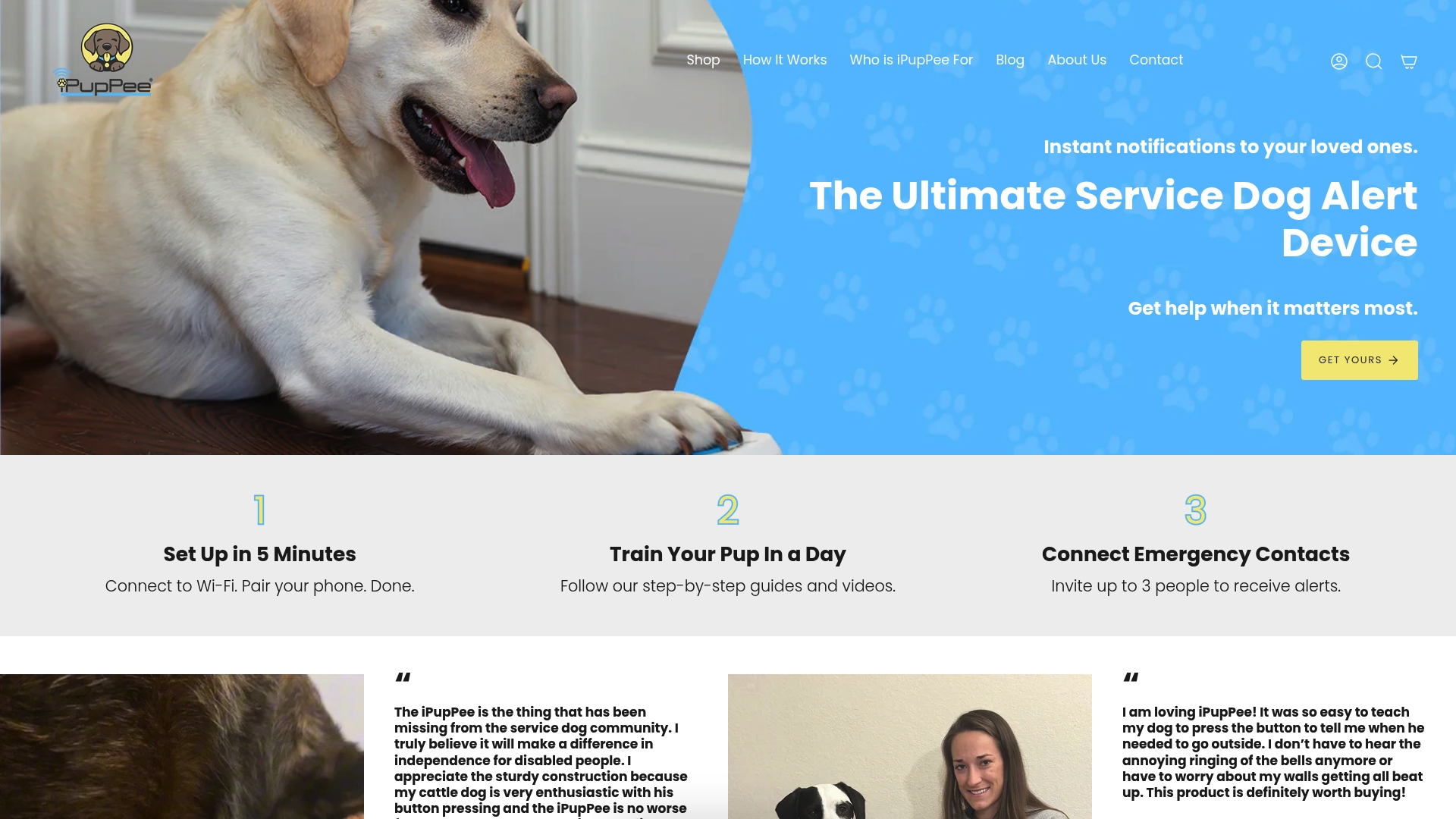
Not sure how it works day to day? Our How It Works page walks through setup and use. At checkout you can add shipping protection for $5.00 to cover damage, loss or theft of your order.
FAQ
What is the most important pet device feature?
It depends on the risk you are managing. For tracking an escape-prone dog outdoors, it is GPS with geofencing. For checking in at home, it is live video with two-way audio. For a dog that needs to call a person during an emergency, it is a reliable alert notification to more than one contact.
Do pet devices need Wi-Fi?
Many do, especially cameras, feeders with app control and alert devices, because Wi-Fi supports remote monitoring and real-time notifications. Trackers outdoors usually use GPS and cellular instead. Check what your device does when the network drops, and where the setting lives, before you depend on it.
Can a smart collar diagnose a health problem?
No. A smart collar can show trends in activity, rest and sometimes vital signs, which may prompt a vet visit. Diagnosis and treatment come from your veterinarian, who can use the collar’s data as one piece of context.
Are pet cameras and connected devices safe to use at home?
They can be, with good habits. The FTC advises changing default settings, using encryption and passcodes where available and reviewing access logs. Use a unique password, enable two-factor authentication and share access only with people you trust.
Does a service dog need a device to be a service dog?
No. Under the ADA, a service dog is defined by individual training to perform tasks related to a person’s disability, not by equipment. A device can support that training by giving the dog a way to alert a person when you are out of reach.
Sources
- Watching Your Watch Dog: Home Pet Monitoring Systems, VCA Animal Hospitals
- Ultimate pet tech buying guide, Digital Trends
- Modern Pet Care with Smart Pet Technology, Genius Vets
- Pet and Animal Electronics, Electronics Guide
- WiFi vs Bluetooth in Pet Electronics, PetTechFactory
- Bluetooth LE and cellular IoT wearables for pets, Nordic Semiconductor blog
- How to Verify a Smart Pet Device Before Buying, ChinoMuse
- Smart pet care guide, Bill’s Home Tech
- Securing Your Internet-Connected Devices at Home, FTC
- ADA Requirements: Service Animals, ADA.gov