
A tactile pet interface is any tool that carries a message between a person and a dog through touch: a vibration the dog feels on its body, or a button the dog presses with a paw or nose. Its role is to open a channel where voice and gesture fall short, such as distance, noise, poor visibility, hearing loss, or a handler who cannot get to the dog quickly. It works in both directions, and the best results come from pairing it with patient, reward-based training.
TL;DR
- Tactile interfaces send a signal the dog feels (vibration, pressure) or let the dog send one by pressing a button. Both bypass sound and sight.
- Research reviews find dogs can perceive differences in vibration strength, body location and rhythm, and can learn to link them to commands.
- Tactile tools help most where voice and sight fail: working dogs, deaf or hard-of-hearing dogs, and people who rely on a dog for safety.
- Introduce any touch cue slowly, pair it with treats, keep it gentle, and never use it as punishment.
- A dog-activated button such as iPupPee turns one paw press into a Wi-Fi alert to your chosen contacts, with no monthly fee.
Table of Contents
- What a tactile pet interface actually is
- How dogs perceive touch
- The vibrating vest: a good example of the human-to-dog side
- Who benefits from tactile interfaces
- The other half: when the dog does the touching
- How to introduce a tactile cue, step by step
- Comfort and welfare when using touch cues
- Our perspective
- Get started with iPupPee
- FAQ
- Sources
What a tactile pet interface actually is
The word “interface” sounds technical, but the idea is simple. It is the point where a dog and a person exchange information. Most of the time that point is sound (“sit”) or sight (a hand signal). A tactile interface moves it to touch.
A recent academic review describes these tools as devices that deliver mechanical cues such as vibration, pressure or motion to a dog’s body, bypassing the auditory and visual channels. That is different from the touch dogs already use with each other and with us: leaning, nudging, pawing, body contact, and the ground vibrations they pick up through their feet. Natural touch is spontaneous and social. A tactile interface is designed, repeatable and trained, so the same signal means the same thing every time.
It helps to think of two directions:
- Human to dog. A wearable delivers a buzz or a tap that the dog has learned means “come back to me” or “turn left.”
- Dog to human. The dog presses or touches something, and that touch becomes a message the person receives.
Most articles on this topic cover only the first direction. The second matters just as much for anyone whose dog is part of their safety plan.
How dogs perceive touch
Dogs gather touch information through receptors spread across the skin and deeper tissues, which is why a gentle hand on the chest can calm a dog and a light tap on the shoulder can get its attention. What matters for interface design is how finely a dog can tell signals apart.
The 2026 review in the journal Animals summarizes the research: dogs can perceive and discriminate several features of a haptic signal, including its intensity, its location on the body, and its timing pattern (rhythm and continuity). After training, they can associate those signals with commands.
That gives designers three “dials” to work with:
| Dial | What changes | Example use |
|---|---|---|
| Intensity | How strong the vibration feels | A soft pulse for “check in,” a firmer one for “come now” |
| Location | Which part of the body receives it | Left side versus right side to suggest direction |
| Pattern | Rhythm and continuity | Short bursts versus one long buzz |
The same review is honest about the state of the field: the studies show the approach is feasible, but they are small, with samples of 1 to 11 dogs and varied methods. In practice that means tactile cueing is a promising, trainable tool, and it is best taught with individual dogs rather than assumed to work identically for every animal.
The vibrating vest: a good example of the human-to-dog side
Researchers at Ben-Gurion University built a vibrotactile vest with four embedded vibration motors. A handler triggers them from a wireless remote, and a trained dog can learn that cues differing in location or waveform map to different commands. National Geographic covered the project as a way to “talk” to a dog without a voice, with search and rescue as the target setting.
The lesson is not that every dog needs a vest. It is that touch can carry a vocabulary, as long as the dog is taught what each signal means. Researchers also note that studies should control for the faint sound a vibration motor makes, so they can be sure the dog is responding to what it feels and not to what it hears.
Who benefits from tactile interfaces
The role of a tactile tool changes with the person and the dog.
Working dogs and handlers
The review points to search-and-rescue and military working dogs as the most obvious fit, because noise, distance, poor visibility or blocked sightlines can make voice and hand signals unreliable. A silent, discreet cue lets a handler guide a dog without alerting anyone or shouting over wind and machinery.
Deaf and hard-of-hearing dogs
A dog that cannot hear a recall word still feels. Trainers who work with deaf dogs commonly use vibration as an attention or recall cue. Whole Dog Journal notes that pairing vibration with rewards can condition it as a recall signal, so some dogs turn toward their handler when they feel it.
Seniors and people with disabilities
For someone who lives alone or has limited mobility, the question is often the reverse: how does the dog tell me, or someone who can help, that something is wrong? That is the dog-to-human direction, and it is where a button-based interface earns its place.
Trainers and rescue groups
Trainers use touch cues to teach clear, quiet communication, and rescue groups work with dogs who arrive with unknown histories, hearing loss or fear of loud commands. A consistent, gentle, trained touch signal gives those dogs one more way to understand what is being asked, and one more way to ask for something themselves.
The other half: when the dog does the touching
A dog pressing a button is one of the most natural tactile interfaces there is. Dogs already paw, nudge and nose things to get a person’s attention. A button simply gives that behavior a purpose and a destination.
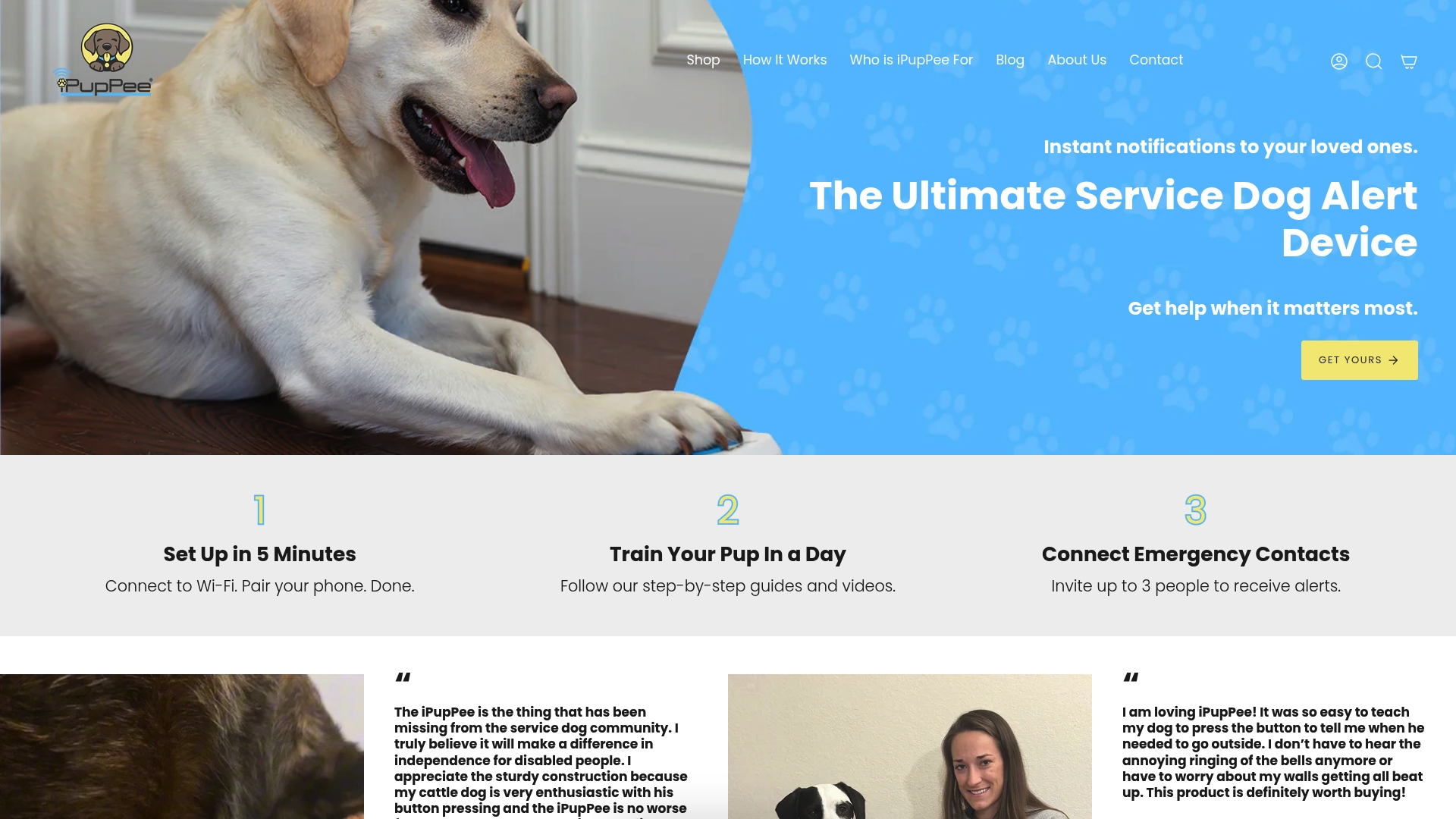
That is the idea behind the iPupPee. It is a Wi-Fi enabled alert device: your dog presses it, and the people you chose are notified. We designed it for instant Wi-Fi notifications, plus live video and two-way audio, so a contact can see what is happening and speak to your dog or to you. Notifications can go to multiple contacts, and the device is designed for dogs of all sizes. There is no monthly subscription fee.

For a service dog team, that can mean a trained alert reaches a family member or caregiver even when they are not in the room. For a senior with a new puppy or rescue dog, it can mean the dog has a clear, simple way to say “come here” or “something is wrong.” If you want to see the mechanics, how it works walks through setup and use.
We go deeper on the topic in our guides on why tactile cues help pets and on how dogs use sensory signals through alert devices.
How to introduce a tactile cue, step by step
Whether the touch goes from you to your dog or from your dog to you, the training logic is the same: make the signal predictable, make it rewarding, and go slowly.
- Start with a calm dog and a quiet room. Remove distractions so the dog can notice the new sensation or object.
- Introduce it at the lowest intensity. For a vibrating tool, begin gently. For a button, let the dog sniff and investigate without pressure.
- Pair it with a reward. Each touch, press or vibration is followed immediately by a treat or praise. This is the same pairing method trainers use to condition vibration as a recall cue.
- Repeat in short sessions. A few minutes at a time, several times a day, keeps learning fun.
- Add meaning. Once the dog links the touch with a good outcome, connect it to one specific meaning: “come,” “look at me,” or “I need help.”
- Practice in new places. Move from one room to another, then to different times of day, so the cue holds up beyond the training spot.
- Watch for understanding. A dog that understands the cue orients toward you, pauses and looks, or performs the trained behavior promptly, without confusion or avoidance.
Our practical guide to using a dog alert device applies the same sequence to the button, and our evidence-based training article on digital alerts covers how to keep the behavior reliable over time.
Comfort and welfare when using touch cues
Touch is powerful, so it should be gentle.
- Keep intensity low. A cue should be noticeable, not startling.
- Never use it as punishment. A touch signal must always predict something good, or the dog will learn to dread it.
- Go gradually. Let the dog get used to any new object or sensation before asking it to do anything.
- Stop if the dog shows stress. Lip licking, turning away, freezing, or avoiding the tool means slow down or take a break.
- Check with a professional for health concerns. If your dog has skin sensitivity, pain, or a medical condition, ask your veterinarian before using any wearable.
If a dog seems hesitant about a button, the fix is the same: more time, smaller steps, and better rewards.
Our perspective
We built iPupPee around a simple observation: dogs already communicate by touch. They nudge, paw and lean when they want us. What was missing was a way for that touch to travel when we are not standing next to them.
Most conversations about tactile interfaces focus on what humans can send to dogs. We think the more valuable half is what dogs can send to us. For a service dog handler, a senior living alone, or a family with a new rescue, a reliable way for the dog to say “I need you” can change daily life. That is why our device pairs a button the dog can learn with Wi-Fi alerts, live video and two-way audio, sent to the contacts you choose.
We also believe the device is only as good as the training behind it. That is why we include training materials and video guides, and why we offer an on-demand dog psychology and training course. A clear cue, taught with patience and rewards, is what makes the technology feel natural to the dog.
And we kept the cost simple: you buy the device once, and there is no monthly subscription fee.
Andrew
Get started with iPupPee
If you want your dog to have a clear, trainable way to reach you or your emergency contacts, the iPupPee device is $129.99 as a one-time purchase. It is built for service dog teams, seniors, people with disabilities, and any owner who wants a dependable alert system.
The Psychology & Training Course is $119, also one-time, and teaches the dog-behavior fundamentals behind a good cue: how dogs learn, how to reward effectively, and how to build reliable habits. At checkout you can add shipping protection for $5.00, which covers your order against damage, loss or theft. You can also start from our home page to see testimonials and answers to common questions.
FAQ
Are tactile interfaces the same as shock or vibration collars?
No. A tactile interface used for communication delivers a gentle cue the dog has been taught to understand, always paired with a reward. It should never be used as punishment, and intensity should be kept low.
Can any dog learn a tactile cue?
Research shows dogs can perceive differences in vibration intensity, body location and rhythm, and can link them to commands after training. Because published studies are small, each dog is best treated as an individual: go slowly, watch their response, and adjust.
Does a dog need special training to press an alert button?
Dogs naturally paw and nudge, so pressing a button builds on a behavior they already have. Introduce the device gradually, reward every press, and connect it to one clear meaning. Our dog alert device benefits guide explains what to expect.
Is a tactile interface useful for a deaf dog?
Yes, it can be. Trainers often condition a gentle vibration as an attention or recall cue by pairing it with treats, and some dogs then turn toward the handler when they feel it. A button-based alert can also give a deaf dog a way to reach you without sound.
Do I need a monthly plan to use iPupPee?
No. iPupPee does not require monthly subscription fees. It needs a Wi-Fi connection to send notifications and video or audio to your contacts.
Sources
- Haptic Signals as a Communication Tool Between Handlers and Dogs (Animals, 2026)
- A Vibrotactile Vest for Remote Human-Dog Communication
- Vibrating dog vest may let you talk to your pup without words (National Geographic)
- How To Train a Deaf Dog (Whole Dog Journal)