

TL;DR:
- Dog request buttons enable dogs to communicate specific needs directly and clearly.
- Proper training and placement are essential for dogs to use these devices effectively.
- Benefits include reduced owner stress, increased pet independence, and improved human-animal bonds.
Most dog owners spend years interpreting barks, pawing, and restless circling as their pets’ only way of asking for something. But what if your dog could tell you exactly what they need? Dog request buttons are purpose-built devices that give dogs a way to signal specific requests, from needing a bathroom break to turning on a fan, by pressing a specialized button. These tools started in service dog training and have since sparked serious conversation among animal behaviorists, pet owners, and researchers. This article breaks down what dog request buttons are, how they function, and how they are quietly changing the way people and dogs connect every day.
Table of Contents
- What is a dog request button?
- How do dog request buttons work?
- Benefits of dog request buttons for pets and owners
- Limitations, training challenges, and current research
- The real story: Why dog request buttons matter (and what most pet owners miss)
- Ready to try dog request buttons or other communication tools?
- Frequently asked questions
Key Takeaways
| Point | Details |
|---|---|
| Purpose of dog request buttons | Request buttons help dogs express specific needs to humans using a tactile, easy-to-use device. |
| Benefits for service animals | Dog request buttons support independence and improve safety for service dogs and their owners. |
| Training is essential | Not all dogs succeed with request buttons, and effective training is required for meaningful use. |
| Limitations exist | Some pets may press randomly, and buttons are an aid—not a replacement—for attentive human care. |
What is a dog request button?
A dog request button is a specialized tactile device that a dog presses with their paw or nose to trigger a signal or action. Unlike a standard doorbell or clicker, these buttons are purpose-engineered for animals. They factor in how dogs physically interact with the world, favoring ergonomics that suit a dog’s paw size, snout angle, and natural motion. The button creates a direct communication channel between your pet and you, or in more advanced setups, between your pet and an electronic appliance.
The clearest example of this technology in professional practice is the Dogosophy Button features, a wireless switch designed specifically for service dogs. The button is colored blue because dogs see the blue spectrum most clearly, reducing visual confusion. It also features a tactile surface that registers both paw and nose contact, and a no-jump design so dogs do not accidentally activate it while moving around.
According to dog communication technology research, these devices are part of a broader field called Animal-Computer Interaction, which looks at how animals can meaningfully interact with technology on their own terms.
Here’s a quick comparison of a purpose-built dog request button versus standard assistive tools:
| Feature | Dog request button | Standard assistive switch |
|---|---|---|
| Ergonomics | Paw and nose optimized | Designed for human fingers |
| Color design | Blue for canine vision | No animal vision consideration |
| Wireless capability | Yes | Varies |
| Training integration | Built-in learning curve | Minimal |
| Service dog tested | Yes (rigorous field testing) | Rarely |
The development timeline behind these devices is not trivial. The Dogosophy Button is a wireless switch developed over 10+ years by Open University’s Animal-Computer Interaction Lab, tested with approximately 20 Dogs for Good service animals. That kind of investment shows this is not a novelty product. It’s a carefully engineered tool with real-world application.
“The button had to work for the dog first, not the human. Every design decision started from the dog’s perspective.” — Open University Animal-Computer Interaction Lab researcher
If you’re new to this topic, the button communication guide is a solid starting place for understanding the broader landscape of how dogs can learn to use these devices.
How do dog request buttons work?
With the basics understood, let’s explore how dogs physically interact with these devices and what it takes for successful communication.
The physical setup matters more than most people expect. Button placement should be at your dog’s natural paw height, in a location they already visit regularly. A button near the door is more intuitive for a dog asking to go outside. A button near their water bowl works well for thirst signals. Location is not arbitrary. It’s a training shortcut.
Here is how the learning process typically works:
- Introduce the button passively. Let your dog sniff and investigate the button without pressure. Curiosity is the foundation.
- Reward any contact. The first time your dog touches the button, even by accident, reward immediately. This creates an association between the button and something positive.
- Pair the press with a meaning. Each time you press the button yourself while saying a word (like “outside” or “water”), your dog begins linking the action to the concept.
- Reinforce purposeful presses. Once your dog starts pressing intentionally, reward only presses that align with context. If they press “outside” while standing at the door, reward generously.
- Expand gradually. Add one new request at a time. Rushing this stage leads to confusion.
Breeds like Labrador Retrievers and Golden Retrievers tend to take to this faster. The Dogosophy Button was specifically designed with no-jump ergonomics for service breeds like Labs and Goldens, promoting autonomy while reducing accidental presses. These breeds are food-motivated, socially engaged, and respond well to incremental reinforcement.
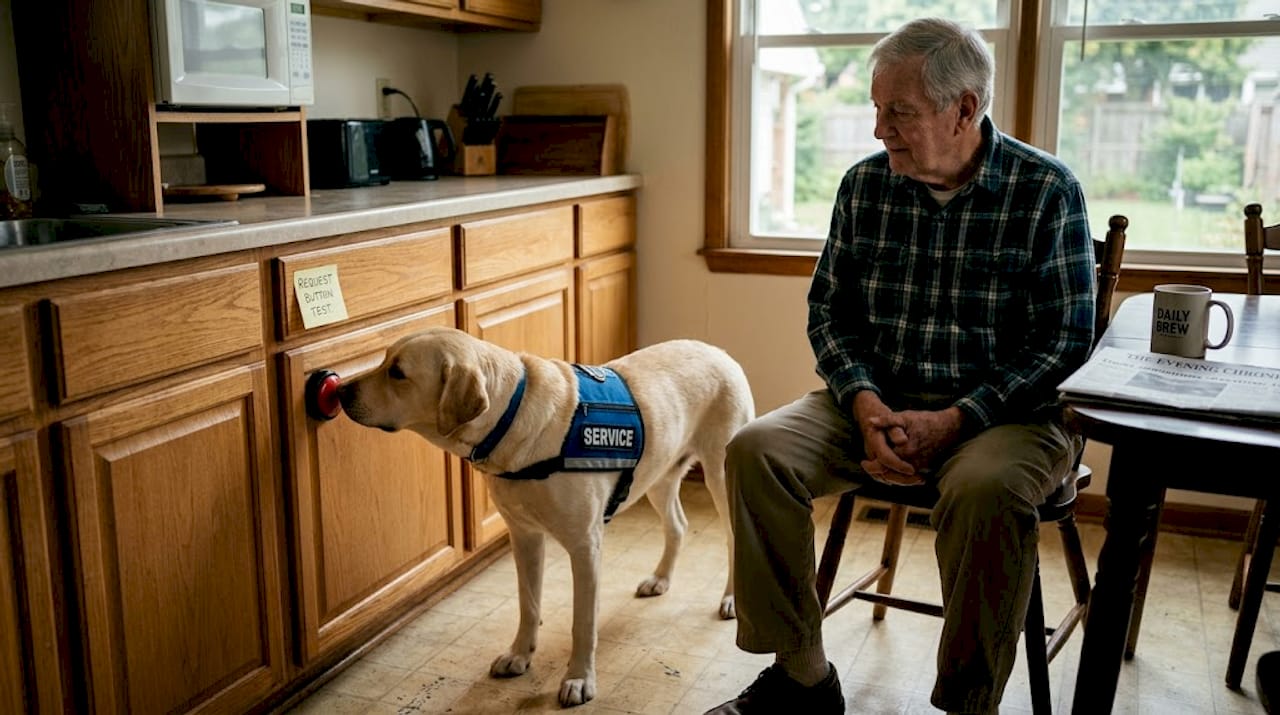
Pro Tip: Place a small treat on top of the button during the first few sessions so your dog naturally presses down to get it. This makes button contact feel rewarding before any formal training begins.
One common pitfall is random pressing. Dogs can learn that pressing a button gets attention, even when they don’t have a specific need. This is where button training for your dog discipline matters. Researchers note that the button trend is growing, but meaningful use requires a real learning curve. Most dogs need four to eight weeks of consistent training before they press with clear intent. And introducing a button to your dog the right way from day one sets the entire process up for success. The guide on introducing buttons to your dog walks through exactly how to do that without creating confusion.
Benefits of dog request buttons for pets and owners
After understanding how the button works, let’s look at the everyday benefits these tools offer both pets and their humans.
The most immediate benefit is reduced guesswork. When your dog can signal a specific need, you stop running through a mental checklist every time they seem restless. That clarity reduces stress for both of you. Research shows these tools reduce frustration and anxiety by clarifying needs, and for service dogs in particular, they enhance independence while still requiring consistent training.
Here are real-world use cases that owners and handlers report most often:
- Signaling bathroom needs without barking or circling
- Requesting a walk before restlessness turns into destructive behavior
- Turning on lights or fans for service dogs assisting owners with limited mobility
- Alerting for food or water when the bowl is empty
- Signaling discomfort or pain through a specially trained press sequence
For service dogs, the stakes are even higher. Communication training for safety shows that dogs trained on request buttons can support owners with disabilities or seniors living alone by triggering appliances or alerts without needing verbal prompts from the owner. That level of autonomy is life-changing.
For communication for seniors, the button adds a layer of safety that goes beyond typical pet ownership. When a senior’s service dog can trigger a light or alert without barking, it removes a common barrier to independent living.
Pro Tip: Keep a simple log of when and where your dog presses their button each day. After two weeks, patterns emerge that reveal genuine needs versus attention-seeking behavior. This data helps you refine training and respond more effectively.
Pet owners using these devices also report a surprising side effect: they become more attentive to their dogs overall. The button doesn’t just change what dogs communicate. It changes how owners listen. Resources on communication devices for disabled owners offer specific guidance for households where both dog and owner benefit from these tools working in tandem.
Limitations, training challenges, and current research
While the benefits are clear, dog request buttons aren’t a magic fix. There are limitations and ongoing debates to consider.
Not every dog will succeed with button communication. Some press randomly and never progress to meaningful intent. The dogs most likely to thrive are motivated, trainable breeds with attentive handlers who can commit to consistent reinforcement. A dog in an inconsistent or chaotic environment will struggle to find meaning in the button, regardless of breed.
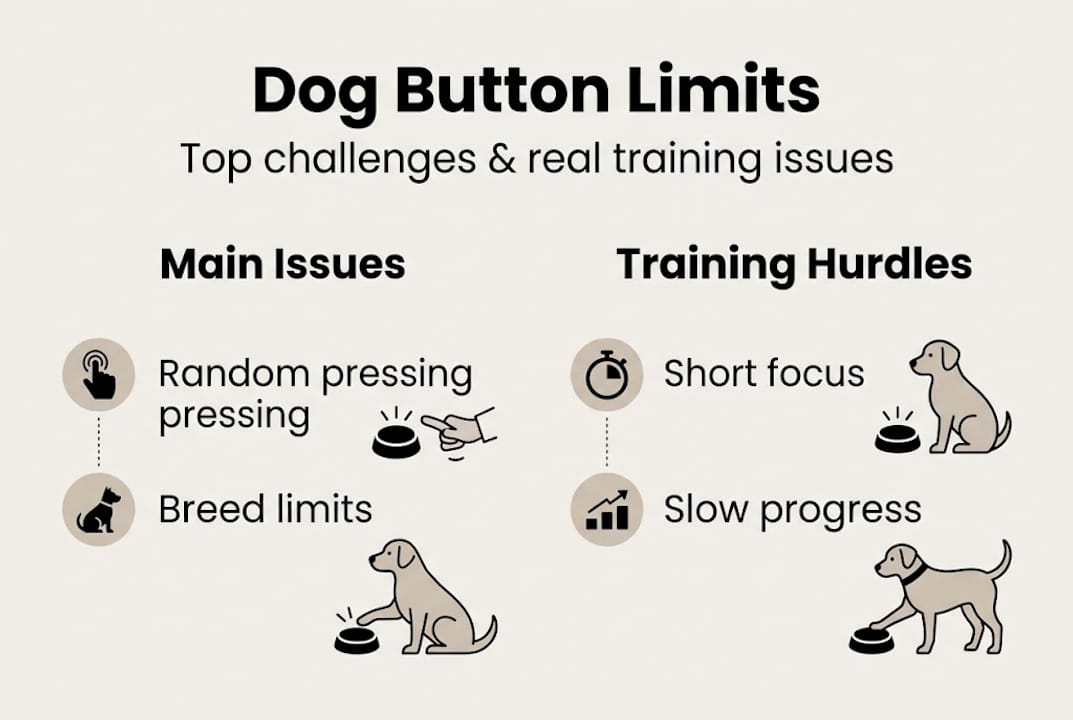
Here’s a straight comparison of communication methods:
| Method | Clarity | Training required | Works for all breeds | Technology needed |
|---|---|---|---|---|
| Request buttons | High | Moderate to high | No | Yes |
| Traditional cues | Moderate | Moderate | Mostly | No |
| Verbal and gestural | Low to moderate | Low | Yes | No |
The science behind whether dogs truly “communicate” via buttons or simply learn associations is actively debated. Scientific skepticism exists on true language use versus learned association, with experts noting that natural speech and body language may still outperform buttons in many situations. The key distinction researchers draw is between preferential pressing (a dog pressing “outside” specifically when they want to go out) versus random pressing (a dog pressing any button when bored).
“We need to be careful not to project human language onto button pressing. What we’re seeing may be sophisticated association, not syntax.” — Animal behavior researcher quoted in NOVA’s button research coverage
Common training pitfalls include:
- Inconsistent rewards: Rewarding random presses teaches dogs that any press works
- Too many buttons too fast: Introducing multiple requests simultaneously causes confusion
- Ignoring context: Rewarding a press without confirming the dog’s intent undermines meaning
- Expecting too much too soon: Most dogs need weeks, not days, to press with intention
Exploring communication apps for dogs can help owners understand the full spectrum of options beyond physical buttons. And if you want to build a complete system, creating communication signals offers a structured framework for layering different communication tools together.
The real story: Why dog request buttons matter (and what most pet owners miss)
Here’s what most people get wrong about dog request buttons: they treat them as a solution instead of a starting point.
The technology is genuinely promising. But the owners who get the most from these tools are not the ones who plug in a button and wait for their dog to start talking. They’re the ones who use the button as a reason to pay closer attention, to study their dog’s patterns, and to build a richer relationship. The button creates structure. What you do with that structure is entirely up to you.
There’s also a real difference between breeds and home environments that mainstream coverage tends to flatten. A highly motivated Labrador in an active household will have a very different experience than a laid-back Basset Hound in a quieter home. Neither outcome is wrong. But expecting the same results across all dogs sets owners up for disappointment.
The deeper point is this: the dogs who benefit most from communication for disabilities and independence tools are the ones whose owners see the button as one layer in a broader relationship, not as a replacement for attentiveness. Innovation is only as powerful as the human holding the other end of the leash.
Ready to try dog request buttons or other communication tools?
If you’ve been thinking about giving your dog a clearer way to express their needs, now is a great time to explore what’s available. The research is growing, the tools are more refined than ever, and the benefits for both pets and owners are real.
At iPupPee dog tech, we focus on practical, tested communication solutions designed for pet owners who want to make daily life better for themselves and their dogs. Whether you’re caring for a service dog, a senior pet, or just want to understand your dog better, our resources on solutions for dog communication cover everything from device selection to step-by-step training. Start with what your dog needs most, and build from there.
Frequently asked questions
What is the main purpose of a dog request button?
A dog request button lets dogs communicate specific needs, such as turning on a light or asking to go outside, by pressing a specialized device. The Dogosophy Button is a wireless switch designed with dog-optimized features to make this communication reliable and consistent.
Are all dogs able to use request buttons?
Not all dogs succeed. Motivated, trainable breeds are most likely to consistently use request buttons with meaningful intent rather than random pressing.
Is using a dog request button the same as teaching a dog to talk?
These devices teach dogs to make clear requests, but scientific skepticism exists around whether this constitutes true language or sophisticated learned association. The difference matters for setting realistic expectations.
What are common mistakes when introducing a request button to a dog?
Skipping gradual training is the biggest error. Some dogs press randomly without understanding, so starting slow and rewarding only purposeful presses builds the right habits from the beginning.
Where should I place a dog request button for best results?
Position the button at your dog’s natural paw height, in a location that is already connected to the need you want to signal, like near the door for outdoor requests or near the food bowl for hunger cues.