

TL;DR:
- Assistive dog devices are custom tools that enhance mobility, communication, and safety for handlers. They include harnesses, wheelchairs, safety beacons, and communication buttons designed specifically for dogs. Proper selection, fit, and training are essential for effective and reliable daily support.
Assistive dog devices are specialized tools designed to improve mobility, communication, and safety for service dogs and the disabled or elderly handlers who depend on them. The category spans everything from full-body support harnesses and dog wheelchairs to button-based communication systems and audible safety beacons. Choosing the right canine support equipment directly affects a handler’s independence at home and in public. This guide covers the most effective options available in 2026, with practical advice on selection, fitting, and training.
1. What are assistive dog devices?
Assistive dog devices are purpose-built tools that extend what a service dog can do for its handler. The term covers two distinct product families. The first includes gear worn by or attached to the dog, such as mobility harnesses, orthopedic braces, and reflective safety vests. The second includes technology the dog operates on behalf of its handler, such as button-activated appliances or alert systems. Understanding this distinction matters because qualification and funding pathways differ significantly between off-the-shelf gear and formally recognized assistance animals.
2. Top mobility aids: harnesses, wheelchairs, and ramps
Mobility is the most common reason handlers seek canine support equipment. Dogs with arthritis, spinal injuries, or age-related muscle loss need physical support to stay active and useful.
The main categories are:
- Full-body support harnesses that lift the dog’s front, rear, or both simultaneously
- Rear-wheel carts and wheelchairs for dogs with complete hind-limb paralysis
- Slings for temporary post-surgical support
- Orthopedic braces for joint stabilization in a single limb
- Ramps and stairs that reduce joint stress when entering vehicles or furniture
Mix-and-match harness sizing produces better outcomes than one-size models for dogs with uneven muscle loss. Handlers can pair a smaller rear section with a larger front section to match the dog’s actual weight distribution. This approach is especially useful for dogs recovering from degenerative myelopathy or spinal surgery.
Pro Tip: Before purchasing a wheelchair or full harness, have your vet measure the dog’s girth, length, and height at the withers. A harness that fits poorly creates pressure sores within days.
Veterinary professionals recommend non-slip flooring and rear slings as the first steps before investing in advanced mobility devices. These low-cost changes reduce fall risk and give the dog confidence on slippery surfaces. Many handlers find that simple environmental changes solve 60–70% of their dog’s mobility challenges before any hardware purchase is needed.
3. Communication devices for dogs: training buttons and controls
Communication buttons are the fastest-growing segment of assistive technology for pets. These devices let a trained dog press a large button to trigger a household appliance or send an alert to its handler.
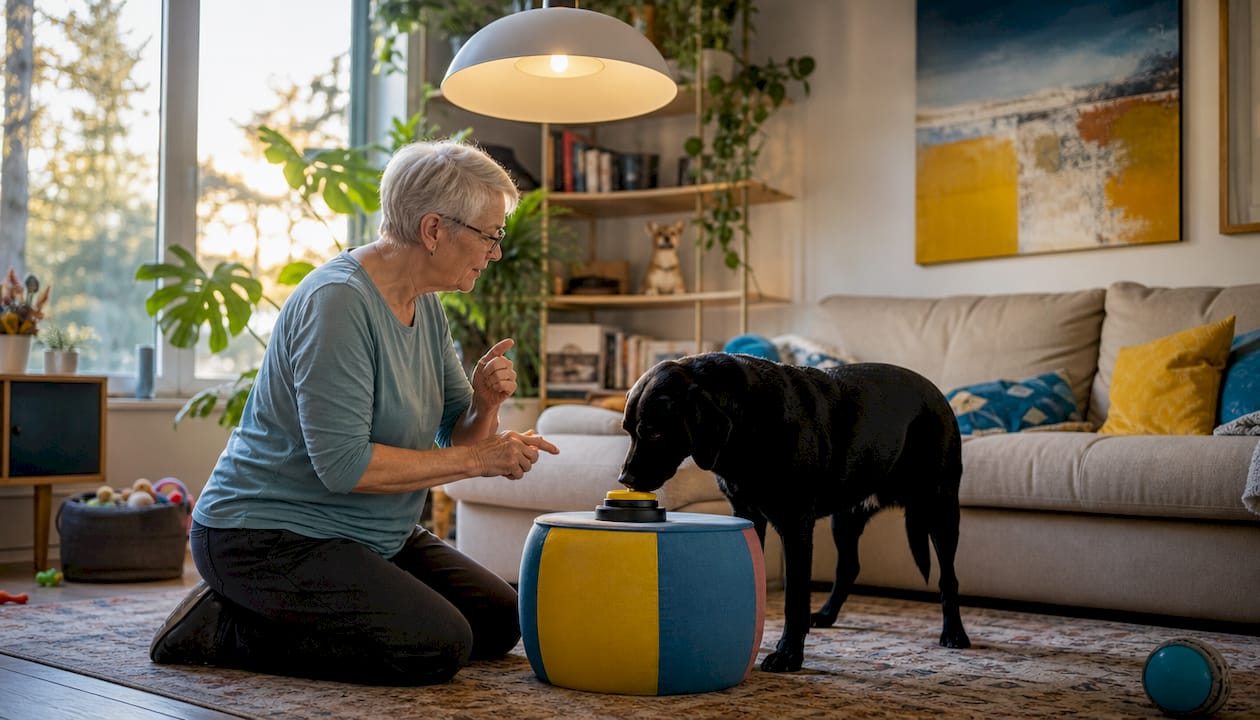
The Dogosophy Button is the clearest example of this category. It operates up to 40 meters on three AA batteries, and setup takes about 30 seconds. That range covers most single-story homes and many apartment layouts. At around $130, it sits in an accessible price range for most service dog handlers.
Key design features that make these buttons work for dogs include:
- Large tactile surface activated by nose or paw, not fingertip pressure
- High-contrast color so the dog can locate the button visually
- Low activation force that avoids fatiguing the dog’s joints
- Wireless signal that reaches through walls and around corners
Dog-specific button design avoids the ergonomic assumptions built into human switches. Human switches often require precise finger placement and moderate pressure. Dogs cannot replicate that, so purpose-built buttons use broad, forgiving targets. This design philosophy produces far better engagement during training and daily use.
Training a dog to use a communication button follows a reward-based shaping process. The handler first rewards any nose or paw contact with the button, then gradually requires a full press before the reward arrives. Most dogs reach reliable button activation within two to four weeks of daily sessions. For detailed training steps, Ipuppee’s guide on training communication buttons walks through each phase with practical examples.
4. Safety devices: beacons, reflective gear, and harness controls
Safety-focused assistive devices protect service dogs in low-visibility environments and give handlers real-time feedback on the dog’s status.
The Ruffwear Audible Beacon is the benchmark product in this category. It charges in 1.5 hours, runs for 12 hours, and beeps every 10 minutes so the handler can track the dog by sound. When the battery runs low, the beacon switches to a 5-minute alert interval. That escalating signal gives handlers enough warning to recharge before the dog goes dark in a nighttime or low-visibility setting.
Other safety-focused canine support equipment includes:
- Reflective vests with 360-degree visibility strips for road crossings and evening walks
- Handle-equipped harnesses that give the handler direct physical control in crowds
- LED collar attachments for off-leash work in low-light conditions
- GPS trackers clipped to the harness for real-time location monitoring
Pro Tip: Pair an audible beacon with a reflective vest rather than choosing one or the other. Sound and light together cover both sighted and visually impaired bystanders, which matters in busy pedestrian areas.
Ipuppee’s safety devices owner’s guide covers how to layer these tools without overloading the dog with excess weight or distraction. Weight on the harness affects the dog’s gait, so every attachment should serve a clear purpose.
5. Emerging technologies: robotic guide dogs and therapeutic devices
Robotic guide dogs represent the most ambitious development in assistive technology for pets and handlers. A GPT-4-powered robotic guide dog passed 77 navigation test scenarios and added verbal guidance functions that biological dogs cannot provide. That is a meaningful capability jump. The device can describe an intersection verbally while simultaneously guiding the user around an obstacle.
“While robotic guide dogs offer advanced navigation and language capabilities, user acceptance depends heavily on perceived safety and familiarity. Participants in early trials reported lower confidence in robotic guides compared to trained biological dogs, even when the robot performed the task correctly.”
Therapeutic robotic pets address a different need. A clinical trial at Sarasota Memorial Hospital found that robotic companion pets reduced blood pressure and heart rate in dementia patients through non-pharmacological interaction. These devices do not replace service dogs. They fill a gap for patients who cannot care for a live animal but benefit from the calming effect of pet interaction.
Both categories face real adoption barriers. Cost, novelty, and the learning curve for handlers and caregivers slow uptake. Robotic devices also require charging, software updates, and occasional technical support, which adds complexity for elderly users. The technology is promising, but biological service dogs remain the gold standard for daily handler support in 2026.
6. How to choose the right device for your dog
Selecting the right assistive device starts with a clear assessment of the dog’s condition and the handler’s specific daily needs.
- Identify the primary gap. Is the problem mobility, communication, safety, or a combination? Buying a communication button when the dog cannot walk safely puts the cart before the horse.
- Start with environmental modifications. Non-slip mats, ramps, and raised food bowls reduce physical strain before any device is introduced. These changes cost less and stress the dog less.
- Assess fit before function. A harness that chafes or a button placed too high will fail regardless of its quality. Measure the dog and test placement before committing.
- Check funding pathways. NDIS funding for assistance animals averages $2,600 annually but requires documented task performance and formal accreditation. Off-the-shelf devices do not require this process, but formal assistance animal status does.
- Plan the training timeline. Most dogs need two to six weeks to acclimate to a new device. Build that time into your schedule before the device becomes load-bearing in daily routines.
| Evaluation factor | What to check |
|---|---|
| Dog’s condition | Vet diagnosis, muscle mass, joint health |
| Handler’s primary need | Mobility, communication, or safety |
| Device fit | Measurements, pressure points, weight |
| Funding eligibility | NDIS, insurance, or out-of-pocket |
| Training readiness | Dog’s current skill level and stress tolerance |
Ipuppee’s resource on assistive canine tools for seniors covers how to match device categories to specific handler profiles, including elderly users living alone and handlers with limited hand strength.
Key takeaways
The most effective approach to assistive dog devices combines environmental modifications, purpose-built mobility or communication gear, and consistent reward-based training to build reliable daily use.
| Point | Details |
|---|---|
| Start with the environment | Non-slip flooring and ramps reduce strain before any device purchase. |
| Match device to the primary gap | Identify whether mobility, communication, or safety is the core need first. |
| Prioritize animal-centered design | Buttons and harnesses built for dogs outperform adapted human tools. |
| Verify funding eligibility early | NDIS assistance animal funding requires documented task performance and accreditation. |
| Build in training time | Most dogs need two to six weeks to reliably use a new assistive device. |
What I’ve learned from watching handlers get device selection wrong
The most common mistake I see is buying the most advanced device first. A handler reads about a GPT-4 robotic guide dog or a wireless communication button and orders it before addressing the basics. The dog is slipping on hardwood floors, the harness fits poorly, and the handler has not established a reward-based training routine. The new device sits unused because the foundation was never built.
The second mistake is treating fit as a secondary concern. Harness sizing is not a minor detail. A rear harness that rides too high compresses the spine. A front harness that sits too far forward restricts shoulder movement. Both problems cause pain, and a dog in pain will resist wearing the device entirely. Measure twice, order once, and return immediately if the fit is off.
The insight that changed how I think about this category is simple: devices designed around animal behavior work, and devices adapted from human tools usually do not. The Dogosophy Button works because it was built for a dog’s nose and paw, not a human fingertip. That design philosophy should be the first filter you apply when evaluating any new product in this space.
Patience with training is not optional. Two weeks of consistent daily sessions feels slow when a handler needs the device working now. But rushing the shaping process produces unreliable behavior that breaks down under stress. A dog that presses a button 90% of the time in a quiet room will press it 50% of the time in a busy environment. Train past the point where it feels done.
— Andrew
Ipuppee’s tools for service dog handlers
Ipuppee builds products and resources specifically for service dog handlers, disabled pet owners, and seniors who rely on their dogs for daily safety and independence.
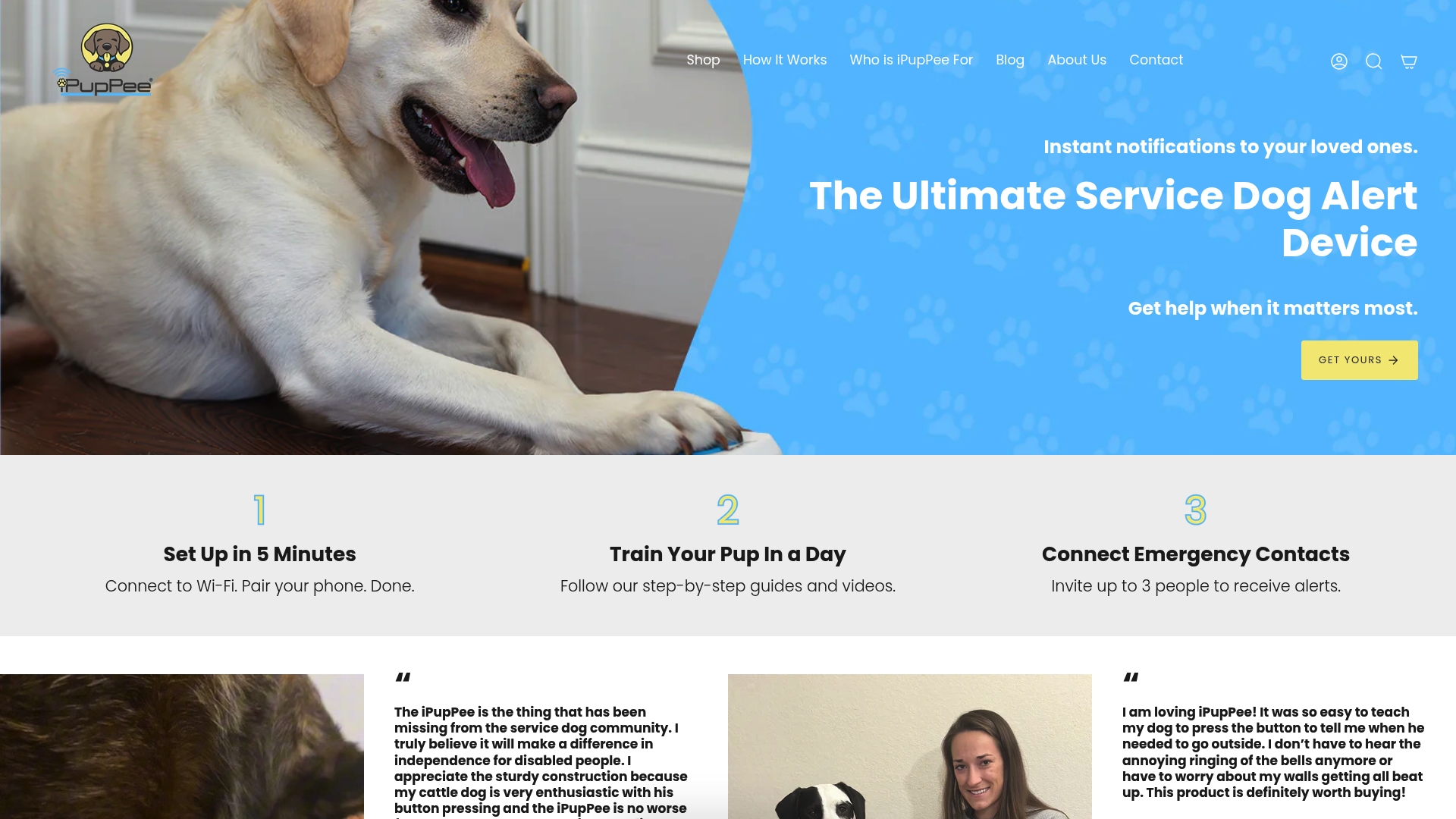
The iPupPee device uses a simple button press to create a communication signal between dog and handler, designed for people living alone or with limited mobility. Ipuppee also publishes training guides, safety equipment recommendations, and handler-specific resources through its blog. If you are ready to add a communication or safety layer to your service dog’s gear, explore Ipuppee’s full range to find the right fit for your situation. The dog communication training guide is a strong starting point for handlers new to button-based systems.
FAQ
What are assistive dog devices?
Assistive dog devices are purpose-built tools that improve a service dog’s ability to support its handler through mobility aids, communication buttons, or safety gear. They range from support harnesses and orthopedic braces to wireless alert systems and appliance-control buttons.
How do communication buttons work for service dogs?
Communication buttons use a large, low-pressure tactile surface that a dog activates with its nose or paw to trigger a wireless signal, turning on appliances or sending alerts up to 40 meters away. Dogs learn to use them through reward-based shaping over two to four weeks.
Are assistive dog devices covered by NDIS funding?
Off-the-shelf assistive devices are not automatically covered, but NDIS funding for formally accredited assistance animals averages $2,600 annually when documented task performance and public access standards are met. Emotional support animals do not qualify automatically.
What safety devices are best for service dogs at night?
The Ruffwear Audible Beacon, with a 12-hour runtime and escalating low-battery alerts, combined with a reflective vest provides the most reliable nighttime visibility for service dogs. Layering sound and light covers both sighted bystanders and visually impaired handlers.
How long does it take a dog to adapt to a new assistive device?
Most dogs need two to six weeks of consistent daily training sessions to reliably use a new assistive device. Rushing the process produces behavior that breaks down in high-stress or unfamiliar environments.