

Digital pet interaction is a connected system where a real dog intentionally or passively triggers a device that sends alerts or data to an owner or caregiver. It covers physical dogs using buttons, sensors, or wearables, not virtual or electronic pets. Products like iPupPee sit in this category, giving owners a concrete example of how the concept works in daily life.
TL;DR:
- Active devices send predefined messages after trained button presses, while wearables infer events passively; neither translates free form canine language.
- Choose buttons for repeatable requests and wearables for location or health monitoring; safety critical setups favor the simplest interface the dog reliably learns.
- Use staged training over several weeks, with daily sessions lasting five to ten minutes, backchaining, unprompted home tests, and live contact drills.
- Because devices may expose home routines through video, audio, and location data, use unique passwords, two factor authentication, and restrict app permissions.
- Before relying on alerts, test wireless signal, battery, button placement, and accidental triggers repeatedly, and keep alternate contacts current.
Table of Contents
- How digital pet interaction works: the signal path from dog to owner
- Which devices fit different needs: buttons, wearables, and research prototypes
- Training and rollout: a staged timeline that builds real reliability
- Keeping pet data private and devices secure
- Testing the full chain: device reliability and canine performance
- How iPupPee applies these practices in a real product
- A practical take on tech, comfort, and dog welfare
- Getting started with iPupPee: device, training, and next steps
- FAQ
- Sources
How digital pet interaction works: the signal path from dog to owner
A connected dog communication system is really a chain of parts working together. The dog interacts with a physical interface or is monitored by sensors, that interaction becomes a data signal, the signal travels over a network, and it lands as a notification an owner can act on. Each link matters, and a weak one (a dead battery, a spotty Wi-Fi connection, a confused dog) breaks the whole chain.
The core components usually include:
- Dog activation or interface: a button, touchscreen panel, or tug-station the dog operates directly.
- Sensors: accelerometers, GPS chips, or microphones that detect behavior without requiring a trained action.
- Connectivity: Wi-Fi, Bluetooth, or cellular radios that move the signal off the device.
- Notification channels: apps, texts, calls, or live video that reach the owner or caregiver.
- Human response options: acknowledging the alert, calling back, or dispatching a contact nearby.
These systems split into active and passive modes. Active workflows rely on a trained action, a dog presses a button for “outside” and the owner’s phone buzzes. Passive workflows infer events from sensor data, like unusual stillness or a sudden change in movement, without the dog doing anything deliberate. Academic prototypes such as DogChat demonstrate how sensor data can be converted into owner-facing messages, supporting both approaches. It’s worth being clear about the limits: these systems send discrete, pre-defined messages. They do not translate open-ended canine language, and no current device claims to. For a broader look at real examples, how dogs alert owners using communication devices walks through several in use today.
Which devices fit different needs: buttons, wearables, and research prototypes
Not every household needs the same hardware. The right choice depends on what the dog needs to communicate and how reliably that signal has to arrive.
- Active interfaces (buttons, tug-stations, touchscreens) require a trained, deliberate action and work well for specific, repeatable messages like “I need help” or “let me out.”
- Wearables and smart collars track location, activity, or vitals continuously, useful for dogs that roam, age, or have medical conditions that benefit from passive monitoring, such as the Dispositivo MiPerrito device.
- Research prototypes combining cameras and large language models are exploring richer behavior interpretation, but these remain experimental rather than consumer-ready.
Ergonomics matter more than feature count. A touchscreen study with assistance dogs found that dogs trained on home touchscreens could reliably trigger medical alerts, and design work on canine interfaces emphasizes that trainability and comfort should drive device choice, not the other way around. Readers comparing button layouts can see practical examples in dog request buttons.
Pro Tip: For anything safety-critical, pick the simplest interface your dog can learn reliably. Complexity adds failure points, not value.
Training and rollout: a staged timeline that builds real reliability
Getting a dog to use an alert device consistently takes a plan, not a single training session. The touchscreen-based alert study found that staged training over several weeks produced durable, repeatable activations.
- Set up ergonomics and placement first. Mount the device where the dog naturally stands or rests, at a height and angle it can reach without strain.
- Run short daily sessions. Five to ten minutes of focused practice beats long, infrequent sessions for building a reliable response.
- Backchain complex activations. Teach the last step first (pressing the button), then add earlier steps (walking to it, noticing a cue) once each piece is solid.
- Test in-home before anything else. Confirm the dog activates the device unprompted in normal household conditions, not just during training drills.
- Run live drills with emergency contacts. Have a real contact respond to a test alert so the dog and the system are both validated under real conditions.
- Schedule refresh training. Revisit the behavior every few weeks; retention tends to drop without occasional practice, especially in puppies or newly adopted dogs.
Adjust pacing for size and age: smaller or older dogs may need lower-mounted interfaces and gentler repetition. Guides like training communication buttons for your dog and animal communication techniques walk through this pacing in more detail.
Keeping pet data private and devices secure
Many pet devices collect more than owners realize: video, audio, GPS location, and activity logs, all of which can reveal daily routines and home layouts. A 2023 Frontiers review of pet technology security found that pet apps and wearables often carry privacy and security weaknesses that owners underestimate, including exposed location data and weak account protections.
Owners often assume pet gadgets are low-risk, but the data they collect can expose home routines and locations to anyone who gains access to the account. (Frontiers, 2023)
A short checklist before trusting a device with real responsibility:
- Confirm encryption on both the app and the data it transmits.
- Lock down the account with a strong, unique password and two-factor authentication where available.
- Audit permissions regularly, removing camera, microphone, or location access the app doesn’t need.
- Limit who receives alerts to trusted contacts only, especially for medical or emergency notifications.
- Disable unused cloud features that upload data you don’t actually use.
For more on applying these steps to alert systems specifically, what is smart pet alerting covers safety configuration in more depth.
Testing the full chain: device reliability and canine performance
A device that worked once isn’t proven. Reliability means confirming both the hardware and the dog’s behavior hold up repeatedly, under normal and imperfect conditions.
Full-chain tests should check for common failure points:
- Connectivity gaps, like weak Wi-Fi in the room where the device sits.
- Hardware issues, including battery drain, firmware bugs, or worn buttons.
- Placement drift, where a device gets moved and the dog can no longer reach it easily.
- False activations, where the dog triggers the alert accidentally during play or normal movement.
A routine check covers battery level, firmware updates, signal strength, and whether backup contacts are current. Logging test activations over several weeks helps confirm the dog’s response is consistent rather than a one-time fluke. For medical-alert setups especially, running scheduled drills with an alternate contact and comparing results against a log builds real confidence instead of assumptions. The guide to emergency alert systems outlines a fuller testing routine for critical-use deployments.
How iPupPee applies these practices in a real product
The principles above, simple activation, staged training, and privacy-aware design, show up directly in how iPupPee is built and supported. The device sends Wi-Fi notifications along with live video and two-way audio to multiple contacts, which lets an owner see and hear what’s happening rather than just getting a ping.
- Wi-Fi notifications with video and audio give context beyond a simple alert, useful for service dog teams and solo caregivers who need to assess a situation quickly.
- No monthly subscription fees, which keeps the ongoing cost of a safety device predictable.
- Training system and accessible guides support dogs of different sizes learning the activation from scratch.
- Blog resources, including dog communication apps and accessible dog communication, extend the staged training advice above with hands-on examples.
These are the publisher’s own stated features, not independent lab results, and they line up with the staged, safety-first approach covered throughout this piece.
A practical take on tech, comfort, and dog welfare

The best alert system is the one a dog can use without stress and an owner can trust without checking constantly. Fancier sensors and richer data streams sound appealing, but they add failure points and training complexity that most households don’t need.
Prioritize a simple activation your dog learns quickly, consistent practice over flashy features, and a human backup plan for when the technology doesn’t cooperate. Comfort and repeatability beat sophistication every time a real alert matters.
— Andrew
Getting started with iPupPee: device, training, and next steps
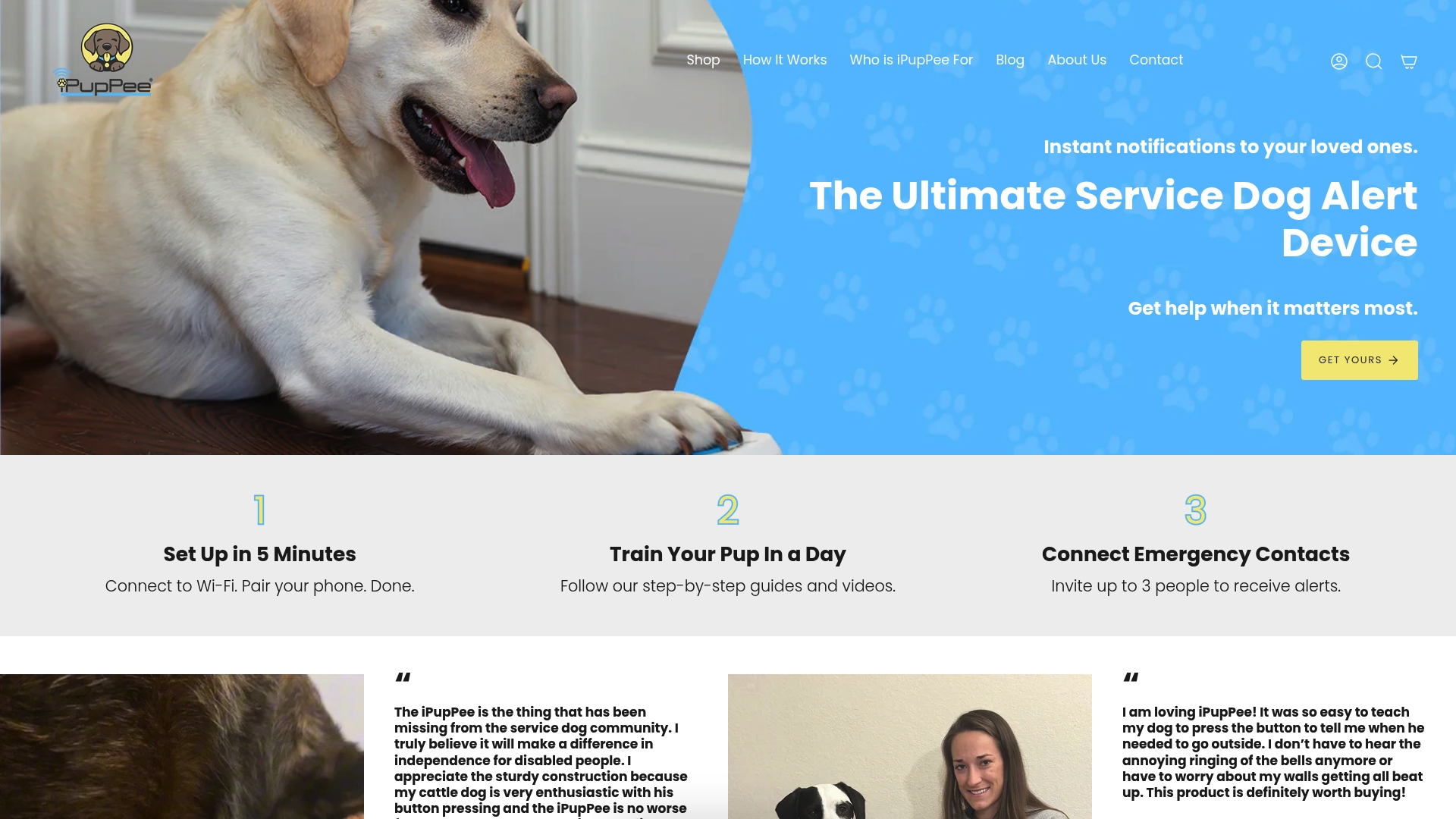
If you’re ready to put this into practice, the path is straightforward. Start with the iPupPee device ($129.99), built specifically for service dog handlers, seniors, and owners who need a reliable way for their dog to reach them. Pair it with the Psychology & Training Course ($119) if you want structured, step-by-step guidance on teaching activation and understanding your dog’s learning pace. Choose your activation method, work through the staged training above, and test the full chain with a real contact before relying on it day to day.
FAQ
What is digital pet interaction in simple terms?
Digital pet interaction describes a connected system where a real dog’s action or behavior triggers a device that sends data or an alert to a person. It applies to physical dogs and devices, not virtual or electronic pets, and covers everything from training buttons to GPS wearables.
How do dogs learn to use alert devices?
Dogs learn through short, consistent daily training sessions, often using backchaining to build multi-step actions piece by piece. A touchscreen-based study with assistance dogs found that staged training over several weeks produced reliable, repeatable activations.
Are pet wearables and alert devices private and secure?
Many pet devices collect video, audio, and location data that can reveal home routines if accounts aren’t secured properly. A 2023 security review found that owners often underestimate these risks, so auditing permissions and enabling two-factor authentication are worthwhile steps.
What types of devices support digital pet interaction?
Options range from simple training buttons and touchscreens to wearable collars with GPS, audio, or video, plus experimental camera-and-sensor prototypes still in research stages. The right choice depends on whether you need deliberate, trained alerts or continuous passive monitoring.
How much does the iPupPee device cost?
The iPupPee device is priced at $129.99 as a one-time purchase with no monthly subscription fees. An optional training course is available separately for $119 for owners who want guided instruction.
Sources
- DogChat: A Pet-centered Smart Collar Prototype based on Large Language Models and Wechat
- Dogs Using Touchscreens in the Home: A Case Study for Assistance Dogs Operating Emergency Notification Systems
- Security and privacy of pet technologies: actual risks vs user perception
- Robinson et al. — design and welfare considerations for canine alert interfaces