

Dog-initiated digital cues are devices, like press-buttons and Wi-Fi alert systems, that let a dog notify a human and open an immediate line of contact. Paired with humane training and a predictable handler response, they can give service-dog teams and vulnerable owners real independence and an added layer of safety. Reliability still depends on the training behind the device, so results vary from dog to dog.
TL;DR:
- Nearly half of pet dogs can learn to use a communication button within a week of training, but consistent, situation-specific reliability takes weeks or months.
- Training should focus on reward-based methods, with short, frequent sessions that reward spontaneous presses more than modeled behavior.
- Devices must be properly designed for the dog’s mobility and used with predictable responses to prevent button spamming and overuse.
- Alert performance in medical contexts varies widely, making these systems suitable only as a backup alongside continuous monitoring devices.
- A professional trainer or behaviorist may be necessary if alerts are inconsistent, the dog shows stress, or the medical condition requires complex management.
Table of Contents
- How These Devices Work: Types and Features That Matter
- Training Essentials: Teaching a Dog to Send a Reliable Alert
- What Research Says About Reliability, and How to Improve It
- Daily Routines That Keep the Alert Meaningful
- When to Pair Digital Cues With Medical Devices or a Professional
- A Trainer’s View on What Actually Works
- Getting Started With a Supported Device and Course
- FAQ
- Sources
How These Devices Work: Types and Features That Matter
Three device families cover most of what handlers use today. Simple press-buttons or soundboards trigger a sound, light, or vibration near the handler. Wi-Fi alert buttons send a push notification to a phone or multiple contacts the moment a dog presses them, useful when the person who needs to respond is not in the same room. Some systems add live two-way audio and video, so the recipient can see and talk to the dog or the person in distress rather than just getting a ping.
A few features decide whether a device actually gets used:
- Press force and button size: a dog with limited mobility or an older dog needs a lower-resistance, larger target.
- Mounting: a wall-mounted or floor-anchored button stays put during a frantic or weak press.
- Multi-recipient alerts: sending the same notification to a caregiver chain, not just one phone, matters for seniors living alone.
- Battery life and subscription model: some systems require ongoing fees; others, like iPupPee, are built around a one-time purchase.
- Confirmatory audio or video: lets a responder verify an emergency instead of guessing from a silent alert.
For seniors and disabled handlers, integration with a phone already in hand or a smart-home hub that can relay to a family member tends to matter more than any single feature on its own.
Training Essentials: Teaching a Dog to Send a Reliable Alert
Reliable alerting starts with a clear picture of the finished behavior: a dog walks to the device and presses it with intention, not an accidental bump while playing. Shaping that behavior in small steps, rather than demanding it whole, is what structured button training is built around.
- Introduce the device as a neutral object first, letting the dog sniff and investigate without pressure.
- Mark and reward any contact with the button, using a clicker or a consistent word paired with a treat, so the dog connects touch with payoff.
- Shape toward a deliberate press, rewarding closer approximations until a full press happens.
- Add the cue to real situations (by the door, near a water bowl) so the dog starts associating the button with a specific need.
- Fade physical modeling so the dog initiates the press without a hand prompting it.
- Teach the consequence, meaning the handler responds every time, so the dog learns that pressing produces a reliable outcome.
Short, frequent sessions work better than long ones: 5 to 15 minutes a day keeps a dog engaged without burning out its interest in the game. Some dogs begin pressing communicatively within days, but dependable, context-appropriate use typically takes weeks to months of consistent practice, a timeline echoed in guidance for training alert dogs.
Pro Tip: Reward the first few spontaneous presses generously, even if the timing is imperfect; a strong early payoff teaches the dog that initiating the alert, not just pressing on command, is what matters.
The AVSAB position statement on humane dog training recommends reward-based methods as the most effective and humane way to teach a new skill like this, and aversive tools have no place in building a cue meant to signal trust.
What Research Says About Reliability, and How to Improve It
Peer-reviewed work gives a mixed but useful picture. A study of soundboard-trained dogs found their button presses were non-accidental and non-random, supporting genuine deliberate use rather than random paw contact. Separate observational research on early button learning found that close to half of pet dogs learned to use a first communication button within a single week of training.
Nearly 50% of dogs in that study learned their first button within one week, a figure that shows early learning is common even if turning that into a dependable, situation-specific alert takes longer.
Medical-alert performance tells a tougher story. Research on glycaemia alert dogs found considerable variability in sensitivity between dogs, with some showing high false-positive rates even after training. A separate comparison against continuous glucose monitors found trained dogs often alerted to low blood sugar, but the monitor detected some episodes earlier.
Handlers can narrow that gap with a few mitigations:
- Treat a digital alert device as a backup, not a replacement, for medical monitoring equipment.
- Keep a simple log of every alert and its outcome to track true and false positives over time.
- Schedule periodic booster training sessions rather than assuming a trained behavior stays sharp indefinitely.
- Select dogs for medical-alert work based on temperament and scent sensitivity, not just trainability.
Daily Routines That Keep the Alert Meaningful
A device that is always available risks becoming a toy. Managing when and how a dog can reach it is part of training, not separate from it, a point practitioners raise when discussing what gets called “button spamming.”
- Limit availability when no one can respond, removing or covering the device during times the handler cannot act on an alert.
- Mount the button at a height and location the specific dog and household can use reliably, lower and larger for a dog with mobility limits.
- Respond the same way every time a press happens, so the dog learns a predictable consequence instead of random outcomes.
- Log each alert with the result, which helps a handler or trainer notice patterns, like a dog pressing more during storms or around mealtimes.
For seniors or people with disabilities, pairing the device with a caregiver who checks logs periodically adds a layer of oversight without taking away the dog’s role.
Pro Tip: Reward spontaneous, appropriately timed presses more generously than modeled ones; uneven reward value helps a dog learn which version of the behavior actually matters.
When to Pair Digital Cues With Medical Devices or a Professional
A dog-initiated alert should never stand in as the only safeguard for a life-threatening medical condition. Continuous glucose monitors, fall-detection alarms, and other medical devices remain necessary alongside any dog alert system, since even well-trained alert dogs show variable sensitivity in published research.

Training should stay reward-based throughout, following the AVSAB’s position on humane methods and avoiding aversive corrections that could make a dog hesitant to approach the device at all.
A few situations call for a professional trainer or behaviorist rather than a do-it-yourself approach:
- Alerts are inconsistent despite weeks of structured practice.
- The dog shows stress or avoidance around the device.
- The medical condition being monitored is complex or life-threatening.
Devices with live audio or video also raise privacy questions worth thinking through before installation, particularly who else might be recorded or heard when an alert triggers.
A Trainer’s View on What Actually Works

In years spent working with service-dog teams and first-time handlers, the pattern that holds up is boring but reliable: short sessions, consistent rewards, and a handler who answers every single press the same way. Dogs that learn fastest are not necessarily the smartest ones, they are the ones whose people respond predictably.
Guides, setup videos, and a structured training course can shorten the learning curve for a new team, but no resource replaces daily repetition. Outcomes still vary by dog, household, and how consistently reinforcement happens, so treat any timeline as a starting point rather than a promise, as explained in Why Is My Dog Reactive to Certain Dogs? What Owners Miss.
— Andrew
Getting Started With a Supported Device and Course
A Wi-Fi alert button only works as well as the setup and training behind it, which is why we built iPupPee around instant notifications to multiple contacts, live two-way audio and video, and a button designed for dogs of different sizes and mobility levels, all without a monthly subscription.
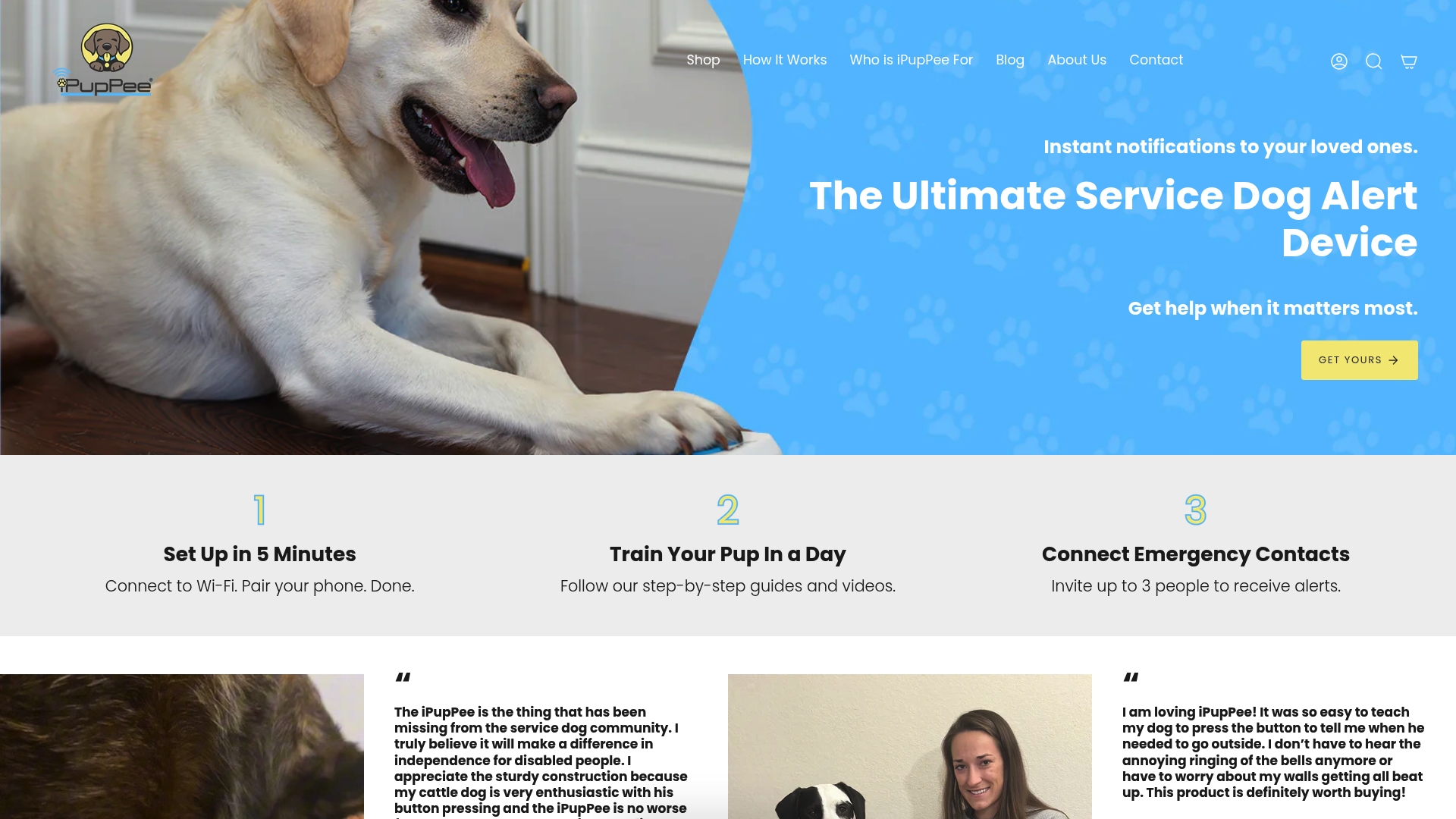
- Wi-Fi alerts reach your phone and backup contacts the moment the button is pressed.
- Two-way audio and video let you check in before assuming an emergency.
- A one-time purchase covers the device, with our Psychology & Training Course available separately for structured, step-by-step training support.
If your household depends on monitoring a medical condition, keep your existing medical devices in place and treat a trained alert as an added layer, not a replacement. For complex cases, a professional trainer can help shape a more reliable press. Start with the iPupPee device page to see specs and setup details, and add shipping protection at checkout if you want coverage against damage or loss in transit.
FAQ
What are dog-initiated digital cues?
Dog-initiated digital cues are devices like press-buttons or Wi-Fi alert systems that let a dog actively notify a person, rather than a human giving the dog a command. Some, like iPupPee, add live audio and video so the recipient can confirm what is happening before responding.
How long does it take to train a dog to use an alert button?
Some dogs begin pressing a button communicatively within days, while reliable, situation-appropriate use typically develops over weeks to months of consistent, reward-based practice. Short daily sessions of 5 to 15 minutes tend to work better than infrequent long ones.
Are alert dogs reliable for medical emergencies?
Published research on glycaemia alert dogs shows considerable variability in sensitivity and high false-positive rates in some cases. Alert devices and alert dogs work best as a backup alongside dedicated medical monitoring equipment, never as the sole safeguard.
How do I stop my dog from pressing the button too often?
Limiting when the device is available, responding consistently every time it is pressed, and rewarding spontaneous presses more generously than modeled ones all help keep the behavior meaningful rather than habitual. Logging each alert also helps identify patterns that signal overuse.
Is positive reinforcement the best way to train these devices?
The AVSAB position statement recommends reward-based methods as the most effective and humane approach for teaching new skills, including alert-device use. Aversive training tools are not recommended and can undermine a dog’s confidence around the device.
Sources
- Observational study on early button-learning in dogs (eScholarship)
- Soundboard use by dogs: deliberate and non-random button presses (PMC)
- Variations in performance of glycaemia alert dogs (PLOS One)
- AVSAB position statement on humane dog training (2021)