

Press-to-notify devices let a dog intentionally trigger an alert or a recorded message to a caregiver, and they help most when paired with consistent, welfare-first training and a medical backup plan. These systems support medical alerts, summoning a caregiver, door or potty requests, and emergency notifications. They are part of a trained response chain, not a standalone medical detection tool.
TL;DR:
- Matching the device type to the dog’s mobility and the task’s urgency is crucial, with remote alerts suited for medical emergencies and simple buttons for routine requests.
- Training a dog to press reliably can take from six months to two years, requiring consistent, staged practice across various locations and distractions.
- Place buttons at consistent, accessible spots with tactile or visual cues, and test placement with logs before permanent installation to ensure effective use.
- Be aware that medical or behavioral issues can temporarily impair a dog’s pressing ability, so health checks are necessary when alert behaviors decline suddenly.
- The iPupPee system offers a one-time purchase with Wi-Fi notifications, live video, and no monthly fees, but training support can accelerate independence.
Table of Contents
- Which device types fit which tasks
- Teaching an independent press, step by step
- Welfare limits and suitability for assistance dogs
- Placement, mounting, and accessibility setup
- Notification, integration, and backup options
- Troubleshooting common failures and a safety checklist
- What I’ve learned watching dogs learn to press
- Try an integrated device and training option
- FAQ
- Sources
- Key primary sources and further reading
Which device types fit which tasks
Press-to-notify systems come in a few distinct classes, and matching the right one to your dog’s task matters more than chasing features. A recordable push button plays a pre-set audio message when pressed, good for simple requests like “outside” or “water.” A Wi-Fi notify button sends a text or app alert to one or more phones, useful when a caregiver is in another room or outside the home. Collar-mounted press sensors let a dog trigger an alert through head or paw movement against a worn component, which suits dogs that struggle to reach a floor-mounted button. Sensor-based systems using accelerometers or gyroscopes detect specific movement patterns rather than requiring a deliberate press, trading precision for passive monitoring.
Each class carries tradeoffs in latency, privacy, and setup complexity:
- Recordable buttons are simple and low-cost but have no remote notification.
- Wi-Fi notify buttons add real-time alerts but depend on a stable connection.
- Collar sensors improve reach for dogs with mobility limits but need more calibration.
- Movement-based systems reduce reliance on a deliberate press but risk more false positives.
Teaching an independent press, step by step
Building a reliable press takes a structured plan, not a single training session. AKC guidance on button training recommends consistently pairing the press with a clear outcome, while cautioning handlers against treating presses as human-like language.
- Pair press with outcome. Demonstrate the press yourself and deliver the reward or outcome immediately, every time, so the dog links action to result.
- Shape independence. Capture any paw or nose contact with the button, reinforce it, then gradually fade your prompts while introducing variable reinforcement.
- Generalize across contexts. Practice at the door, by the bed, and in rooms with distractions, since a press that works in one spot often fails elsewhere at first.
Most handlers run short sessions daily rather than long ones occasionally, testing the behavior in a new context each week. Reported training timelines from service-dog centers range from about 6 months to 2 years depending on the dog, the task, and prior training. “Reliable” means the dog presses consistently across multiple rooms, people, and distraction levels, not just in a quiet training area.
Remote treat dispensers and recorded messages can support independent training for handlers with limited dexterity, letting a dog complete the full press-reward loop without the handler physically delivering a treat each time. Our training techniques guide covers pacing and session structure in more depth.

Pro Tip: Keep your body position identical during early training so the dog isn’t accidentally cued by your posture instead of the button itself.
Welfare limits and suitability for assistance dogs
Not every dog suits an alert role, and pushing an unsuitable dog into one undermines both welfare and reliability. Joint position statements from IGDF and ADI call for positive-reinforcement methods, least-intrusive approaches, and careful selection of dogs whose temperament fits the work.
- Medication, pain, or illness can temporarily reduce a working dog’s accuracy, according to AAHA working-dog guidelines.
- A sudden drop in alerting behavior warrants a health check before more training.
- A scoping review of seizure-alert dogs found promising but limited evidence, particularly for predicting seizures before they start.
Treat any alert device as a complement to medical monitoring, never a replacement for it.
Placement, mounting, and accessibility setup
Where you place a button shapes how reliably a dog uses it. Keep the location consistent, within comfortable reach, and mounted on a stable surface so pressing doesn’t shift the device. A larger target button reduces missed or glancing presses for dogs with limited precision.
- For wheelchair users, mount buttons at a height reachable from a seated position without requiring the dog to jump.
- For bedside use, place the button low enough for a dog lying down to reach without straining.
- For small breeds, a lower-profile button or a tilted mount improves paw contact.
- Add tactile or visual contrast, like a textured surface or bright color, so the dog can locate the button quickly in low light.
Pro Tip: Run a one-week placement trial, logging every press and every missed attempt, before committing to a permanent mounting spot. Our placement guide for request buttons walks through more scenarios.
Notification, integration, and backup options
Alert delivery methods vary widely, and the right choice depends on how urgent the message is. A simple recorded message works for routine requests like going outside. Automated text or app alerts suit medical or safety notifications that need a quick caregiver response. Live video and two-way audio give a caregiver direct confirmation of what’s happening, which matters most for emergency situations, though it depends more heavily on a stable connection than a basic alert.
- Set a primary contact who receives alerts first, with escalation contacts if there’s no response within a set window.
- Build in a delay threshold before escalating, so a single accidental press doesn’t trigger unnecessary alarm.
- Pair the device with an explicit medical or emergency plan, and run periodic drills so everyone in the chain knows their role.
Our alert response training guide covers how to structure these chains for service-dog teams.
Troubleshooting common failures and a safety checklist
Even well-trained systems run into snags. False presses often trace back to a button placed where the dog brushes it accidentally, which usually resolves with repositioning. Missed presses can mean the dog has lost motivation or the reward schedule faded too quickly. Battery and Wi-Fi issues are often the simplest fix, a quick charge or router restart.
- Run a weekly drill to confirm the press-to-alert chain still works end to end.
- Check battery level and connection status monthly.
- Review the alert log for patterns, like a location where presses consistently fail.
A sudden, unexplained drop in pressing frequency or accuracy is worth treating as a potential health signal rather than a training lapse, since reviews of canine alerting note that behavior changes can reflect underlying medical shifts rather than skill loss.
Always keep a backup plan: a human caregiver check-in schedule, a secondary alert contact, and a written emergency contact template for anyone filling in.
What I’ve learned watching dogs learn to press

Introducing a button for the first time almost always goes smoother than generalizing it. Dogs that press confidently in a quiet kitchen often freeze the first time a visitor is in the room or the lighting changes. The fix is rarely more repetition in the same spot. It’s shorter sessions in new locations, with the reward timing kept exactly as consistent as it was on day one.
Several handlers I’ve worked with solved stalled progress simply by moving the button six inches closer to where the dog already rests. Smaller changes like that often matter more than adding training time. Whatever system you use, keep the dog’s welfare and a medical backup plan at the center of the process.
— Andrew
Try an integrated device and training option
If you want a system built specifically for service-dog teams, seniors, and handlers managing a disability, our iPupPee device sends Wi-Fi notifications with live video and two-way audio to multiple contacts, with no monthly subscription fee, priced at $129.99 one-off. Pair it with our Psychology & Training Course, $119 one-off, for structured guidance on building an independent, reliable press.
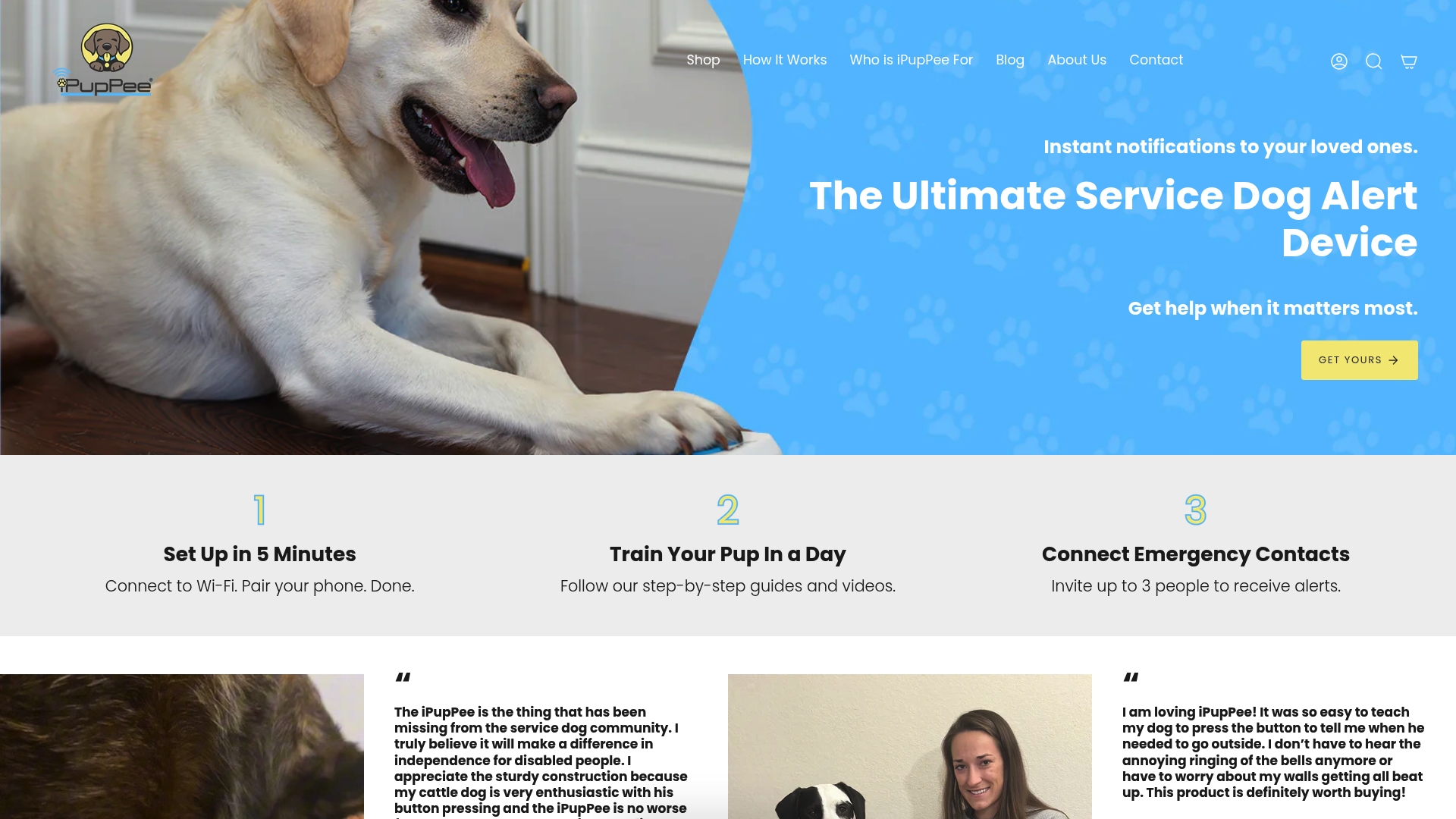
Before buying, confirm three things: the task you need (simple request versus emergency alert), your dog’s physical reach and accessibility needs, and whether you want structured training support alongside the hardware.
- Match the device class to the task, not the other way around.
- Check mounting and reach against your dog’s size and your own mobility needs.
- Decide if guided training will speed up reliable, independent use.
Ready to see if an integrated option fits your household? For more ideas on accessories and gadgets, explore this helpful collection of gifts for dog owners to find equipment that suits your dog’s needs.
FAQ
What is a press-to-notify device for dogs?
A press-to-notify device is a button, collar sensor, or similar tool that a dog presses to trigger a recorded message or a direct alert to a caregiver. It is distinct from voice-controlled smart home gadgets, since the dog, not a human voice command, initiates the signal.
How long does it take to train a dog to use a button reliably?
Reported timelines from service-dog training centers range from about 6 months to 2 years, depending on the dog and the complexity of the task. Reliability means consistent presses across different rooms and distraction levels, not just in a quiet training space.
Can a dog reliably predict a medical event like a seizure?
Evidence on canine seizure alerting shows promise but remains limited, and prediction is less established than detection after an event starts, according to a scoping review. Handlers should always keep a separate medical monitoring and backup plan in place.
What should I do if my dog suddenly stops pressing the button?
A sudden change in alerting or pressing behavior can signal pain, illness, or medication effects, per AAHA working-dog guidance, so a health check is the first step. Rule out a medical cause before troubleshooting the training itself.
Does the iPupPee device require a monthly subscription?
No, the iPupPee device is sold as a one-off purchase at $129.99 with no recurring subscription fee, based on current product page listing. It includes Wi-Fi notifications and live video and audio communication to multiple contacts.
Sources
- ADI Terms & Definitions
- Dog alerting and/or responding to epileptic seizures: A scoping review
- Teach your dog to use buttons — AKC guidance
- IGDF and ADI joint position statements
- AAHA working, assistance and therapy dog guidelines
Key primary sources and further reading
- Dog alerting and/or responding to epileptic seizures: A scoping review
- ADI Terms & Definitions
- Teach your dog to use buttons — AKC guidance
- AAHA working, assistance and therapy dog guidelines
- IGDF and ADI joint position statements
- PubMed 2023 review on canine seizure detection
- Technology in training: remote treat delivery systems