

Interactive pet tools are devices that require a dog to act to earn a reward, turning feeding, play, or monitoring into purposeful training and enrichment. A puzzle feeder that releases kibble only when a dog slides the right panel is interactive. So is a button-based communicator that signals a handler when pressed. A plain chew toy sitting on the floor is not.
Quick examples across the spectrum:
- Low-tech: Slow feeders and puzzle boards that require nose work or paw manipulation to release food
- Mid-tech: Treat-dispensing toys that drop a reward after the dog interacts with a rocker or ball
- High-tech: Camera/treat-tossers with 1080p HD video and two-way audio, or button-based communicators that let a dog signal specific needs to a handler
The core distinction from passive toys: nothing happens unless the dog does something first.
Table of Contents
- What categories of interactive pet tools are there?
- Why do handlers and owners actually use these tools?
- How do you pick the right tool for your dog?
- How do you introduce interactive tools without frustrating your dog?
- Safety rules and realistic limits every handler should know
- Where do you start? US examples and a handler starter plan
- Key Takeaways
- The case for keeping it simple
- Ipuppee: communication tools built for handlers and their dogs
- Useful sources
What categories of interactive pet tools are there?
Enrichment toy categories span six main types, each targeting a different instinct or behavior.
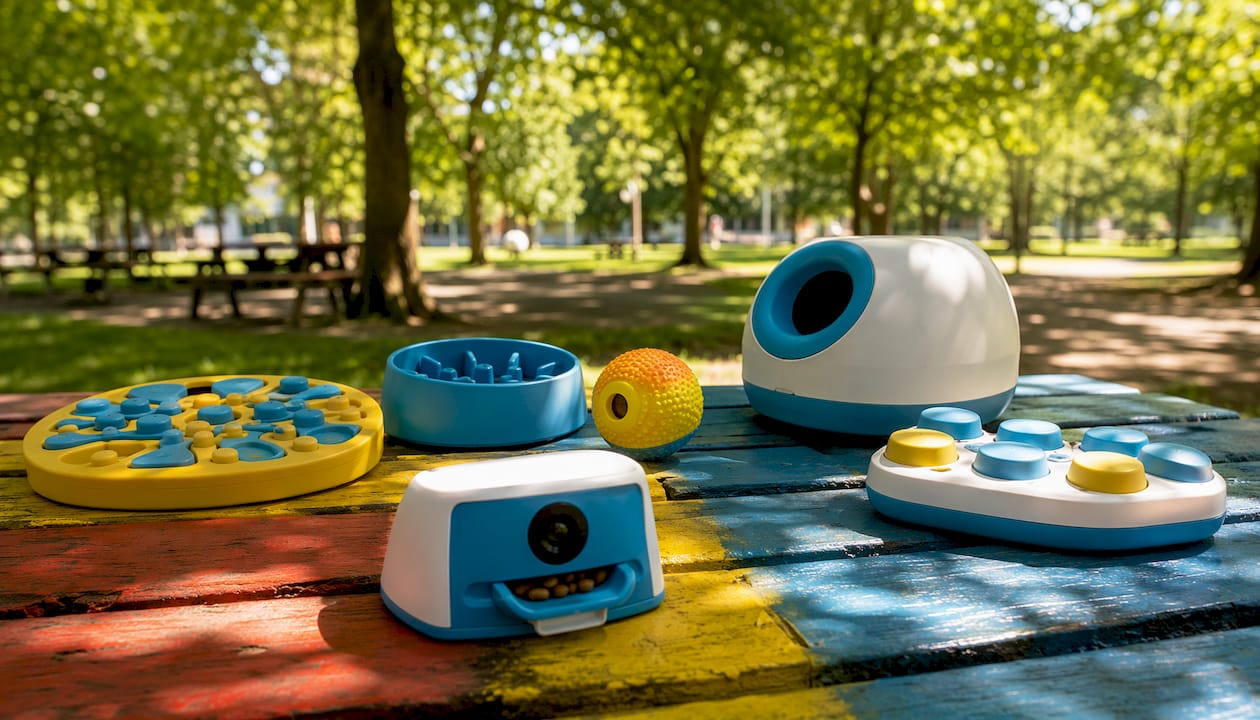
Puzzle feeders and slow feeders target foraging instincts. The dog must manipulate compartments, sliders, or textured surfaces to access food. These also slow ingestion and reduce rapid-eating risks.
Treat-dispensing toys reward motion or contact. A dog nudges, rolls, or paws the toy; a treat drops. These extend engagement well beyond what a free-fed treat delivers and work well for short absences or task rehearsal.
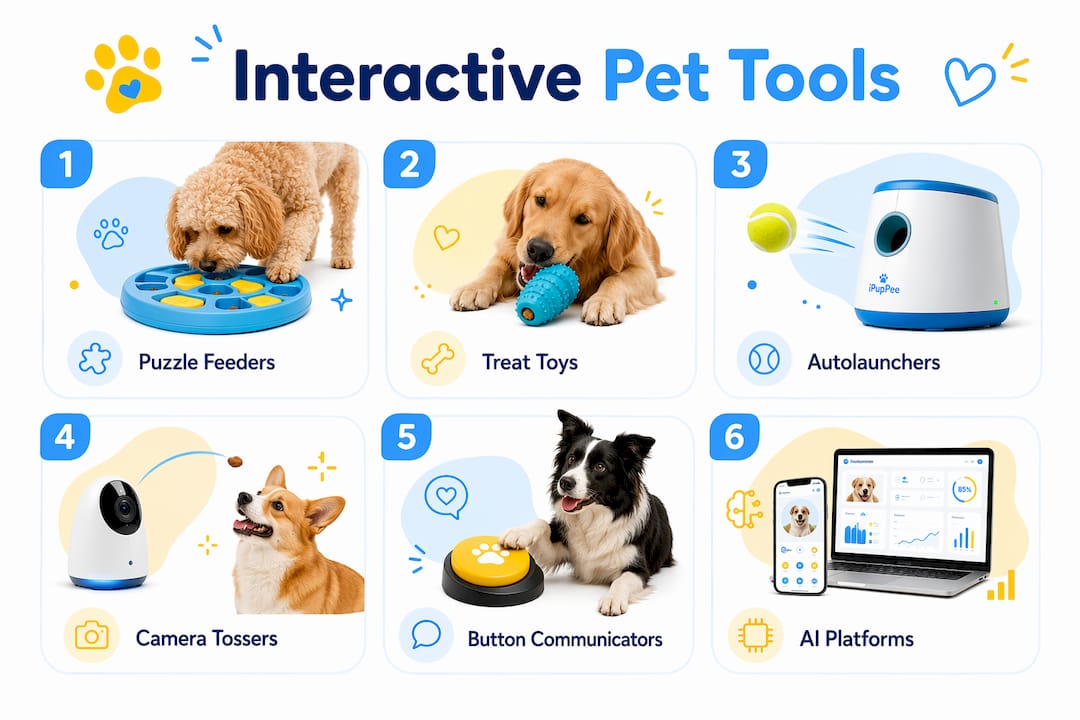
Interactive balls and launchers channel retrieve instincts. Automatic launchers let a dog reload and re-launch independently, building recall habits without a handler present for every rep.
Camera/treat-tossers combine remote monitoring with reward delivery. Common features include 1080p HD video, night vision, two-way audio, motion alerts, and app-controlled treat tossing. Some platforms now flag activity anomalies using AI.
Button-based communicators are the category most relevant to service-dog handlers. A dog presses a programmed button to signal a specific need or task completion. Ipuppee’s device operates on this principle, giving dogs a reliable, repeatable way to communicate with handlers.
AI/wellness platforms sit at the management layer. They centralize health records, vaccination reminders, and symptom logs, and let handlers export documentation for professional review.
| Category | Reward Mechanism | Common Tech Features | US Price Band |
|---|---|---|---|
| Puzzle/slow feeder | Food release on solve | None to basic | Low |
| Treat-dispensing toy | Drop on contact/motion | App optional | Low–Medium |
| Camera/treat-tosser | Remote treat toss | HD video, two-way audio, app | Medium–High |
| Ball launcher | Auto-launch on load | Timer, distance settings | Medium |
| Button communicator | Handler alert on press | Audio/light cue, logging | Medium |
| AI/wellness platform | Data-driven reminders | AI scoring, record export | Subscription-based |
Why do handlers and owners actually use these tools?
The benefits split cleanly between cognitive and operational gains.
Cognitive stimulation is the most cited reason. Designs that simulate hunting and foraging help dogs expend mental energy and maintain the calm focus that working dogs need on task. A service dog that gets structured enrichment between shifts is less likely to redirect that energy into destructive behavior.
Training reinforcement is where handlers see the clearest ROI. Treat-dispensing toys and button communicators let dogs rehearse specific behaviors repeatedly without requiring a handler to be physically present for every repetition. That consistency matters for service dogs building reliable task chains.
Remote monitoring addresses a real gap for seniors and handlers who live alone. A camera/treat-tosser lets a caregiver or family member check in, reward calm behavior, and confirm the dog is alert, all without being in the room. For seniors and disabled handlers, that visibility is more than convenience.
How do you pick the right tool for your dog?
Work through this checklist before buying anything.
- Dog skill and learning stage. A dog new to puzzle work needs a Level 1 feeder, not a multi-step slider board. Match complexity to current ability.
- Adjustability. Look for difficulty settings you can scale up as the dog improves. Fixed-difficulty tools lose enrichment value fast.
- Reward type and portion control. Confirm the device works with your dog’s actual diet. Treat-tossers that only accept small, hard treats may not suit every dog.
- Materials and chew safety. Check for BPA-free plastics or food-grade silicone. Aggressive chewers need reinforced housings.
- Cleaning and maintenance. Food-contact surfaces must be dishwasher-safe or easy to hand-wash. A toy that traps kibble residue becomes a hygiene problem.
- Connectivity and app reliability. App-based gadgets depend on stable home Wi-Fi. Dropped connections interrupt sessions and frustrate both dog and handler. Test your network before committing to a connected device.
- Data and privacy. Confirm what the app collects, how long video is stored, and whether logs can be exported. For service-dog documentation, exportable records are a practical requirement.
- Power source and durability. Battery-powered devices need reliable charging cycles. For working environments, corded or long-battery options reduce downtime.
Pro Tip: For service-dog handlers, match the tool’s feedback type to the dog’s training stage. A device with a clear auditory marker or light cue gives the dog unambiguous confirmation of a correct response, which is exactly what mastery-based progression requires. Start simple, then add complexity only after the dog is performing the simpler version reliably.
How do you introduce interactive tools without frustrating your dog?
Supervised introduction is non-negotiable, especially for remotely activated devices. A dog that encounters a treat-tosser for the first time without the handler present can develop anxiety around it rather than a positive association.
Model the action first
Show the dog what triggers the reward. For a puzzle feeder, guide a paw or nose to the correct panel. For a button communicator, press it yourself and immediately deliver the reward. The dog needs to see the action-reward loop before it can replicate it.
Shape toward independence
Move from modeling to luring (placing a treat near the target), then to shaping (rewarding successive approximations), then to reinforcing the full behavior on cue. Only increase difficulty after the dog performs the current level reliably, at least five consecutive correct responses before advancing.
Troubleshooting common problems
- Lack of interest: The reward value may be too low. Switch to a higher-value treat or reduce the dog’s meal size slightly so hunger drives engagement.
- Over-arousal: Shorten sessions. Ten focused minutes beats thirty chaotic ones.
- Learned helplessness: If the dog stops trying, the difficulty jumped too fast. Drop back one level and rebuild confidence with easy wins.
Log each session: date, tool, difficulty level, number of correct responses, and any stress signals. Correlating those notes with behavior changes over two to four weeks gives handlers real data, not guesswork, about what is working.
Safety rules and realistic limits every handler should know
Interactive tools are not a substitute for exercise, hands-on training, or human contact. They fill gaps; they do not replace the relationship.
Before each session:
- Inspect for cracked plastic, loose parts, or frayed cords
- Confirm treat size matches the dispenser’s specifications to prevent choking
- Check battery charge and app connectivity for electronic devices
Maintenance steps:
- Wash food-contact surfaces after every use with warm soapy water or in the dishwasher if rated for it.
- Update firmware and app software monthly. Outdated firmware on connected devices can cause connectivity failures or security gaps.
- Store puzzle feeders dry to prevent mold in crevices.
- Rotate puzzles every two to three weeks to preserve enrichment value. A dog that has solved the same board 50 times is no longer being challenged.
Privacy checklist for connected devices:
- Read the app’s data policy before setup
- Confirm video retention period (some platforms store footage for 24 hours; others keep it indefinitely)
- Verify whether logs can be exported in a format usable for service-dog documentation
Where do you start? US examples and a handler starter plan
For cognitive work, a basic slow feeder or snuffle mat is widely available at most US pet retailers and requires no setup beyond filling it with kibble. Start here if your dog has no puzzle experience.
For duration and task rehearsal, a mid-tier treat-dispensing toy extends engagement and works well for practicing calm behavior during handler absences.
For recall and physical activity, an automatic ball launcher gives the dog a retrieve loop without requiring the handler to throw every rep. Most US models offer adjustable distance settings.
For remote check-ins, a camera/treat-tosser with two-way audio lets handlers or caregivers monitor and reward from anywhere. Camera/treat-tosser units with 1080p video and app control generally cost in the medium to higher price range.
For communication, button-based devices let dogs signal specific needs. Ipuppee’s device is built specifically for this use case, with a focus on handler independence and reliability for service and companion dogs. You can learn more about service dog communication training on the Ipuppee blog.
Starter plan for handlers:
- Week 1–2: Introduce one low-tech tool (slow feeder or puzzle board) under full supervision. Log daily.
- Week 3–4: Add one tech tool (treat-dispenser or button communicator). Run paired sessions so the dog sees both tools as positive.
- After four weeks: Review logs, identify which tool produced the clearest behavior change, and scale difficulty or add a second device.
Pro Tip: Buy one tool at a time. Handlers who introduce three new devices in the same week cannot isolate which one is driving behavior change. Single-variable testing gives you real answers.
Key Takeaways
Interactive pet tools require a dog to act to earn a reward, making every session a training opportunity rather than passive entertainment.
| Point | Details |
|---|---|
| Core definition | A tool is interactive only if the dog must do something to earn the reward. |
| Start low-tech | Begin with a puzzle feeder or slow feeder before adding connected devices. |
| Supervised introduction | Always introduce a new tool in person before using it remotely. |
| Scale with mastery | Increase difficulty only after five consecutive correct responses at the current level. |
| Ipuppee for communication | Ipuppee’s button-based device is built for service and companion dog communication and handler independence. |
The case for keeping it simple
There is a real temptation in this space to equate more technology with better enrichment. It is not that straightforward. A connected treat-tosser does not automatically outperform a snuffle mat for a dog that is still learning what “work for food” means. The tool has to match the dog’s current cognitive stage, not the handler’s enthusiasm for gadgets.
What I find genuinely underappreciated is the communication layer. Most handlers focus on physical enrichment first, which makes sense, but the dogs that tend to thrive long-term are the ones who have a reliable way to signal their handler. That is where button-based devices, and specifically what Ipuppee is building, address something the puzzle-feeder category cannot. A dog that can press a button and get a consistent, understood response from its handler is a dog that feels less anxious during absences and more confident during task work. That feedback loop is not a luxury for service dogs. It is foundational.
The practical takeaway: pick the simplest tool that addresses your dog’s actual gap, introduce it properly, and add complexity only when the dog has genuinely mastered the current level. The interactive devices that boost cognition and safety are the ones used consistently, not the ones with the most features.
Ipuppee: communication tools built for handlers and their dogs
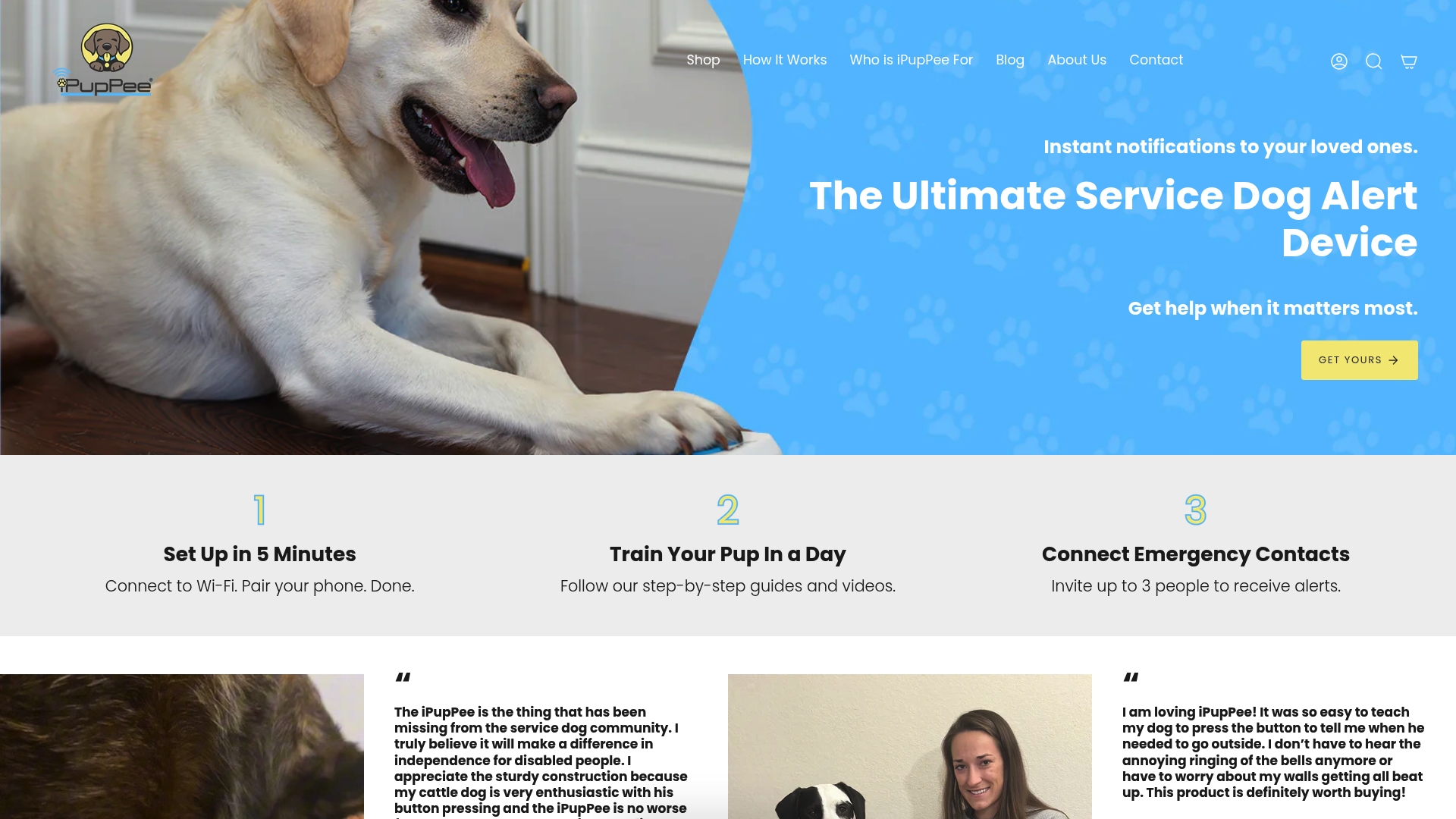
Ipuppee designs communication devices for service and companion dogs, with a focus on one thing most enrichment tools skip entirely: giving your dog a clear, reliable way to reach you. The iPupPee device works through a simple button press, built for durability and daily use by handlers, seniors, and disabled dog owners who depend on that signal.
If you are ready to add a communication layer to your dog’s training, visit ipuppee.com to see the device, browse training guides, and read the FAQ. The pet safety tech resources on the blog walk you through integration step by step.
Useful sources
- Benefits of dog enrichment toys (PetMD) — Overview of enrichment toy categories and core behavioral benefits.
- Are interactive pet cameras good for your dog? (FitBark) — Feature breakdown of camera/treat-tossers and expert cautions about supervised introduction.
- Interactive dog toy benefits (Vitacost) — Evidence on slow feeders, digestion, and foraging enrichment.
- Ultimate guide to interactive dog toys (Earthborn Holistic) — Design principles behind foraging and predatory-instinct toys.
- How interactive dog toys work (PuppySimply) — Practical explanation of treat-dispensing mechanics and engagement duration.
- PetClues pet management platform — AI-assisted health record centralization and service-dog documentation tools.