

Yes, dogs can produce reliable, interpretable device-based signals — and the research backs it up. A PLOS ONE study on owner-trained soundboard dogs found that pet dogs associated recorded button words with real-world outcomes and responded appropriately even without human body-language cues. A separate wearable alert prototype study trained mobility-assistance dogs on tug sensors, reporting improved sensor accuracy and near-zero false positives. Ipuppee builds on exactly this research foundation.
Three conditions determine whether device-based dog sensory signals are usable in practice:
- Consistent modeling with clear consequences: the handler presses the button at the exact moment the outcome happens, every single time, especially in early training.
- The right activation affordance: button press, tug, or nose poke matched to the dog’s natural behavior and physical ability.
- Routine blind verification: periodic tests without handler cues confirm the dog is responding to the device, not to you.
Key Takeaways
Dogs can produce reliable device-based sensory signals when training uses consistent modeling, the right activation affordance, and routine blind verification to confirm independence from human cues.
| Point | Details |
|---|---|
| Research is solid but limited | PLOS ONE confirms word-to-outcome association; prototype vest studies show improved sensor accuracy in small pilots. |
| Modeling is non-negotiable | Press the button at the moment of the outcome, every time, especially in the first two weeks of training. |
| Blind tests reveal the truth | If accuracy drops more than 20% without your presence, the dog is reading you, not the device. |
| Safety-critical use needs more | Emergency and medical-alert applications require professional oversight, redundancy, and documented accuracy metrics. |
| Ipuppee fits this approach | Ipuppee’s press-activation device and training resources are built for accessibility-minded handlers and service-dog teams. |
Table of Contents
- What does the research actually show about device-based dog signals?
- Which device types fit which dogs and handlers?
- How do you train a dog to use an alert device reliably?
- Which use cases are the best fit for device signals?
- What are the real risks and ethical limits of device signals?
- How do you choose the right device before buying?
- How do you measure whether your training is actually working?
- Why the “just watch the dog” argument misses the point
- Ipuppee’s approach to device-based dog communication
- Sources
What does the research actually show about device-based dog signals?
The strongest evidence comes from two distinct lines of work: soundboard studies with pet dogs and wearable-sensor prototypes with service dogs.
The PLOS ONE study ran both researcher-led and citizen-science experiments. Dogs showed contextually appropriate behaviors for play-related and outside-related button words regardless of who pressed the button or whether it was a live voice or a recording. That last detail matters: it rules out simple social mimicry as the explanation.
Dogs responded similarly to button playback and live speech, suggesting genuine word-to-outcome association rather than reading the handler’s body language.
The wearable vest prototype study took a different angle. Mobility-assistance dogs were trained on tug-activated sensors sewn into vests. When tugged, the vest played a prerecorded help message. Researchers tracked several performance metrics including dog and sensor accuracy, and reported improvements in sensor detection, though results come from a small pilot study requiring further replication.
The FIDO-related touchscreen and sensor prototypes showed some dogs learned to activate interfaces in minutes during controlled trials, with training times ranging from seconds to 27 minutes depending on the sensor type and individual dog. Short training bursts are feasible — but variability across dogs and tasks is real.
Pro Tip: Small pilot sizes are a genuine limitation across most prototype studies. Treat published accuracy metrics as promising benchmarks, not guarantees — your dog’s performance will depend on individual training consistency.
Which device types fit which dogs and handlers?
Four practical categories cover most of what’s available, each with a distinct activation gesture:
| Device Category | Activation Gesture | Best Dog Fit | Indoor/Outdoor | Audio/Voice | Mounting |
|---|---|---|---|---|---|
| Soundboard buttons | Paw press or nose poke | Most dogs; paw-confident breeds | Indoor primary | Selectable recorded voice | Floor or low shelf |
| Wearable tug sensors | Bite or tug on tab | Working dogs; high-drive breeds | Both | Prerecorded message | Vest or collar |
| Touchscreen panels | Nose poke | Dogs with precise nose targeting | Indoor | Digital voice, adjustable | Wall or stand |
| Bark-recognition systems | Vocalization | Dogs with consistent alert barks | Both | Automated response | Collar or room unit |
Audio clarity and voice choice matter more than most buyers expect. Prototype feedback from the wearable vest research found that bystanders judge a device’s credibility partly on voice intelligibility. A muffled or robotic message in a public setting gets ignored. For service-dog teams, a clear, calm voice that matches the dog’s size and role builds faster bystander trust.

For seniors or handlers with limited mobility, button placement is the deciding factor, as explained by PUB Dog Walkers | Animal Booking. A button that requires bending to reset is a button that won’t get used consistently. Wireless integration with a home monitoring hub removes that friction entirely.
Pro Tip: Test your chosen voice message on a stranger before committing to it. If they can’t understand it in a noisy room, your dog’s alert won’t work when it counts.
How do you train a dog to use an alert device reliably?
The method traces directly to augmentative communication practice: model the behavior, pair it with an outcome, and repeat. Trainer Sassafras Patterdale puts it plainly — press the button at the exact moment the outcome happens, every single time, during early training. The AKC’s button training guide and Ipuppee’s training resources both follow this same sequence.
Step-by-step training sequence:
- Choose 1–3 high-value, routine words (outside, play, water).
- Place one button where the dog naturally goes before that activity.
- Press the button yourself every time the activity happens — no exceptions in week one.
- When the dog sniffs or paws the button independently, reward immediately and follow through on the outcome.
- Once the dog presses reliably in one location, move the button to a second room and repeat.
- Add a second button only after the first is reliable across two locations.
Training timeline:
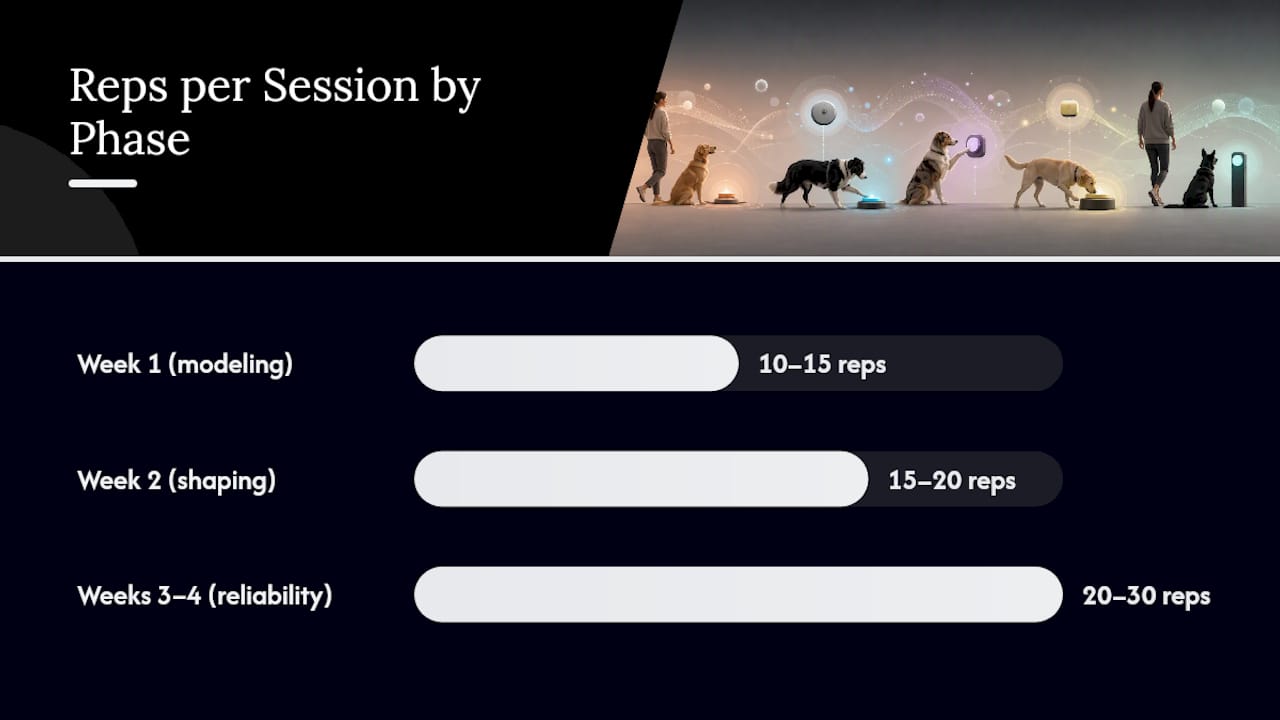
| Phase | Session Length | Reps per Session | Expected Milestone |
|---|---|---|---|
| Week 1 (modeling) | 5–10 min | 10–15 | Dog observes and sniffs button |
| Week 2 (shaping) | 10–15 min | 15–20 | First spontaneous press |
| Weeks 3–4 (reliability) | 15–20 min | 20–30 | Consistent use in one room |
| Month 2 (generalization) | 20–30 min | Varied | Reliable use across rooms |
Troubleshooting common failures:
- No interest in the button: move it closer to the activity location; try a different texture or size.
- Random pressing with no context: you may be rewarding too broadly — only follow through when the press matches the context.
- Inconsistent follow-through by the handler: this is the most common failure. If the button press doesn’t reliably produce the outcome, the association breaks down fast.
Which use cases are the best fit for device signals?
| Use Case | Recommended Device | Key Success Driver |
|---|---|---|
| Potty/walk requests | Soundboard button | Consistent handler follow-through |
| Play or treat requests | Soundboard button | High-value reward pairing |
| Hearing alerts (doorbell, smoke) | Wearable tug or bark-recognition | Reliable alert behavior already present |
| Get-help/emergency alerts | Wearable tug sensor + vest | Verified sensor accuracy; redundancy |
Dog-fit factors matter as much as use-case fit. Younger dogs with prior training history and high working drive tend to reach reliable button use faster. Dogs with limited forelimb mobility may do better with a nose-poke touchscreen than a floor button. Age alone isn’t disqualifying — older dogs learn new associations, just sometimes more slowly.
Devices add the most value when the handler has limited mobility or a hearing impairment, or when the dog needs to summon help from another room. Where a dog already communicates a need clearly through natural behavioral signals, adding a button may be redundant rather than additive.
For service-dog teams, device signals must be verified, documented, and integrated into a safety plan — not treated as a convenient add-on. Reliability in a life-safety context requires a different standard than a pet communication experiment.
Hearing dogs and other assistance dogs already complement environmental alerting systems in real-world deployments, as reviewed in MDPI’s analysis of hearing dogs. Device signals fit naturally into that complementary role.
What are the real risks and ethical limits of device signals?
Failure modes fall into four categories:
- False positive activations: the dog presses the button accidentally or for attention, not because the need is real.
- Missed alerts: the dog doesn’t activate the device when the need is genuine, especially under stress or distraction.
- Human cueing (Clever Hans effect): the dog reads your posture, gaze, or routine rather than responding to an internal state. PBS News coverage documents how trainers and researchers flag this as the most common source of inflated accuracy.
- Device malfunction: sensor failure, dead battery, or audio failure at a critical moment.
Practical mitigations: run blind tests monthly (see the next section), never rely on a single unverified device for life-or-death alerts, and build redundancy into any safety-critical setup. A dog that alerts via tug sensor should also have a trained backup behavior.
Pro Tip: Design your alert message to state the action needed, not just the dog’s name. “Please call 911 — my handler needs help” outperforms “Buddy says hello” in every bystander response scenario.
For seizure-alerting or medical-alert applications, the evidence base for innate dog alerting behavior is limited and inconsistent, as noted in a clinical review of seizure-alerting dogs. Device-based signals in these scenarios require professional service-dog organization oversight, not DIY training alone.
How do you choose the right device before buying?
Run through this checklist before committing:
- Activation affordance matches your dog’s natural behavior (paw, nose, tug)
- Audio volume is adjustable and voice is clearly intelligible to strangers
- Mounting options fit your home layout and your mobility needs
- Battery life supports your daily routine without constant recharging
- Water or splash resistance if the dog works outdoors
- Integration with home monitoring or smart-home systems (optional but useful)
- Vendor provides training resources and responsive support
- Return or exchange policy covers fit issues
Decision flow: If your dog is primarily indoors and you want potty or play communication, a stationary soundboard is the lowest-friction starting point. If your dog is a working service dog needing to summon help in public, a wearable tug sensor integrated into a vest is the more appropriate choice. If your handler has limited hand mobility, a bark-recognition collar removes the need for any handler interaction with the device entirely.
For medical-alert or emergency-alert applications, ask vendors for documented pilot metrics or third-party test results before purchasing. A device with no published accuracy data is an unknown quantity in a high-stakes scenario.
Handlers who need service dog alert integration should also review how the device connects to existing assistive workflows before buying.
How do you measure whether your training is actually working?
Three metrics from the prototype research translate directly to home use:
- Dog Accuracy: of N cue opportunities, how many times did the dog activate the device correctly?
- Sensor Accuracy: of N activations, how many did the hardware register and play correctly?
- Overall Success: combined rate across both.
Simple tracking table (copy this):
Blind-test protocol:
- Ask a neutral helper (someone the dog knows but doesn’t train with) to observe a session without prompting you.
- Leave the room or turn away during the dog’s activation window.
- Have the helper record whether the dog pressed the button and whether you showed any pre-cue behavior (glancing, shifting weight, moving toward the button).
- If the dog’s accuracy drops more than 20% without your presence, human cueing is likely the explanation.
- Return to single-button modeling with stricter handler neutrality before advancing.
Why the “just watch the dog” argument misses the point
The conventional wisdom says natural canine body language is enough — that a good handler reads their dog and doesn’t need a button. For most pet owners in most situations, that’s true. But it breaks down in three specific scenarios: when the handler has a sensory or mobility impairment, when the dog needs to summon help from a different room, and when a third party (a bystander, a caregiver) needs to understand the alert without knowing the dog.
Device signals don’t replace reading your dog. They extend the signal to people and situations where body language can’t reach. The PLOS ONE research confirms dogs can make genuine word-to-outcome associations. The prototype vest work shows the hardware can be reliable enough for service use. The gap between “promising research” and “safe daily deployment” is consistent training and honest verification — and that gap is closable with the right method.
Expect reliable single-button use in two to four weeks of daily modeling. For safety-critical alerts, plan for ongoing monthly blind tests indefinitely. That’s not a flaw in the approach. It’s just what verified reliability actually looks like.
Ipuppee’s approach to device-based dog communication
Ipuppee’s alert button is built for exactly the handlers this guide describes: people living alone, seniors, and service-dog teams who need a dog’s signal to reach someone else reliably.
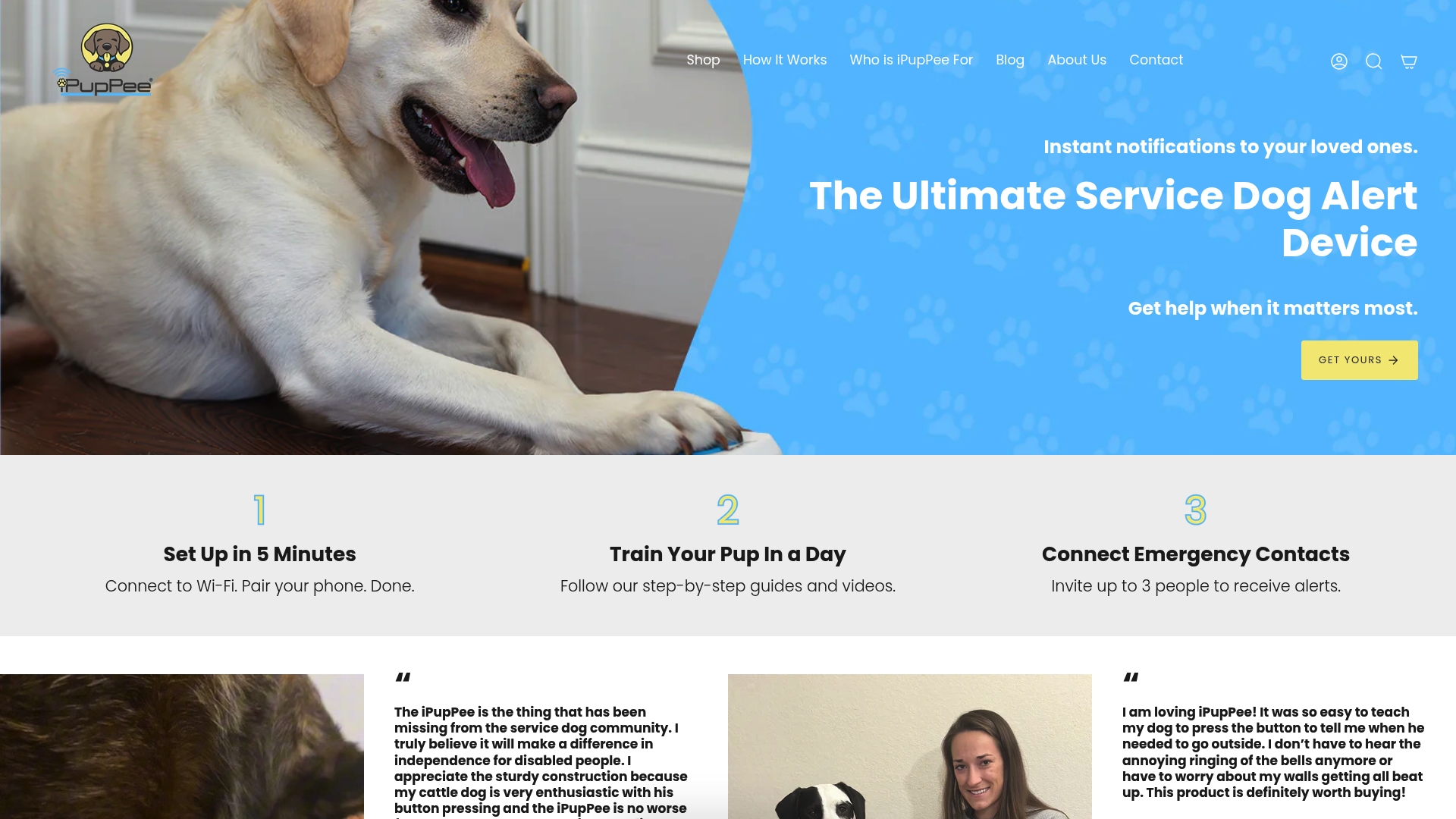
The device uses a simple press activation, plays a prerecorded message, and is designed with accessibility in mind — low placement, tactile affordance, and wireless connectivity for home monitoring integration. Ipuppee’s blog covers training communication buttons step by step, with guides mapped to the modeling-and-repetition method the research supports. Training videos, product support, and resources for service-dog handlers are all available at Ipuppee. If you’re ready to move from reading about device signals to actually deploying one, that’s the right starting point.
Sources
The studies and resources below form the evidence base for this guide. Each link goes directly to the primary source.
- PLOS ONE study on owner-trained soundboard dogs
- Wearable Alert System for Mobility-Assistance Service Dogs (prototype vest study)
- PBS News — how button boards are changing human-canine communication
- AKC guide: how to teach your dog to use talking buttons