

Dog-human interaction devices are purpose-built tools that let a dog trigger an intentional signal to a human. Think a button press that means “need outside,” a wearable that fires a phone alert, or a pressure mat that calls for help. The core categories include button-based soundboards, smart collars, GPS trackers, pressure mats, and two-way audio/video systems. These tools matter most to service-dog handlers, disabled owners, seniors living alone, and companion-dog owners who need reliable, low-effort communication without standing in the same room.
The field has a name: Augmentative Interspecies Communication (AIC). UCSD’s Comparative Cognition Lab tracks thousands of animals in AIC studies across 45+ countries, and the early findings suggest dogs can reliably signal needs like “potty” or “illness” when given the right interface. Professor Clara Mancini’s Animal-Computer Interaction research at the Open University adds the design side: technology should adapt to canine sensory and cognitive traits, not the other way around. Ipuppee builds from both of these foundations.
Who benefits most:
- Service-dog handlers who need a reliable backup alert channel
- Disabled owners and seniors who depend on a dog for safety signals
- Companion-dog owners teaching clearer communication cues
- Rescue-dog handlers building confidence through structured interaction
Table of Contents
- What types of dog-human interaction devices exist?
- How do these devices actually turn a dog’s action into an alert?
- What design features make a device actually work for dogs?
- Safety, welfare, and ethics for service-dog handlers in the U.S.
- How to introduce and train a dog to use a device
- How to evaluate and choose a device: a practical checklist
- When should you use a device vs. a trained behavior?
- Key Takeaways
- The case for getting the design right before the training
- The iPupPee alert device for service-dog handlers and owners
- Useful sources and further reading
What types of dog-human interaction devices exist?
Six device classes cover most of what you’ll find on the market. Each one suits a different communication task.
| Device Class | Activation Mode | Primary Use | Typical Connectivity |
|---|---|---|---|
| Button/soundboard | Paw or nose press | Request (outside, water, play) | Local RF or Bluetooth |
| Smart health collar | Passive sensors | Vital signs, behavior alerts | Bluetooth + LTE/Wi-Fi |
| GPS tracker/containment | Motion, geofence | Location, escape alerts | GPS + LTE cellular |
| Pressure mat/wall trigger | Paw press or pull | Door alerts, medical alarm | Local RF |
| Two-way audio/video | Motion or manual | Remote check-in, commands | Wi-Fi |
| Interactive treat/dispenser | Nose or paw | Enrichment, shaping sessions | Bluetooth or Wi-Fi |
Button-based soundboards are the most studied class in AIC research. A dog presses a convex pad with a paw or nose; the device plays a pre-recorded word or fires a wireless signal to a hub. Range in tested domestic setups reaches roughly 40 meters for some wireless implementations.
Smart collars go passive: accelerometers, heart-rate sensors, and GPS run continuously and push alerts to a phone app when something changes. They’re less about the dog “asking” and more about the collar reporting.
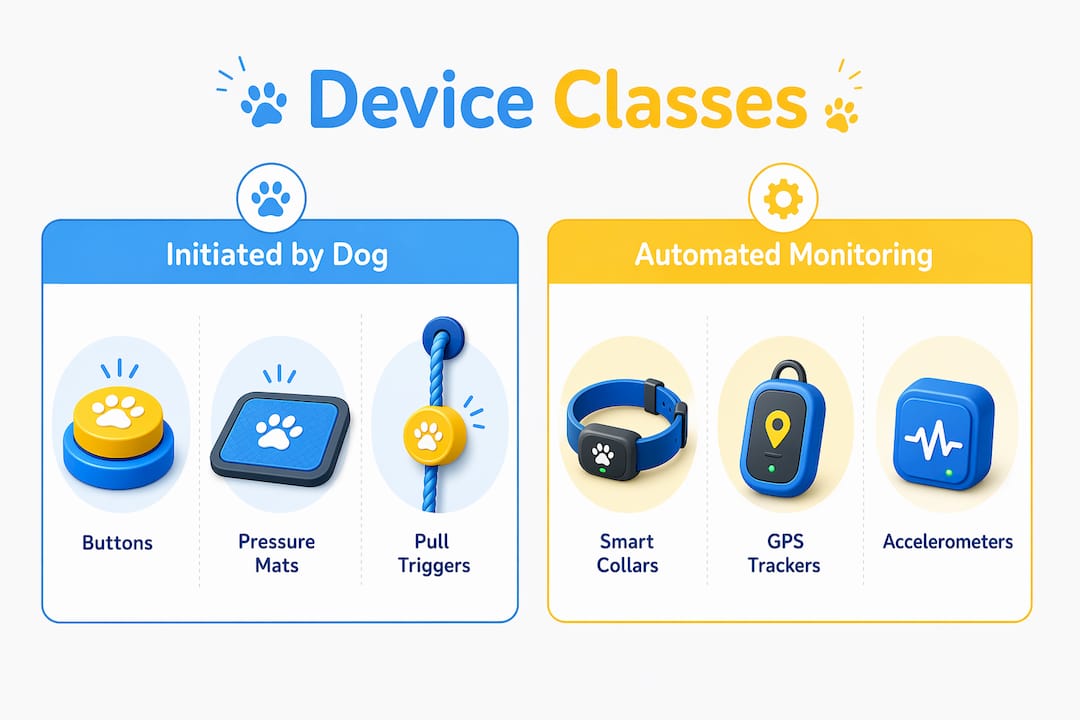
Pressure mats and wall-mounted pull triggers suit medical-alert tasks. A dog trained to tug a rope or stomp a mat can fire a caregiver alarm without any button vocabulary.
Pro Tip: Before buying, decide whether you need the dog to initiate the signal (buttons, mats) or the device to report passively (smart collar). Mixing both types covers the widest range of service tasks.
How do these devices actually turn a dog’s action into an alert?
Every device in this category follows the same signal chain: dog action → sensor → transmitter → receiver or cloud → human alert. What varies is the sensor type and the connectivity link in the middle.
Common sensor types:
- Mechanical push pads (spring-loaded, activate on direct pressure)
- Capacitive or force-sensitive resistors (detect bite, tug, or nose contact)
- Accelerometers and gyroscopes in collars (detect head/body gestures)
- Ultrasonic range finders (detect nose movement at close range, ~3 cm)
- Camera-based motion detection (triggers video call or alert)
A scoping review of remote human-dog interaction technology found that wearable devices with sensors are the most widely used tools for dogs to generate messages, while vibrotactile actuators are the most common way to send signals back to dogs.
Connectivity trade-offs:
- Local RF: low latency, no internet needed, limited to one building
- Bluetooth to hub/phone: reliable indoors, drops beyond ~30 meters without a hub
- Wi-Fi direct: whole-home coverage, depends on router uptime
- GPS + LTE cellular: unlimited range, requires subscription, slight latency
For a service dog working inside a single home, local RF or Bluetooth is usually enough. GPS matters the moment the dog is outdoors or the handler travels.
What design features make a device actually work for dogs?
Success depends almost entirely on whether the device fits how dogs sense and move, not how humans imagine dogs should interact with technology. Professor Mancini’s canine-centered design research makes this the non-negotiable starting point.
Key design principles drawn from AIC research:
- Convex push pad: enables activation from multiple angles, by both paw and nose
- Textured surface: gives tactile feedback so the dog knows contact was made
- Blue color contrast: dogs’ dichromatic vision responds better to blue than red or green
- Soft internal confirmation light: signals a successful press without dazzling the dog
- Low activation force: reduces frustration and accidental misses for smaller breeds
- Durable casing: withstands repeated paw strikes and occasional mouthing
- 120mm diameter or larger: the Dogosophy Button at this size performed well across breed sizes in testing
Dogs also prefer scent-familiar objects and will interact more readily with a device that has been handled and introduced gradually. Bright white LEDs, sharp edges, or high activation force all increase avoidance behavior.
Pro Tip: Test any button from both paw and nose angles before fixing its placement. A pad that works perfectly underfoot may be awkward at nose height, and many dogs switch between the two depending on posture.
Safety, welfare, and ethics for service-dog handlers in the U.S.
Devices must support the dog’s welfare and the handler’s safety. Neither goal is served by overuse, forced interaction, or a device that creates stress.
Welfare checks to be run regularly:
- Watch for stress signals during sessions: lip licking, yawning, turning away, or refusing to approach the device
- Keep training sessions short (5 minutes or less for new devices)
- Confirm every activation is voluntary; never physically guide a dog onto a button
- Monitor for compulsive pressing, which can indicate anxiety rather than communication
The UCSD AIC research notes that devices can allow earlier detection of illness or needs, improving health outcomes when dogs can reliably signal discomfort. That welfare benefit disappears if the device becomes a source of stress.
For U.S. service-dog handlers, a few operational realities apply. Under the Americans with Disabilities Act, a service dog must be trained to perform a specific task related to a disability. A communication device supplements that trained behavior; it does not replace it or satisfy the ADA’s task requirement on its own. Handlers should consult the ADA National Network for current public-access guidance and confirm that any device used in public settings does not interfere with the dog’s primary task performance.
Legal note: This article is general information, not legal or professional advice. Verify current ADA service-dog standards with the ADA National Network or a qualified disability-rights attorney for your specific situation.
How to introduce and train a dog to use a device
A short, consistent shaping protocol reliably teaches most service and companion dogs to use simple devices. The full sequence runs roughly two to four weeks for a motivated dog.
Step-by-step onboarding:
- Days 1-2: Build positive association. Place the device near the dog’s rest area. Reward any sniff or glance toward it. No pressure to interact.
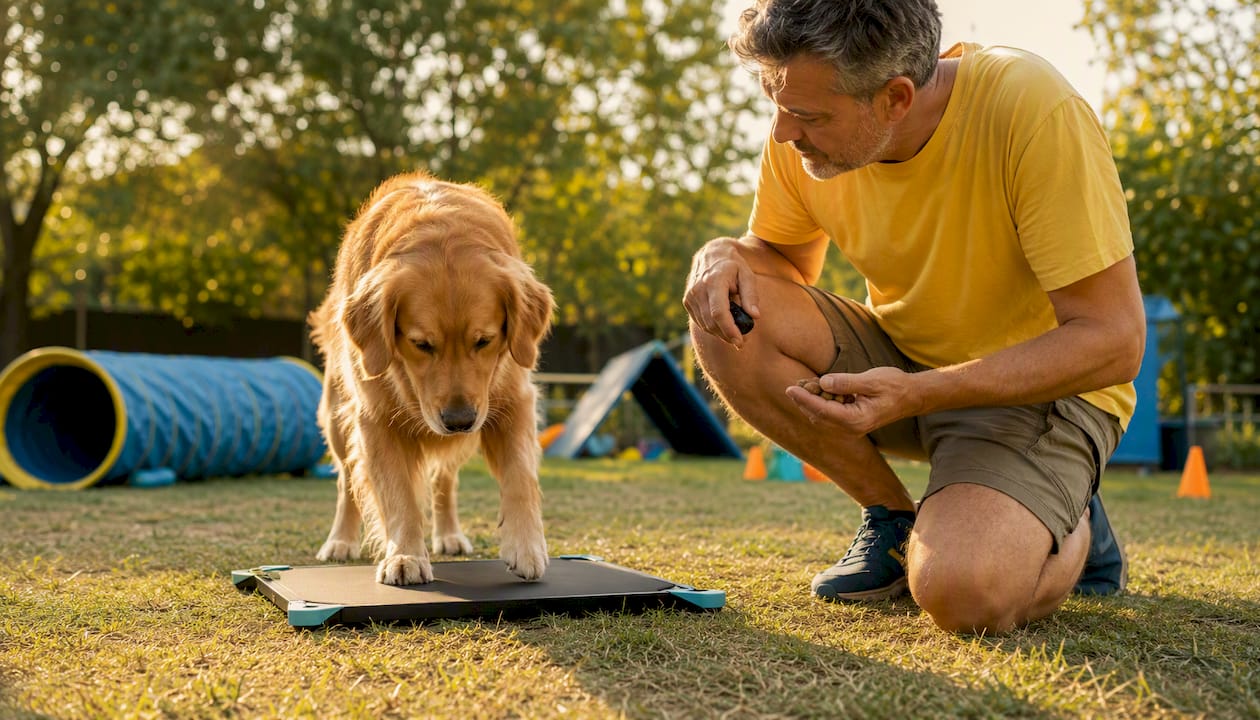
- Days 3-5: Capture accidental contact. Mark and reward any paw or nose touch, even incidental. High-value treats only at this stage.
- Days 6-10: Shape deliberate presses. Raise criteria gradually. Only reward clear, intentional contact. Start adding the verbal cue you want the dog to associate with the press.
- Days 11-14: Add context. Practice near the door for “outside” requests, near the water bowl for “water.” The location becomes part of the cue.
- Week 3-4: Generalize. Move the device to new rooms, introduce a second handler, and vary the reward schedule.
Troubleshooting:
- Fear of device: Go back to Day 1. Pair the device with meals, not just treats.
- Accidental presses: Raise the activation force slightly or reposition the device.
- Low motivation: Switch to a higher-value reward or shorten sessions.
Ipuppee’s onboarding guide for communication devices walks through each stage with video examples.
Pro Tip: Once the behavior is solid, switch to a variable reinforcement schedule. Rewarding every third or fourth press (rather than every press) builds a more durable behavior that holds up under real-world conditions.
How to evaluate and choose a device: a practical checklist
Prioritize reliability, ease of activation, durability, clear feedback, and a straightforward training path. Everything else is secondary.
Evaluation checklist:
- Activation force appropriate for your dog’s size and preferred input (paw vs. nose)
- Mountable or placeable in the specific location the task requires
- Battery life sufficient for your use pattern (days vs. weeks between charges)
- Clear feedback signal (audible click, light, or vibration) the dog can detect
- Connectivity matches your environment (indoor RF vs. outdoor GPS)
- Warranty and manufacturer support available in the U.S.
- Documented welfare research or real handler case studies behind the design
- Repairability: can you replace the battery or pad without scrapping the unit?
Price-shape guidance:
| Tier | Typical Range | What You Get | Trade-off |
|---|---|---|---|
| Entry-level | — | Basic button, local RF, limited feedback | Less durable, fewer features |
| Mid-range | — | Better build, Bluetooth, app integration | Subscription may be required |
| Premium | — | GPS, health monitoring, multi-modal feedback | Higher ongoing cost |
For service-dog safety technology, mid-range devices with documented handler case studies tend to offer the best balance of reliability and cost.
When should you use a device vs. a trained behavior?
Choose devices for repeatable, low-complexity signals. Keep trained behaviors for tasks that require judgment or nuance.
Good fits for devices:
- Alerting to need for outdoors
- Summoning help or a caregiver
- Triggering a door bell or light
- Medication or appointment reminders via scheduled alerts
- Location tracking during off-leash time
Poor fits for devices:
- Medical assessment tasks requiring the dog to evaluate a human’s condition
- Complex object retrieval where the dog must select among items
- Crowd navigation or mobility assistance
- Any task where accidental activation could cause harm
Decision checklist before adopting a device for a specific task:
- Is the task repeatable and consistent enough to train to a single trigger?
- What happens if the device activates accidentally?
- Does the device add welfare value for the dog, or only convenience for the handler?
- Can the dog perform the task reliably without the device as a backup?
For a deeper look at how dogs alert owners using devices, Ipuppee’s blog covers real-world alert workflows across several handler scenarios.
Key Takeaways
Dog-human interaction devices work best when they are canine-centered in design, introduced through positive shaping, and matched to tasks the dog can perform reliably and voluntarily.
| Point | Details |
|---|---|
| Device definition | Purpose-built tools (buttons, collars, mats, trackers) that let dogs send signals to humans. |
| Top design checks | Prioritize convex pads, textured surfaces, blue contrast, low activation force, and soft confirmation lights. |
| Training tempo | Two to four weeks using shaping plus variable reinforcement; never force contact with the device. |
| Welfare rule | Every activation must be voluntary; watch for stress signals and keep sessions under five minutes. |
| Ipuppee | Offers the iPupPee alert device with onboarding guides and training resources built for service-dog handlers and disabled owners. |
The case for getting the design right before the training
Most handlers who struggle with these devices blame the dog. The dog won’t press it, the dog presses it constantly, the dog lost interest after a week. In nearly every case, the real problem is a device that was not designed for a dog.
A button sized for a human finger, placed at human-convenient height, with a stiff spring and a blinding LED confirmation light, is not a canine interface. It is a human interface the dog is being asked to tolerate. Professor Mancini’s research makes this point plainly: the technology should adapt to the animal, not the other way around. That principle sounds obvious until you look at how many products on the market ignore it entirely.
The welfare argument is equally practical. A dog that finds the device aversive will avoid it under stress, which is exactly when you need it most. A service dog that presses a help button only when calm is not a reliable safety tool. Getting the design right is not a nicety; it is the foundation the training sits on.
The iPupPee alert device for service-dog handlers and owners
If you’ve read this far, you already know what to look for in a canine communication device: welfare-first design, a clear training path, and reliability when it counts. The iPupPee device was built for exactly this reader.
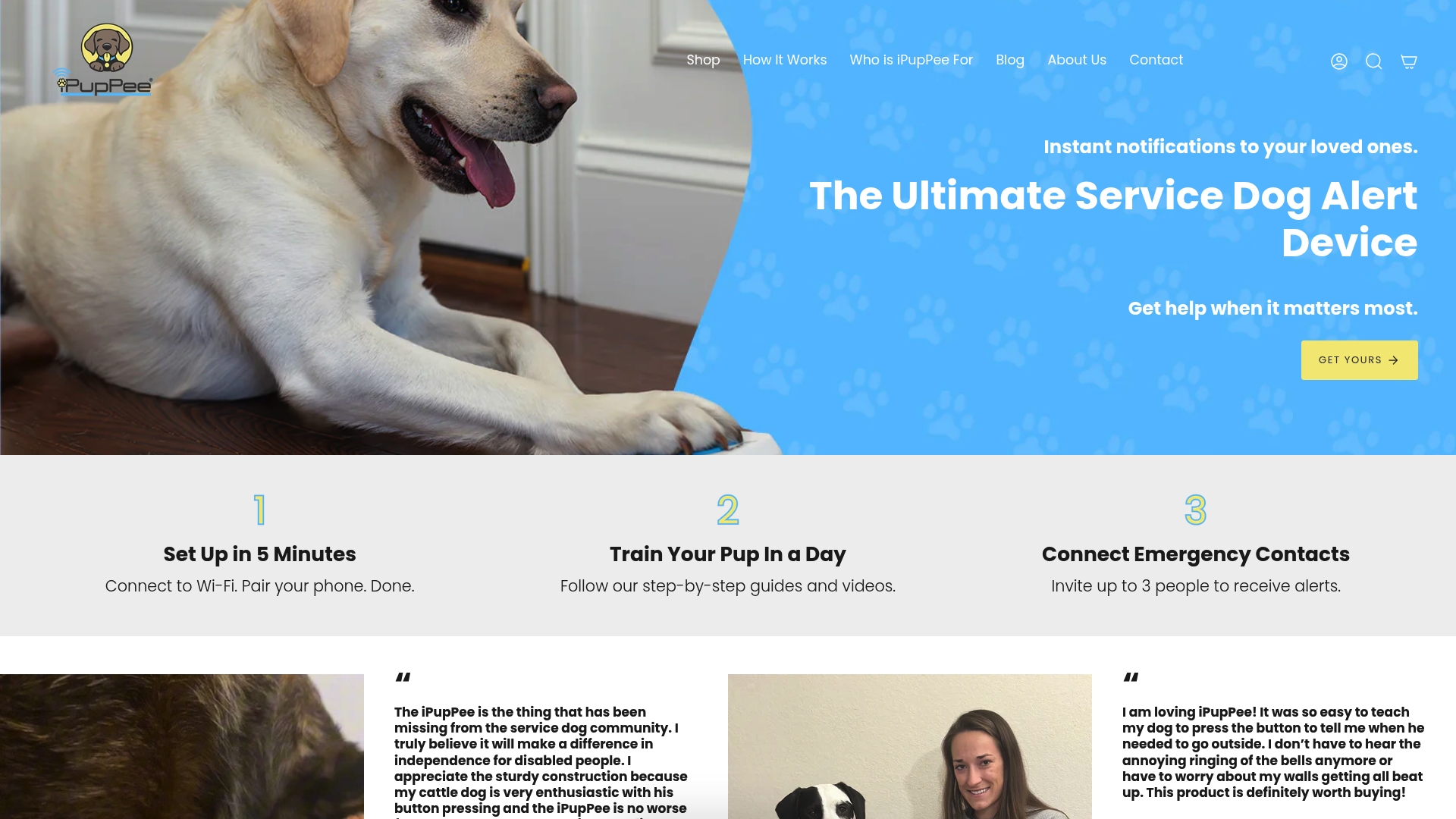
Ipuppee’s alert button gives your dog a single, reliable way to call for help with one press, whether you’re a disabled owner living alone, a senior who depends on your dog for safety, or a handler who wants a backup alert channel. The device ships with step-by-step training guides and video resources so you’re not starting from scratch. No guesswork about placement, activation force, or how to shape the behavior.
Explore the iPupPee alert device and the full library of handler resources for disabled owners to find the right fit for your dog and your situation.
Useful sources and further reading
“The results highlight digital technology’s significant promise and potential to support remote human-dog interaction. Wearable technology for dogs and mobile apps for humans was the most extensively studied technology for remote human-dog interaction.” — PMC Scoping Review on Digital Technology Supporting Remote Human-Dog Interaction
- Digital Technology Supporting Remote Human-Dog Interaction (PMC) — Peer-reviewed scoping review of 15 studies; the most thorough academic overview of sensor types, connectivity models, and interaction modalities currently available.
- UCSD Comparative Cognition Lab: Pet Cognition & Communication — Tracks AIC button studies across 45+ countries; primary source for welfare claims around early illness detection.
- Dogosophy Button Project, Animal-Computer Interaction Lab — Professor Mancini’s applied research on canine-centered button design; source for convex pad, texture, and color guidance.
- Designboom: Wireless Button Allows Dogs to Control Home Appliances — Accessible write-up of the Dogosophy project with range and design details.
- Wired: The Tech Helping Dogs Learn to ‘Talk’ With Humans — Broad feature on the public interest in canine communication technology; useful context for handlers new to the field.
- Ipuppee: How to Introduce Communication Devices to Your Dog — Step-by-step onboarding guide with practical training examples for handlers.
- Ipuppee: Best Dog Communication Devices for Disabled Owners 2026 — Product-focused resource covering features and use cases relevant to disabled handlers.
- 7 Examples of Enrichment Toys for Dogs — Partner resource on enrichment and stimulation toys; useful background for the interactive-toy device category.