

TL;DR:
- Dog owners often underestimate how much their dogs respond to emotional cues beyond spoken commands. Communication buttons enable dogs to initiate interactions through a shared, meaningful system, improving mutual understanding. Patience, consistency, and thoughtful design are key to successful implementation and deeper canine-human connection.
Most dog owners assume their dogs respond primarily to spoken commands. In reality, the dog-owner interface explained by current research is far more layered. Dogs read your emotional state, your posture, and your intention with a precision that verbal commands barely touch. Add communication button technology to this picture, and you start seeing a genuine shared language between species. This article breaks down how that interface works, what the science says about it, and how you can use that knowledge to train smarter and connect more deeply with your dog.
Table of Contents
- Key takeaways
- The dog-owner interface explained: how natural communication works
- How communication button technology works
- Comparing interface types and training approaches
- Practical steps to start using a communication interface
- My perspective: what button training taught me about listening
- Start building your dog’s communication toolkit with Ipuppee
- FAQ
Key takeaways
| Point | Details |
|---|---|
| Dogs read more than words | Dogs respond to your emotional presence and body tension as much as spoken commands. |
| Buttons create shared language | AAC-style buttons give dogs a consistent system to initiate communication, not just react. |
| Start small with training | Begin with 2 to 4 buttons focused on meaningful, daily activities before expanding the vocabulary. |
| Design matters for accuracy | Ergonomic button design reduces accidental presses and builds reliable, two-way communication. |
| Patience is the real interface | Consistency and calm repetition from the owner are what make any communication system work. |
The dog-owner interface explained: how natural communication works
Before any button device enters the picture, there is already a rich communication interface operating between you and your dog. Understanding it is the foundation of everything else.
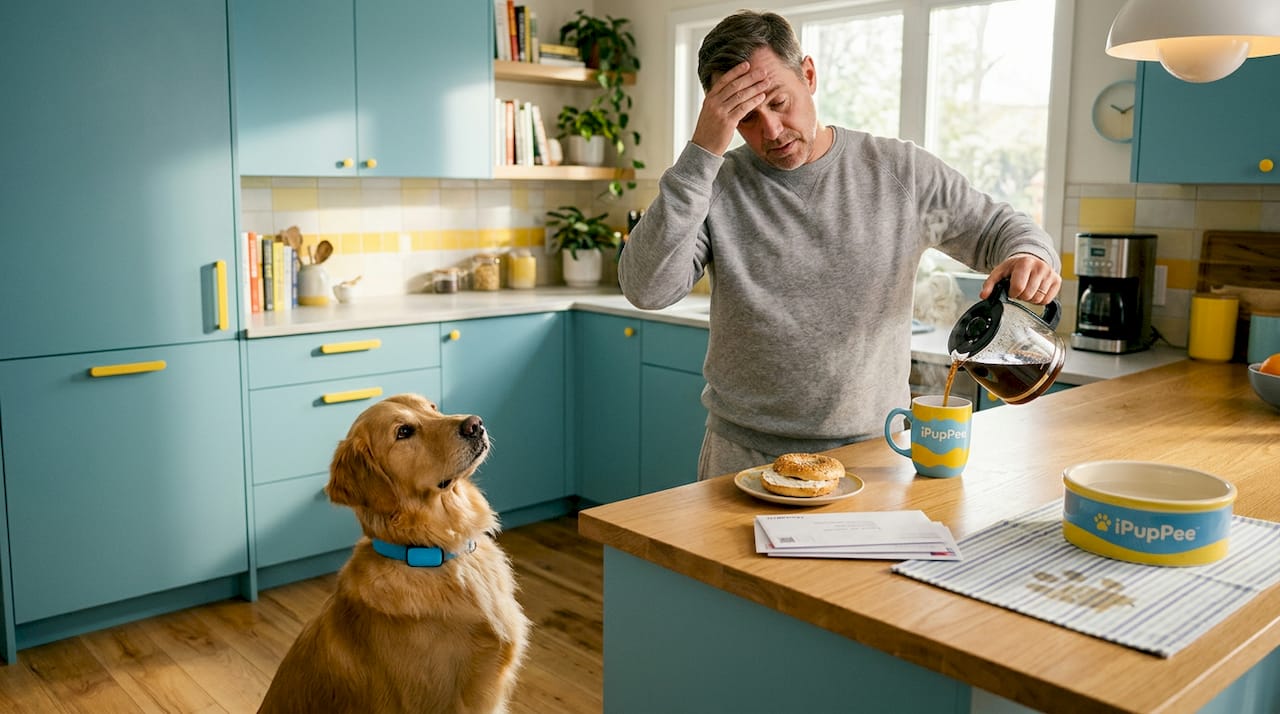
Dogs do not process human interaction the way we might assume. Research on emotional co-modulation between dogs and owners shows that longer relationships produce stronger emotional contagion. Your dog does not just hear you. They feel your mood, mirror your tension, and adjust their behavior accordingly. A stressed owner often produces a stressed dog, regardless of what commands are spoken.
What this tells us about dog ownership dynamics is significant. The interface between dog and owner runs on several parallel channels at once:
- Body language: Posture, eye contact, and movement direction communicate far more to a dog than words do.
- Emotional state: Your anxiety, calm, or excitement transfers directly to your dog through subtle physiological cues.
- Consistency of response: Dogs learn patterns. When your reaction to their behavior is predictable, they can map cause and effect reliably.
- Tone of voice: The pitch and rhythm of speech matters more than the actual words for most dogs, especially in early training.
The challenge for most owners is that dog handler interactions tend to be unintentionally inconsistent. You might say “sit” in six different tones depending on your mood. Your dog picks up on the emotional tenor more than the phonetic pattern. This variability is one of the biggest friction points in the natural dog-owner interface, and it is exactly the problem that structured communication tools are designed to address.
Owner intention and emotional presence shape dog behavior in ways that go well beyond spoken commands. Recognizing that your body and mood are always transmitting is the first real upgrade any dog owner can make.
How communication button technology works
The second layer of the dog-owner interface is where things get genuinely exciting. AAC-style soundboard buttons, the kind originally developed for augmentative and alternative human communication, have been adapted for dogs with surprising results.
Here is the key cognitive insight: dogs using buttons are not imitating human language. They are learning a shared system where each button corresponds to a specific meaning, and they use that system with consistent intent. A dog pressing “outside” is not mimicking speech. It is activating a learned cue in a shared communication framework. That distinction changes everything about how you set up and manage the training interface.
How a button device actually functions
A well-designed button records a word or short phrase, plays it back when pressed, and gives the dog immediate feedback that the press was registered. The best devices on the market go further. The Dogosophy Button, designed by industrial designer Luisa Ruge, includes a blue push-pad sized and shaped for canine use, a convex profile that fits how dogs press with their paw or nose, a soft internal confirmation light that does not overwhelm canine vision, and a wireless range of approximately 40 meters.
These are not cosmetic choices. They reflect a principle that most dog training tools ignore. Designing for the dog’s perceptual and physical reality, rather than human convenience, produces a fundamentally different and more usable product.
What the training trajectory looks like
Training a dog to use communication buttons follows a curriculum-like progression. Vocabulary expansion works best when treated as deliberate curriculum design rather than random addition. Here is a general timeline based on available research and owner reports:
- Week 1 to 2: Introduce 2 to 4 buttons tied to high-value activities like “outside,” “play,” or “food.”
- Weeks 3 to 6: Some dogs begin pressing relevant buttons within hours of introduction. Others take days. Reinforce every intentional press immediately.
- Month 2 to 3: A motivated dog can reach a working vocabulary of around 25 buttons, with consistent meaningful use.
- Year 1 and beyond: Dogs in long-term programs have reached over 100 buttons with combinations that suggest intentional multi-word communication.
| Training stage | Buttons introduced | Expected behavior |
|---|---|---|
| Weeks 1 to 2 | 2 to 4 | Dog observes and occasionally presses |
| Weeks 3 to 8 | 5 to 10 | Consistent single-button use for clear needs |
| Month 2 to 3 | 10 to 25 | Purposeful pressing, some combinations |
| Year 1+ | 25 to 100+ | Vocabulary combinations and unprompted use |
Pro Tip: Place buttons only where they are contextually relevant at first. A “food” button near the feeding area creates a natural association. Moving into abstract vocabulary works best after the dog has mastered concrete, routine requests.
Comparing interface types and training approaches
Not every dog-owner communication system involves buttons. Understanding what each approach offers helps you choose the right dog training interface for your specific situation and your dog’s temperament.
The clearest way to see the differences is side by side:
| Interface type | Strengths | Limitations |
|---|---|---|
| Traditional verbal commands | Familiar, no setup, works anywhere | One-directional, owner-initiated only |
| Physical gesture training | Strong for dogs with hearing issues, precise | Requires owner to be present and visible |
| AAC button systems | Dog-initiated communication, shared lexicon | Requires consistent setup and owner follow-through |
| Tech-enhanced alert devices | Safety-focused, functional for specific triggers | Narrower use case, less expressive range |
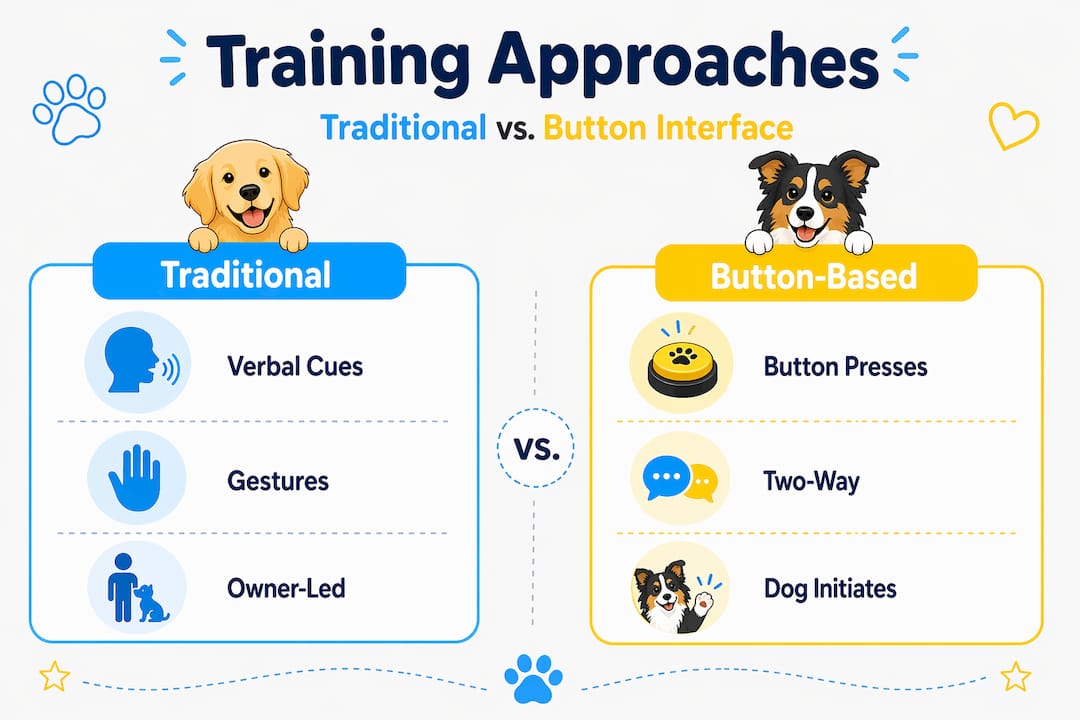
The major distinction worth noting is directionality. Traditional verbal and gesture training flows from owner to dog. Button systems flip that dynamic, giving the dog a channel to initiate communication. That shift is genuinely significant for improving pet relationships, because it repositions the dog from passive receiver to active participant.
Avoiding accidental activations is one of the practical challenges of button-based systems. Tactile design that differentiates intentional presses from random contact is critical to maintaining a clean communication record. A button that fires when a dog simply walks past it teaches nothing. A button that requires a deliberate nose nudge or paw press becomes a reliable signal.
Key principles for managing a button-based dog training interface:
- Consistency beats volume. Ten buttons used reliably outperform fifty buttons used randomly.
- Respond to every intentional press. If your dog presses “play” and nothing happens, the button loses meaning fast.
- Owner demeanor affects the system. A calm, attentive response to dog-initiated communication teaches the dog that pressing has real consequences.
- Remove buttons that are consistently misused rather than trying to correct the behavior through repetition.
Pro Tip: If your dog starts pressing buttons in obvious frustration, that is feedback about your response quality, not their intelligence. The system is working. Your end of the interface needs adjustment.
Practical steps to start using a communication interface
Getting started with a dog-owner communication interface does not require a large setup or advanced training experience. What it requires is a clear plan and genuine follow-through.
For dog owners and handlers at any experience level, here is how to build the interface from the ground up:
- Choose meaningful first buttons. Start with requests your dog makes already through other means. If your dog paws at the door to go out, a button labeled “outside” is a natural fit. You are giving language to an existing behavior.
- Anchor buttons to daily routines. Dogs learn through repetition in context. Feeding time, walk time, and play sessions are the ideal training windows. Teaching dogs with routines produces faster and more reliable results than isolated training sessions.
- Model the buttons yourself. Press the button yourself before you perform the action. Dogs are powerful observers. Watching you press “outside” before opening the door builds the association rapidly.
- Recognize and reward dog-initiated presses immediately. The speed of your response is the clearest signal to your dog that the button works. A delayed or inconsistent response weakens the interface.
- Understand that variability is normal. Some dogs press a button meaningfully on day one. Others take weeks. Neither outcome reflects a failure in training. It reflects individual differences in canine learning pace and motivation.
- Stay patient. The dog care strategies that produce lasting results are built on hundreds of low-pressure repetitions, not a few high-intensity training sessions.
Technology strengthens the bond, but it does not replace presence. The real interface between you and your dog is built on attention, consistency, and mutual trust. Buttons are a tool that makes that interface more visible and more bidirectional.
My perspective: what button training taught me about listening
I have spent years watching owners pour enormous effort into teaching their dogs what to do, while barely giving any thought to what their dogs might be trying to tell them. That imbalance is where most communication breakdowns happen.
When I started looking closely at how dogs use button systems, the thing that struck me hardest was not the cleverness of the devices. It was how much dogs already had to say once given a clear channel. The consistent, purposeful use of buttons, especially when dogs combine them without prompting, shows that we have been underestimating the depth of canine communication for a long time.
My honest take on conventional training methods is that they are built on a flawed assumption. They treat communication as something owners do to dogs. Button interfaces force you to treat it as something you do with them. That reframe alone changes how you observe your dog, how you interpret ambiguous behavior, and how you show up during training.
The hardest lesson I have taken from this area is about patience. Not patience in the soft, inspirational-quote sense. Practical patience. The willingness to give a button three weeks of consistent exposure before deciding it is not working. The discipline to respond every single time your dog presses, even when you are busy. That kind of patience is the real interface. Technology just makes it measurable.
— Andrew
Start building your dog’s communication toolkit with Ipuppee
If this article has you thinking about how to put a real communication interface in place with your dog, Ipuppee is a natural next step. The platform is built specifically around the tools and education that dog owners need to make button communication work in everyday life.
From training guides and device resources to the iPupPee alert device designed for service dog handlers, seniors, and pet owners who need reliable dog-initiated signaling, Ipuppee covers the practical side of owner-pet communication. Whether you are starting from scratch with a new puppy or working with a rescue dog that needs a new communication channel, explore what Ipuppee offers and find the right tool for your situation.
FAQ
What is the dog-owner interface?
The dog-owner interface is the full system of signals, cues, and tools through which dogs and owners exchange information. It includes body language, emotional state, voice tone, and increasingly, technology like communication buttons.
Do dogs actually understand communication buttons?
Research from UC San Diego confirms that dogs use buttons as consistent cues in a shared system rather than mimicking human language. They press buttons with purposeful intent, including combining words, which suggests real communicative understanding.
How many buttons should I start with?
Start with 2 to 4 buttons tied to your dog’s existing daily requests. Experts treat vocabulary growth as a curriculum: add buttons incrementally once each new button is used reliably, rather than flooding the system all at once.
How long does button training take?
Some dogs press relevant buttons within hours. Others take weeks to begin. A dog can reach a working vocabulary of around 25 buttons within the first few months of consistent training, with further growth over years.
Can any dog learn to use communication buttons?
Most dogs can learn button communication with consistent training and owner follow-through. Temperament, age, and motivation affect the pace, but there is no evidence that it is breed-specific or limited to highly trained dogs.