

Yes, dog-to-human communication devices reliably improve safety, independence, and daily quality of life for many handlers. A Swedish longitudinal study published in BMC Health Services Research found statistically significant improvements in health-related quality of life and activity level among service and hearing dog owners. Research from the IAABC Foundation confirms that button-press training produces durable, reliable behavior when handlers respond consistently to every press. For U.S. buyers, Ipuppee offers a purpose-built alert device that puts these benefits within reach for service-dog handlers, seniors living alone, and people with disabilities.
The three benefits that matter most: faster emergency alerts, greater daily independence, and measurable relief for caregivers.
Table of Contents
- What are the real dog communication benefits for handlers?
- Who benefits most from a dog alert device?
- How does a dog button alert system actually work?
- How do you train a dog to use a communication button?
- What does a dog communication device cost in the U.S.?
- What are the limitations and safety risks to know?
- How Ipuppee puts these features together for U.S. handlers
- Key Takeaways
- The mistake most handlers make in the first month
- Ipuppee is ready when you are
- Useful sources
What are the real dog communication benefits for handlers?
Button-and-alert systems give dogs a structured way to signal needs, and the payoff for handlers is concrete.
- Faster safety alerts. A dog that presses a button triggers an immediate notification, cutting the gap between an emergency and a human response.
- Greater independence. Handlers with limited mobility can receive signals to control appliances, doors, or lights without relying on a caregiver for every task.
- Health detection support. Dogs trained to signal pain episodes, seizures, or diabetic events give handlers an earlier warning than passive monitoring alone.
- Mental enrichment for the dog. Owner-reported outcomes consistently note that dogs with button systems show reduced anxiety and more purposeful behavior.
- Caregiver relief. Fewer missed alerts mean caregivers spend less time on reactive check-ins and more time on planned support.
The BMC longitudinal study is the most rigorous evidence available: it measured statistically significant improvements in health-related quality of life and activity level at follow-up, not just owner satisfaction scores.
Statistic to know: The BMC study found small-to-moderate but statistically significant gains in HRQoL and activity level among service and hearing dog owners, making it the strongest published evidence for measurable independence benefits.
Who benefits most from a dog alert device?
The clearest wins come in five situations.
Service-dog task extension. A handler who already relies on a dog for mobility tasks can add a button system to extend what the dog communicates, turning a trained alert into a wireless notification that reaches a phone or monitor across the house.
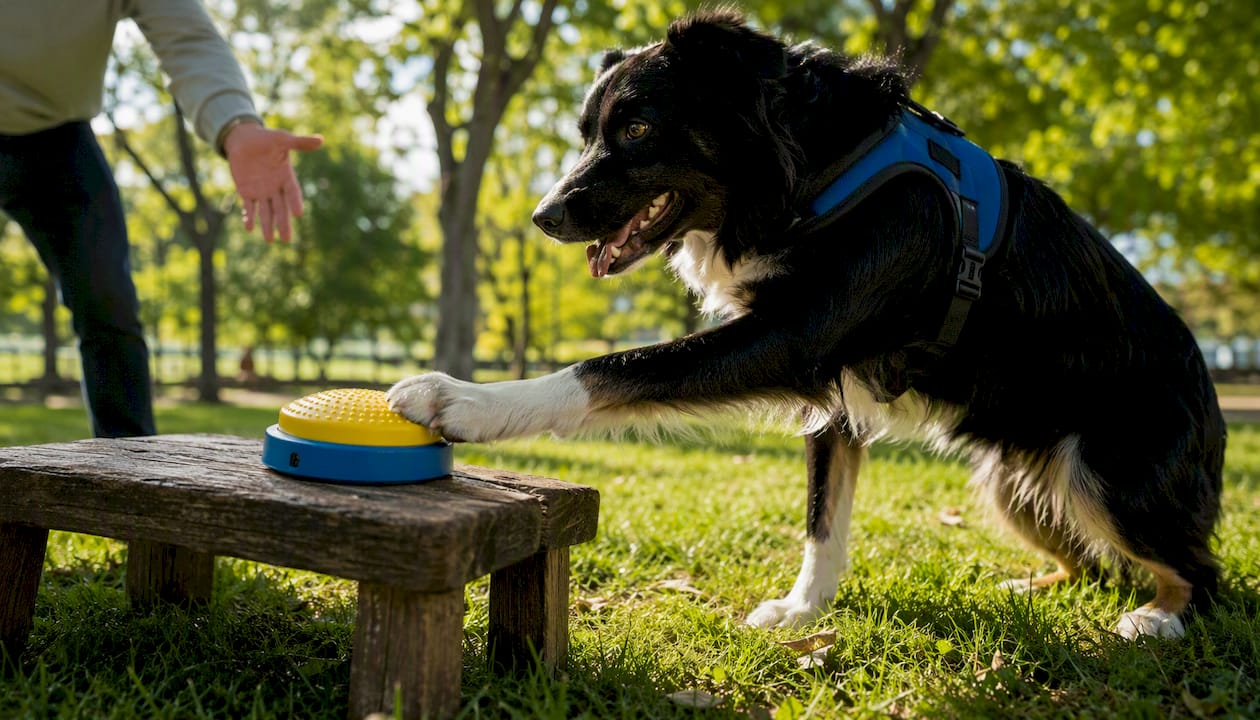
Seizure and diabetes alerts. Dogs trained to detect pre-seizure or hypoglycemic cues can press a button that sends an alert to a caregiver’s phone. The goal is earlier response time, not a replacement for medical monitoring, but the combination of trained detection and a wireless alert is meaningfully faster than a handler calling out.
Limited-mobility door and light control. Canine-ergonomic button designs use large, grippy pads a dog can press with a paw or nose to operate plugged-in receivers from tens of meters away. For a wheelchair user, that means the dog can signal a need or trigger a device without the handler repositioning.
Hearing-impaired owners. A dog that presses a button connected to a flashing light receiver gives a deaf or hard-of-hearing owner a visual alert they would otherwise miss entirely.
Seniors living alone. A senior whose dog is trained to press a button when the owner falls or becomes unresponsive gains a layer of emergency notification that a phone on a counter cannot provide. The device bridges the gap between a fall and a caregiver’s awareness.
A button system is appropriate when the dog is already trained to recognize a specific cue or need. When the situation requires guaranteed emergency response, a button device should supplement, not replace, a medical alert system or fall detector.
How does a dog button alert system actually work?
The hardware is simpler than it looks. Four components do all the work.
| Component | Typical Spec | Why It Matters to Handlers |
|---|---|---|
| Canine button/transmitter | Large tactile pad, paw/nose press, wireless | Designed for dog anatomy; reduces mis-presses |
| Wireless receiver | 100 ft range, plug-in or battery | Reaches across a home without line-of-sight |
| Appliance relay | Plug-in outlet module | Lets the dog trigger lights, fans, or alarms |
| Notification path | Local chime, smartphone push, caregiver monitor | Delivers the alert wherever the human is |
The dog presses the button, the transmitter sends a wireless signal to the receiver, and the receiver either sounds a local alert, triggers a connected appliance, or pushes a notification to a paired smartphone or caregiver monitor. Most consumer systems commonly run on standard batteries; some higher-end setups use mains-powered receivers for improved reliability. Pairing is typically a one-button process between transmitter and receiver.
Range matters more than most buyers expect. A system rated at 100 feet works fine in a small apartment but may drop signal in a two-story home with thick walls. Check the rated range against your floor plan before buying.
How do you train a dog to use a communication button?
The IAABC Foundation is clear on the single most important principle: the button press must produce an immediate, consistent functional consequence. A door opens, a fan turns on, or the handler responds visibly. Without that consequence, the behavior extinguishes fast.
- Model the press. Push the button yourself while saying the associated word, in full view of the dog. Repeat this several times before expecting the dog to try.
- Lure or shape the first press. Hold a treat near the button to encourage nose or paw contact. Click or mark the moment the button sounds.
- Pair with a functional outcome. The instant the dog presses, deliver the outcome: open the door, turn on the device, or respond audibly. This step is what builds lasting behavior.
- Fade treats gradually. Once the dog presses reliably for the treat, begin replacing food rewards with the functional consequence alone. Keep sessions short, two to three minutes.
- Generalize to new contexts. Practice in different rooms, at different times of day, and with minor distractions present. Ipuppee’s training guide walks through this progression with troubleshooting checkpoints.
Realistic timeline: most dogs produce their first independent press within one to two weeks of daily practice. Reliable single-word use typically takes four to eight weeks. Survey data shows younger dogs press more frequently and form meaningful two-word combinations, but age is not a barrier to basic reliable use.
Pro Tip: Never ignore a button press during training. Even an accidental press deserves a response. Inconsistency is the fastest way to teach a dog that the button does nothing.
What does a dog communication device cost in the U.S.?
Price bands break down roughly by feature level.
- Basic button kits (single button, local chime only): generally under $30, suitable for enrichment and simple signaling.
- Intermediate kits (button plus wireless receiver, appliance relay): typically $50–$150, the right range for most service-dog and senior use cases.
- Monitor-integrated or nurse-call systems (smartphone push notifications, caregiver monitor compatibility): $150 and up, appropriate when the alert must reach someone in another room or building.
Buying checklist for assistive use: prioritize a durable, washable button surface; wireless range that covers your home’s square footage; battery life of at least six months per charge; simple one-step pairing; a U.S. warranty and return policy; and a clear notification path to whoever needs to receive the alert.
Buy from direct brand sites or specialty assistive-tech retailers when possible. General e-commerce platforms carry these devices, but U.S.-specific customer support and return policies are easier to verify through a brand’s own site. Confirm shipping timelines and whether the warranty covers device failure versus accidental damage.
What are the limitations and safety risks to know?
No device eliminates all failure modes. Know these before you rely on a button system for safety.
- Signal dropout — Walls, interference, and distance can break the wireless link. Test range in your actual home before depending on it.
- Context misinterpretation. A dog pressing “outside” does not always mean an emergency. Reading behavioral signals alongside button use reduces misreads.
For emergency-alert use cases, always run a redundant system alongside the button device. A medical alert pendant, fall detector, or caregiver check-in schedule should back up any dog-based alert. Maintenance is straightforward: clean the button surface weekly, replace batteries on a fixed schedule, and re-pair the transmitter and receiver if an alert fails to trigger during a test press.
How Ipuppee puts these features together for U.S. handlers
Ipuppee’s device is designed specifically for the service-dog and senior-care use case, not repurposed from a general smart-home product.
| Spec | Ipuppee Device |
|---|---|
| Button design | Large tactile pad, paw/nose compatible |
| Wireless range | Suitable for standard U.S. home layouts |
| Power | Battery-operated transmitter, plug-in receiver |
| Notification path | Local alert; caregiver-compatible |
| U.S. availability | Ships within the United States |
| Training support | Blog guides, step-by-step video resources |
“The device gave my dog a real job. Within three weeks she was pressing consistently, and I stopped worrying about what I was missing when I was in another room.” — owner-reported outcome via Ipuppee
Ipuppee’s blog, written with contributions from Andrew, covers the full training progression from first model press to reliable independent use. The training guide and troubleshooting resources are free to access, and customer support is available for U.S. buyers with setup questions.
Key Takeaways
Dog-to-human communication devices produce measurable safety and independence gains when the dog is trained with consistent functional consequences and the handler responds to every press.
| Point | Details |
|---|---|
| Core benefits | Faster alerts, greater independence, and caregiver relief are the three most documented outcomes. |
| Candidate check | Dogs with prior task training or strong food motivation learn button use fastest. |
| Training expectation | Reliable single-word use typically takes four to eight weeks of short daily sessions. |
| Safety redundancy | Always pair a button device with a secondary alert system for emergency use cases. |
| Ipuppee solution | Ipuppee offers a U.S.-available button alert device with free training guides and customer support. |
The mistake most handlers make in the first month
The conventional wisdom says “be consistent with training.” That is true but incomplete. The specific failure point Andrew sees repeatedly is handlers who respond to button presses only when it is convenient. The dog presses “outside” and the handler waits five minutes. The dog presses “water” and the handler finishes a task first. Within two weeks, the dog has learned the button is unreliable, and pressing frequency drops.
The fix is not stricter training. It is treating every press as a contract. When the dog presses, you respond. Every time. The IAABC Foundation’s guidance frames this precisely: the functional consequence is the reinforcer, and delayed or absent consequences extinguish the behavior faster than almost any other variable.
For the first 30 days, Andrew recommends this sequence: model the press daily, pair every press with an immediate outcome, verify the consequence actually happened (door opened, fan turned on), begin fading treats at week three, and log any sessions where the dog stopped pressing mid-session. That last point matters. A dog that disengages is telling you the consequence is not landing. Fix the consequence, not the dog.
Ipuppee is ready when you are
For handlers who have read this far and want a device that is built for this exact use case, Ipuppee is the direct route. The product ships within the United States, comes with a warranty, and is backed by free training guides that follow the same step-by-step progression covered in this article.
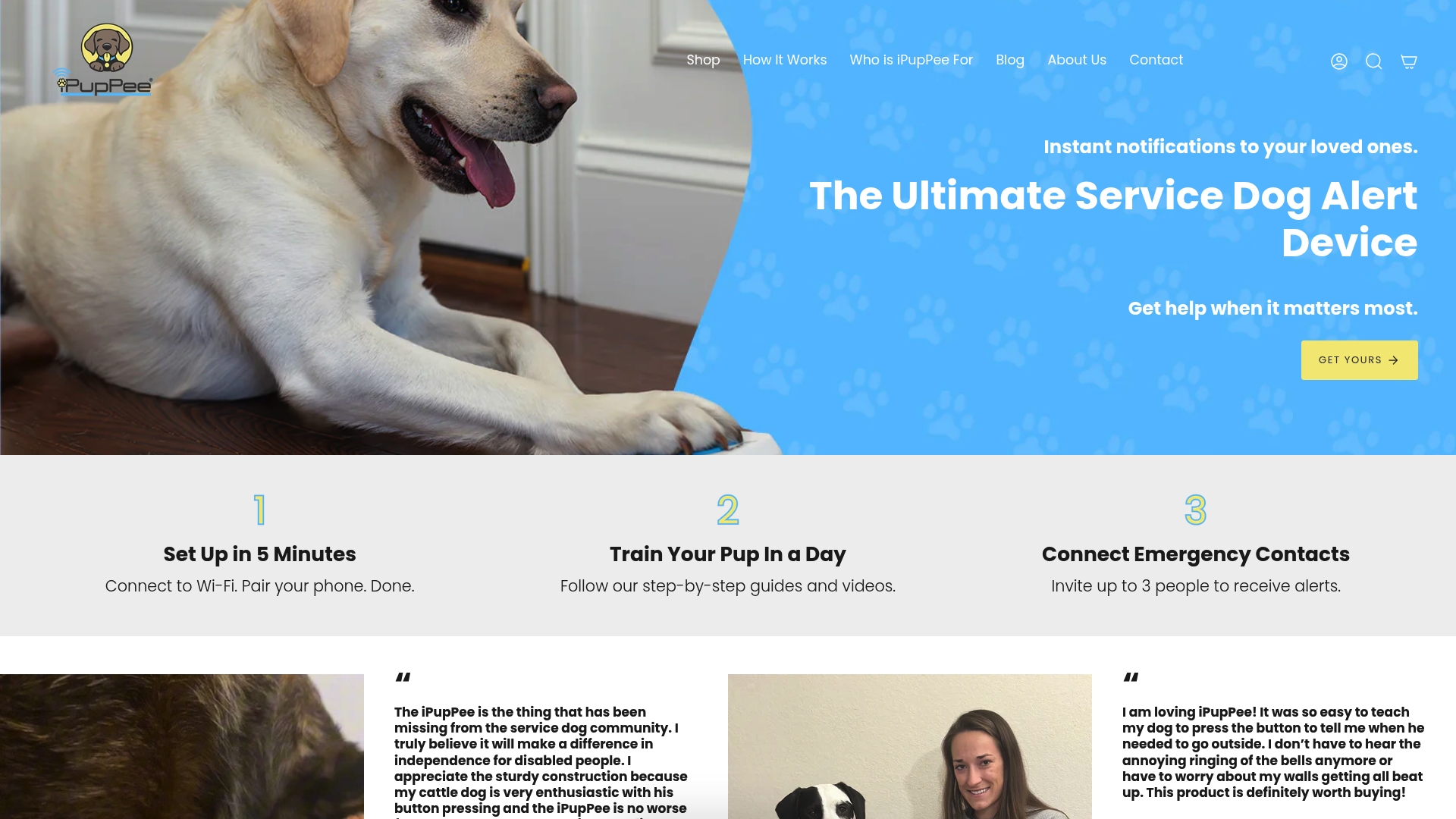
No guesswork about compatibility or training support. Visit the Ipuppee product page to see full specs, access the training library, and reach customer support before you buy. If you are setting this up for an emergency-alert situation, the support team can help you confirm the right configuration for your home layout and caregiver notification needs.
Useful sources
- The impact of service and hearing dogs on HRQoL and activity level — peer-reviewed longitudinal study, BMC Health Services Research
- Pushing all my buttons: dogs using communication buttons — IAABC Foundation journal, behavioral guidance
- Dog Button Communication: Training Experiences and Educational Implications — peer-reviewed survey study on button learning and phrase formation
- Service dogs control devices with new big blue button — news coverage of canine-ergonomic device design
- How to Teach Dogs Communication — Ipuppee — brand training guide, step-by-step progression
- Understanding the Benefits of Dog Communication — Ipuppee — brand resource, owner outcomes and use cases
- Dog Communication Barriers: What Every Owner Must Know — Ipuppee — maintenance, troubleshooting, and barrier guidance