

Dog push buttons work as a supplemental communication tool, not a magic translator, and they earn their place fastest for requests like “outside,” assistance-device control, and enrichment. Success depends on two things: a device your dog can physically and sensorially use, and an owner willing to model the press consistently for weeks. Skip either one, and you get a novelty toy instead of a communication system.
TL;DR:
- Effective dog button training requires consistent modeling and a device that dogs can physically and sensorially operate comfortably.
- Success is measured by intentional presses and generalization across different contexts, not just habitual responses.
- Optimal buttons are large, high-contrast, textured, and placed at nose or paw height near relevant stimuli like doors or beds.
- Introducing multiple words at once hampers progress; start with a single, frequently used word like “outside” and build from there.
- Progress varies widely, with a tendency to see meaningful independent presses after two to three weeks of daily practice, depending on pacing and household consistency.
Table of Contents
- How Does a Dog Push Button Actually Work?
- How Do You Teach a Dog to Use a Push Button?
- What Button Design and Placement Actually Matter?
- Why Isn’t My Dog’s Button Working Yet?
- What Training Resources Does Ipuppee Offer?
- When Should You Use Buttons, and When Should You Skip Them?
- Get the iPupPee Device and Training Bundle
- Where Can You Read More About the Research?
- Sources
How Does a Dog Push Button Actually Work?
A dog push button is a recorded-word device, usually a paw or nose-activated pad, that plays a word or phrase when pressed. The behavior science behind it is operant conditioning: a dog learns that pressing a specific button reliably produces a specific outcome, and over enough repetitions, the press becomes a deliberate request rather than a random poke.
Here’s the mechanism in plain terms. You press the “outside” button yourself, right before you open the door and let your dog out. You do this every single time, for days, sometimes weeks. Your dog starts noticing the pattern: button sound happens, then door opens, then good things happen outside. Eventually your dog tries pressing it on their own, testing whether it produces the same result. If it does, and you respond fast, the connection locks in. That’s modeling, and it’s the exact process Newsweek’s coverage of button-communicating dogs describes as essential: owners pair familiar words with daily activities and model the press repeatedly before dogs press independently.
The distinction that trips up most owners is habit versus intent. A dog who presses “outside” the moment they hear their leash jingle, out of pure conditioned reflex, is doing something different from a dog who walks to the button, presses it, then looks at the door and waits. The second dog is showing signs of goal-directed behavior: checking with you, adjusting posture, sometimes trying a different button when the first doesn’t get a response. The AKC’s training guidance treats this progression, from prompted press to independent, situationally appropriate press, as the real benchmark of success, not just the number of buttons a dog owns.
How much can dogs actually understand, versus just react to? This is where the research gets interesting. A widely cited study published in PNAS on a border collie’s sentence comprehension found that dogs can parse multi-word combinations they’d never heard together before, evidence of strong receptive language skills. That matters for button training because it suggests dogs aren’t just pattern-matching sounds. They’re building some kind of internal map between a word and a concept, which is exactly what a button system tries to exploit.
The Animal-Computer Interaction Lab at the Open University, running its Dogosophy Button project, comes at this from a design angle rather than a language angle. Their research on canine interface usability focuses less on whether dogs “understand” words and more on whether the physical device itself is something a dog can reliably and comfortably operate. That distinction is worth sitting with: a lot of failed button training isn’t a cognition problem, it’s a hardware problem.
On the far end of the spectrum, speech pathologist Christina Hunger’s documentation of her dog Stella (referenced in the AKC’s own training piece) showed a dog stringing together multiple buttons in sequence, something like “want eat outside,” to express a compound desire. That case gets cited constantly because it shows the ceiling of what’s possible with heavy, sustained modeling. It is not the floor, and expecting every dog to get there in a few weeks sets owners up for disappointment.
What this means for your training plan:
- Buttons work through repetition and immediate outcome pairing, not through a dog magically decoding English.
- Dogs show real receptive language ability, but expressive fluency (chaining words meaningfully) takes far longer and isn’t guaranteed for every dog.
- The difference between a habitual press and an intentional request shows up in body language: eye contact, waiting behavior, and trying alternate buttons when one fails.
- Device usability affects results as much as training technique does, which is why the physical button itself matters.
How Do You Teach a Dog to Use a Push Button?
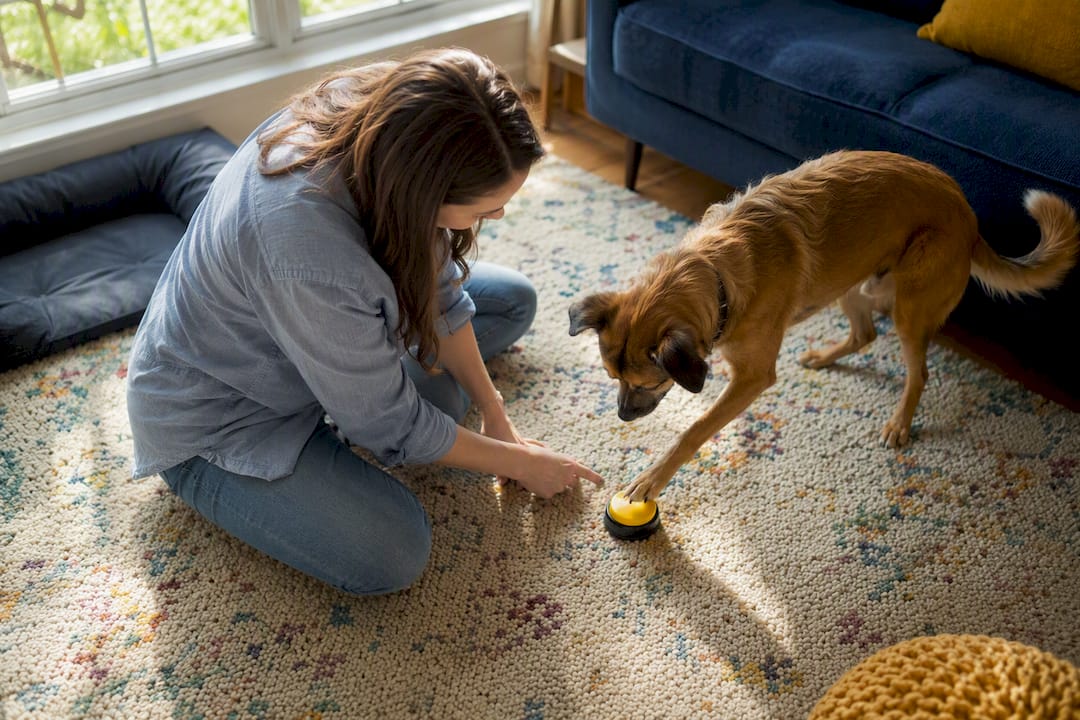
Start with exactly one button. Trying to introduce four or five words at once is the single most common reason button training stalls before it starts, because your dog has no reference point yet for what any of them mean.
1. Pick the first word carefully
Choose a word tied to something that happens multiple times a day, ideally something your dog already anticipates strongly. “Outside” is the most common first word for a reason: most dogs go out several times daily, the outcome is immediate and obvious, and the dog is already primed to react to cues around it (leash, door, your keys). Avoid picking something rare or delayed, like “vet” or “walk” if walks only happen once a day. Frequency of opportunity to practice matters more than how exciting the word sounds to you.
2. Model before every single occurrence
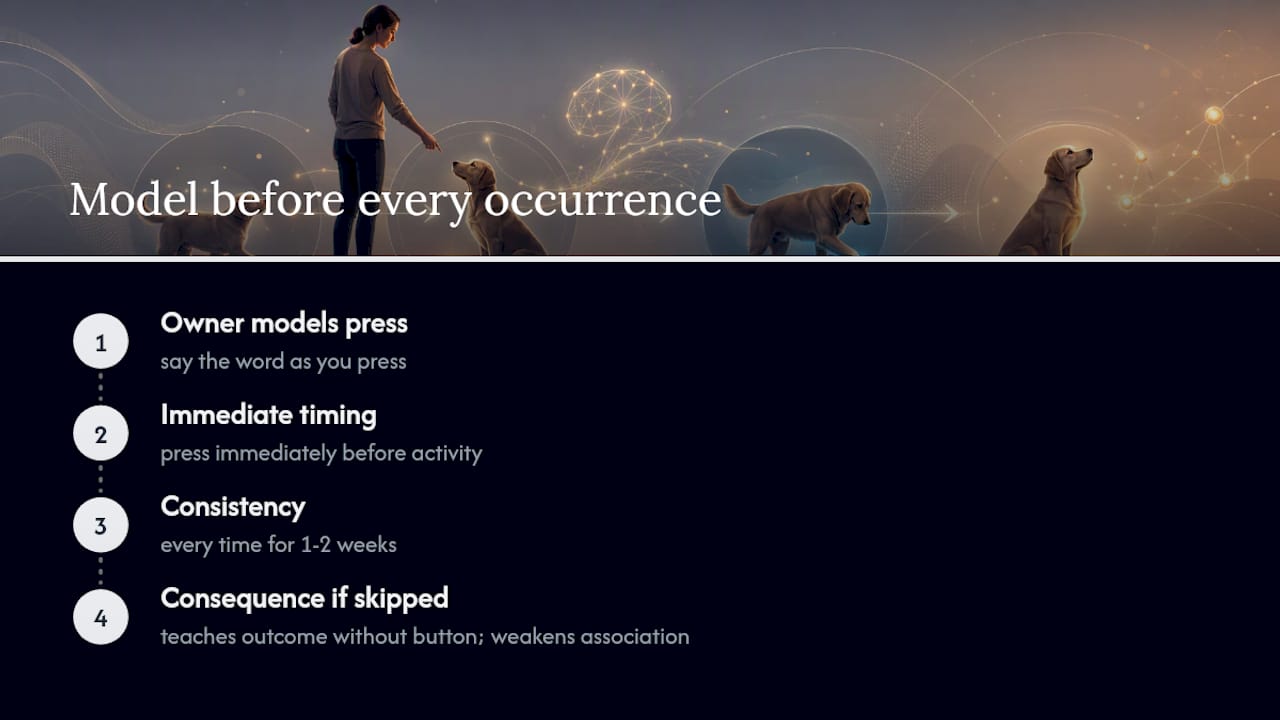
For at least the first one to two weeks, you press the button yourself, saying the word aloud as you press it, immediately before the activity happens every time. Not most times. Every time. If your dog is about to go outside and you didn’t press the button first, you’ve just taught them the outcome can happen without the button, which weakens the whole association you’re trying to build.
3. Reward the connection, not just the press
The first several presses, whether prompted by you or attempted by your dog, should get an immediate, enthusiastic response: the door opens, the treat appears, the toy comes out. Speed matters here. A three-second delay between press and outcome is the difference between a dog who links cause and effect and one who gets confused about what triggered what.
4. Shift from modeling to prompting to independence
Once your dog reliably orients toward the button when you say the word, start pausing before you press it yourself, giving your dog a beat to try pressing it. If they don’t, go ahead and model it again. This isn’t a test they can fail. It’s a nudge. Over days, that pause naturally shrinks the gap between your model and their attempt.
5. Confirm generalization before adding a second word
A dog who only presses “outside” by the specific door they were trained at, and never near a different door or in a different room, hasn’t fully generalized the concept yet. Before introducing a new button, check that the first one holds up in at least two different contexts. This step gets skipped constantly, and it’s a major reason multi-button setups collapse into confused mush later.
6. Add the second button only when the first is solid
“Solid” means multiple independent, unprompted presses per week in the correct context, not just once. When you do add a second word, place its button physically apart from the first, at least early on, so your dog isn’t relying purely on location memory rather than the sound or feel of the specific button.
7. Watch your treat math
Every reinforced press is a calorie, and eager owners often stack food rewards on top of the activity itself (the dog gets a treat and goes outside and gets praised). Across a day of repeated modeling sessions, that adds up. Rotate in praise, play, or the activity itself as the reward once the connection is established, and factor training treats into your dog’s daily food intake rather than treating them as extras.
The AKC’s stepwise approach and practical Dogster training tips both land on a similar core warning: don’t force the paw onto the button, and don’t rush past step five. Patience during the generalization phase is what separates dogs who end up with a working two or three-word vocabulary from dogs who end up with a pile of buttons nobody presses on purpose.
Pro Tip: Keep a tiny log for the first month, just a tally mark each time your dog presses independently versus each time you model it. If the ratio isn’t shifting toward independent presses after two to three weeks of daily practice, the problem is almost always pacing (too many words introduced) or reward timing (too slow), not the dog.
How do you know if progress has genuinely stalled versus just being slow? Look for accidental presses, a dog walking past and bumping the button without orienting toward it afterward, versus meaningful ones, where your dog checks the outcome and reacts when it doesn’t happen. If you’re only seeing the former after three or four weeks of consistent modeling, drop back to step two and model more, with fewer distractions in the room. Loud households, multiple dogs sharing one button, or inconsistent participation from different family members are the three most common hidden causes of a stall, and all three trace back to inconsistent modeling rather than a smart or slow dog.
Guides like Ipuppee’s animal communication techniques breakdown and the step-by-step button guide walk through this same sequence with printable tracking sheets, which help a lot if you’re the type who needs a checklist taped to the fridge rather than a mental note.
What Button Design and Placement Actually Matter?
Not every recordable button on the market is built with a dog’s senses in mind, and that gap explains a lot of frustrated first attempts. The Dogosophy Button project ran usability research specifically on this question and landed on a fairly specific set of design features that consistently worked better across different dog sizes and breeds.
Design features that measurably help:
- A convex pad roughly 120mm in diameter, large enough for a paw or nose to hit reliably without needing pinpoint accuracy.
- High-contrast color, specifically blue, since dogs have limited color discrimination compared to humans and blue registers more clearly than red or green against most flooring.
- A textured surface, which gives a tactile landmark a dog can locate by feel, useful for nose-pressers or dogs working in low light.
- A gentle feedback light on press, giving instant confirmation the press registered, which speeds up the modeling phase because the dog gets sensory feedback beyond just your reaction.
- Wireless mounting with a workable range, since a button tethered by a short cord next to a wall outlet defeats the purpose of a request system your dog can use anywhere in the house.
Placement is where a lot of owners undercut their own progress without realizing it. A button for “outside” belongs directly next to the door your dog actually exits through, at nose or paw height depending on how your dog naturally investigates objects. Nose-pressers do better with a slightly lower, flatter mount; paw-pressers often prefer something raised a few inches off the floor so they’re not awkwardly bending down. A “bed” button works best mounted near the crate or sleeping area, not across the room, because distance between the button and the outcome weakens the association during early training.
Recording quality matters more than most people expect. Keep it to a single clear word, recorded at a normal speaking volume and consistent tone every time you rerecord it (batteries die, buttons get replaced). A word barked too loud or mumbled too quietly creates an inconsistent stimulus, and dogs are sensitive to that kind of variation even when we barely notice it ourselves.
A few practical tradeoffs worth weighing before you buy or build a setup:
- Wireless range and battery life matter more in larger homes; check the manufacturer’s stated range against your actual floor plan rather than assuming “wireless” means whole-house coverage.
- Mat-style buttons versus fixed wall or floor mounts each have a place: mats are easier to reposition during early training, fixed mounts are more stable for heavy-pawed dogs who might otherwise slide a lightweight mat across the floor.
- Cleaning and durability deserve a look too, since these devices sit at floor level near a dog’s mouth and paws, collecting drool, dirt, and the occasional chew mark.
BBC’s reporting on the Dogosophy Button’s path from research prototype to commercial product is worth reading if you want the fuller backstory. The device started as a tool for assistance-dog applications specifically because standard buttons weren’t reliable enough for dogs doing real functional work, which is a useful reminder that “cute internet dog” and “working communication tool” put very different demands on hardware.
Why Isn’t My Dog’s Button Working Yet?
Most stalled button training traces back to one of three mistakes, and all three are fixable without starting over.
Rushing the vocabulary. Adding a third or fourth button before the first two are generalized and independently pressed is the number one cause of confused, inconsistent use. If your dog seems to be guessing rather than choosing, go back to one button and rebuild the foundation.
Inconsistent modeling across the household. If you model diligently but your partner or kids let the activity happen without pressing the button first, you’ve cut your dog’s daily reinforcement in half without meaning to. Everyone in the house needs to model the same way, every time, at least through the first few weeks.
Treating the button itself as the goal. Some dogs learn that pressing gets attention and treats regardless of context, and start button-mashing constantly rather than pressing purposefully. If this happens, briefly stop rewarding presses that don’t match an actual need or request, and only reinforce presses tied to the appropriate moment.
Timelines vary a lot, and that’s genuinely normal, not a sign something’s wrong. Some dogs show their first independent, contextually appropriate press within a week or two of daily modeling. Others take a month or more, particularly if training sessions are inconsistent or infrequent. What predicts speed more than breed or intelligence is reinforcement frequency: dogs who get modeled to multiple times a day, every day, tend to generalize faster than dogs practicing a couple times a week.
The evidence base here is still developing, and it’s worth being honest about that. PBS NewsHour’s reporting on button boards captures both sides fairly: enthusiastic owner reports of dogs stringing together complex requests, alongside scientific caution that a lot of viral button videos lack the controls needed to rule out simpler explanations, like a dog responding to your body language rather than the button’s meaning. That caution doesn’t mean button training doesn’t work. It means the more dramatic claims (dogs having “conversations”) deserve more skepticism than the basic claim that dogs can learn functional requests.
A quick welfare checklist worth running through periodically:
- Track treats used in button sessions as part of your dog’s total daily food intake, not as freebies on top of meals.
- Watch for stress signals during training sessions (lip licking, turning away, reluctance to approach the button), which usually mean sessions are too long or too pressured, not that your dog “isn’t smart enough.”
- Never physically place or push your dog’s paw onto the button; that’s coercion, not modeling, and it tends to build avoidance rather than association.
- Keep a simple log of daily independent presses versus modeled presses, since a two-week trend line tells you more than any single day.
Roughly a handful of independent, correctly timed presses per week is a reasonable early benchmark after two to three weeks of consistent daily modeling, based on the pacing described across AKC’s and Dogster’s training guidance. If you’re nowhere near that after a month, the fix is almost always pacing or consistency, not the dog’s capability.
What Training Resources Does Ipuppee Offer?
Andrew, who covers communication device training for Ipuppee, has spent this piece building the plan out step by step. But a written guide only gets you so far when you’re trying to judge whether your dog’s paw placement or press timing actually matches what “good” looks like.
That’s the gap Ipuppee’s blog library is built to close. Several pieces map directly onto the stages above:
- Animal Communication Techniques: Train Your Dog to Use Buttons walks through the shaping process in more granular detail, useful once you’ve completed the first-button stage and want to troubleshoot generalization.
- Teaching Dogs Buttons: Simple Guide for Success is the companion checklist version, good for printing and taping near your training area.
- Animal Communication Basics: Teach Your Dog to Use Buttons covers the underlying behavior science in more depth for readers who want the “why” alongside the “how.”
- Master Training Communication Buttons for Your Dog targets the stall-and-troubleshoot phase specifically, with scripts for when a dog seems stuck at prompted pressing.
The general pattern worth following: read the basics piece before you buy anything, use the step-by-step guide during weeks one and two, and switch to the troubleshooting article the moment progress plateaus rather than waiting it out. Owners who wait too long to troubleshoot tend to let an unwanted habit (like random button-mashing) set in before catching it.
When Should You Use Buttons, and When Should You Skip Them?
Buttons earn their spot for routine, repeatable requests: going outside, mealtime, wanting a specific toy, or, in assistance-dog contexts, activating a device or alerting a person. They’re also genuinely good mental enrichment, giving a dog a low-stakes way to interact with their environment and get a predictable response, which matters for high-energy or bored dogs stuck indoors more than owners expect.
They’re a low priority in exactly two situations. First, if you need urgent medical or safety signaling (a dog trained to alert for a seizure or blood sugar drop), a button system is too slow and dependent on positioning to substitute for trained alert behaviors or a wearable alert device. Second, if you genuinely don’t have the bandwidth for weeks of consistent daily modeling, a button setup will underperform and probably frustrate both of you.
For everything else, buttons sit alongside older tools rather than replacing them. A bell on the door handle solves “outside” with far less training investment. A trained alert behavior, like a nose bump or a bark on cue, works faster for single, urgent signals. Buttons win when you want an expandable vocabulary over time, not just a single trained cue, and when you’re willing to trade a faster setup for a richer eventual payoff.
— Andrew
Get the iPupPee Device and Training Bundle
Reading a training plan is one thing. Having a device built for it, and a structured course to fall back on when your dog’s progress stalls at week two, is another. Ipuppee’s alert device pairs Wi-Fi connectivity with live video and two-way audio, so a press doesn’t just play a recorded word, it can send you a real notification with a direct line to check on your dog, wherever you are.
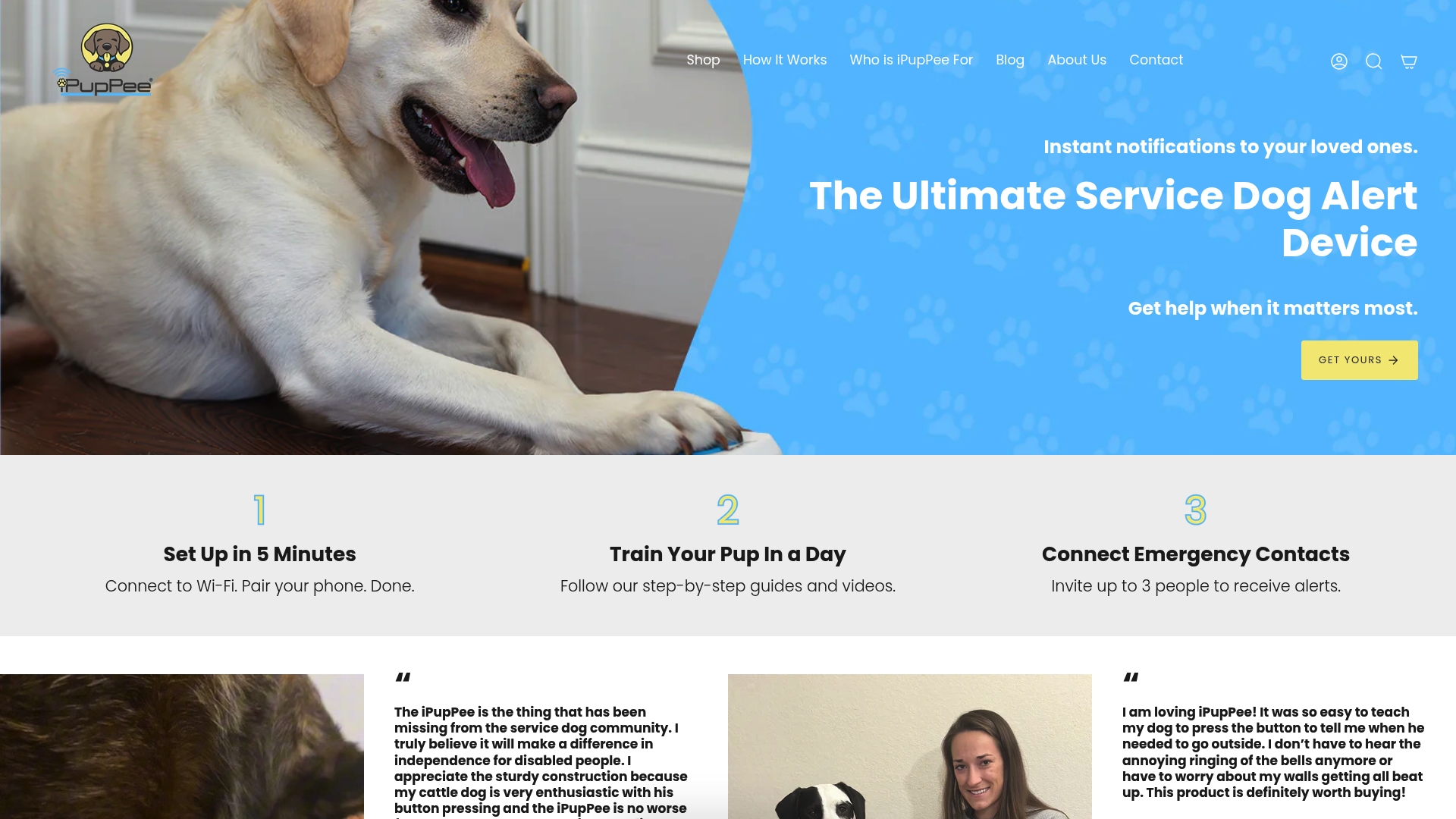
That combination matters most for service dog handlers and owners who need a request system they can actually rely on, not just a fun party trick. The bundled training library and on-demand dog psychology course walk through the exact modeling, pacing, and troubleshooting stages covered above, with video demonstrations you can pause and rewatch mid-session, something a text guide alone can’t offer. Whether you’re starting with a single “outside” button or building toward an assistance-dog setup, the device and course are designed to work together rather than as separate purchases. Check out the iPupPee device and training bundle to see current options and get started.
Where Can You Read More About the Research?
The claims in this guide draw from a mix of applied training guidance and academic usability research, and each source serves a slightly different purpose if you want to dig further.
- The AKC’s training guide is the most practical starting point for the actual step-by-step process, including word selection and vocabulary pacing.
- The Dogosophy Button Project offers the design specifics behind why certain buttons work better than others physically.
- Newsweek’s reporting and PBS NewsHour’s segment give a grounded, skeptic-friendly view of what’s proven versus what’s still anecdotal.
- The PNAS study on canine sentence comprehension is the closest thing to hard evidence on how much dogs can genuinely understand.
- BBC’s coverage traces the device’s path from assistance-dog research to a commercial product.
Sources
- Can dogs communicate with us by pressing buttons? (Newsweek)
- Learn How To Teach Your Dog To Talk Using Dog Training Buttons (AKC)
- Dogosophy Button Project | AnimalComputerInteractionLab
- How button boards are changing human-canine communication (PBS NewsHour)
- Button that dogs can push allows them control home appliances (BBC)