

Yes, many dogs can learn to press recordable buttons to signal basic needs, and the evidence behind it is stronger than most people expect. A 2024 Scientific Reports analysis found that owner-trained dogs produce non-random, deliberate presses, and a separate controlled PLOS ONE study confirmed dogs can associate button words with real outcomes without relying on owner body language. Ipuppee is built around exactly this workflow: a simple button-press device that lets your dog signal needs to you.
What buttons reliably do:
- Signal basic needs and requests (“outside,” “potty,” “play,” “water”)
- Build a consistent, learnable vocabulary tied to daily routines
What buttons do not do:
- Produce full human-like language or abstract reasoning
- Work without consistent modeling and follow-through from you
Start today with one button. One word. One outcome. That’s the whole foundation.
Key Takeaways
Button-based dog communication works when training is consistent, modeling is frequent, and outcomes are delivered reliably every time a button is pressed.
| Point | Details |
|---|---|
| Start with one button | Choose one high-value word tied to a daily routine before adding any others. |
| Model every time | Press the button yourself each time you initiate the activity; undermodeling is the most common error. |
| Deliver the outcome immediately | The activity is the reward; delayed or skipped follow-through breaks the association fast. |
| Protect welfare | Never force a press; remove a button temporarily if you cannot respond to it consistently. |
| Ipuppee training resources | Ipuppee’s guides and videos support the full modeling-to-vocabulary workflow at ipuppee.com. |
Table of Contents
- What are the animal communication basics covered here?
- Why do buttons work? The research behind dog button communication
- How to start training: a beginner plan you can follow today
- How long does button training take?
- Choosing and setting up your buttons
- Common problems and how to fix them
- How Ipuppee supports dog-human button communication
- Ipuppee: the practical next step for button training
- Sources
What are the animal communication basics covered here?
“Animal communication basics,” as used throughout this guide, means one specific thing: recordable soundboard buttons and the simple training that teaches dogs to press them to convey needs to people. This is not a guide to ethology, wildlife signaling, or any other interpretation of the phrase.
A soundboard button is a small, pressable device you record a single word onto. When your dog presses it, the button plays that word aloud. Words like “outside,” “potty,” “play,” and “water” are the realistic starting vocabulary. The goal is a reliable, repeatable signal, not a conversation.
This approach benefits pet owners managing daily routines, service-dog handlers who need clear alerts, and caregivers supporting seniors or people with disabilities who live with dogs. If any of those describe you, this guide is written for you.
Why do buttons work? The research behind dog button communication
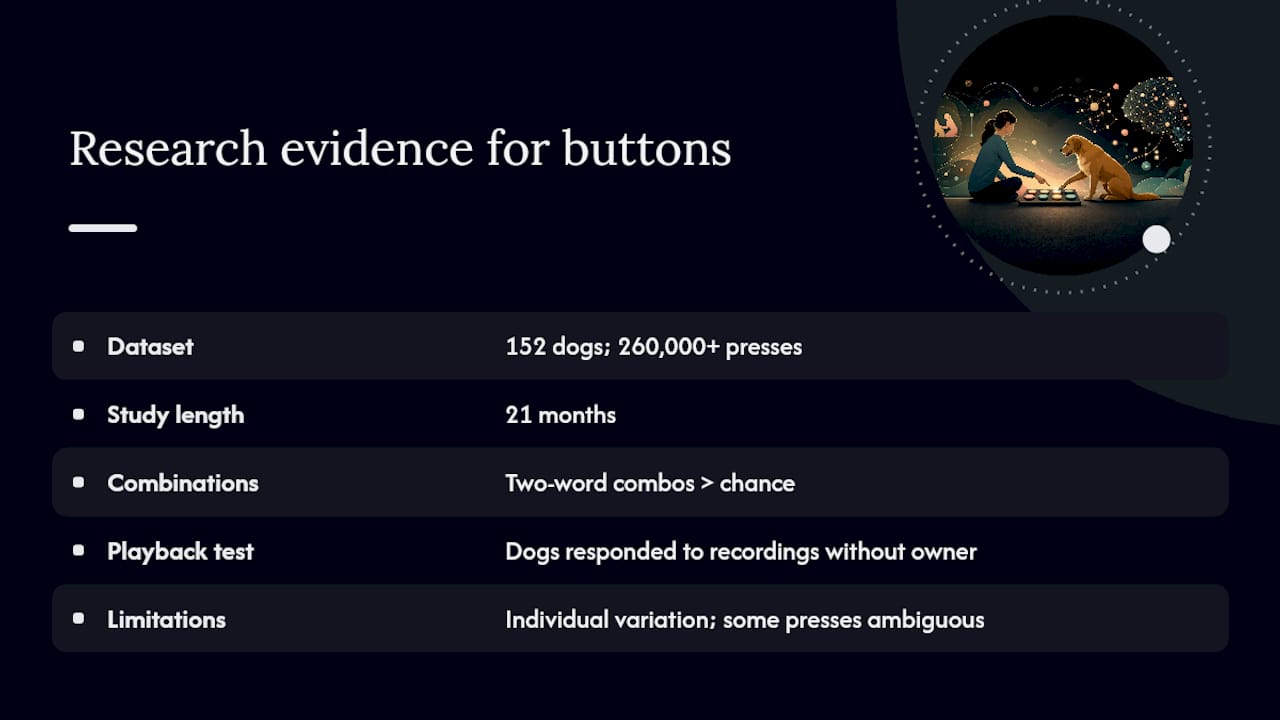
The strongest evidence comes from a UC San Diego analysis of 152 dogs over 21 months, capturing more than 260,000 recorded button presses. Two-word button combinations appeared more often than chance would predict, suggesting deliberate, purposeful use rather than random pawing.
Key finding: 152 dogs, 260,000+ presses, 21 months. Two-word combinations occurred at rates above chance, pointing to intentional communication patterns.
The PLOS ONE controlled experiments add a critical layer: dogs responded correctly to recorded button words even when played back without the owner present. That rules out the most common skeptic objection, which is that dogs are just reading human cues rather than the button itself.
Caveats matter here. Individual variation is substantial. Some presses remain ambiguous. Researchers are still working out what dogs actually “mean” when they press a button. The honest framing is that buttons give dogs a reliable, learnable signal mechanism, not a window into complex inner language. That’s still genuinely useful.
How to start training: a beginner plan you can follow today
The AKC recommends starting with words already meaningful to your dog, then building through modeling and consistent reinforcement. Here’s a practical sequence:
- Choose one word. Pick something tied to a daily, high-value event: “outside,” “potty,” or “play.” Avoid abstract words like “more” or “help” at the start.
- Record it clearly. Use your own voice, say the word once, and test the volume in the room where the button will live.
- Place the button in context. “Potty” goes by the exit door. “Play” goes near the toy bin. Location consistency is what builds the association.
- Model the press. Every time you take your dog outside, press the button yourself and say the word, then go. Do this every single time for at least a week.
- Wait for curiosity. Let your dog sniff and investigate the button freely. Do not guide their paw onto it.
- Reward the first press immediately. The moment your dog presses it, deliver the outcome: go outside, start play, offer water. The outcome is the reward, not just a treat.
- Fade treat reinforcement gradually. After the first few days, let the activity itself be the payoff. Over-treating disconnects the button from its meaning.
- Add a second button only after the first is reliable. “Reliable” means your dog presses it independently and in context, not just when you’re standing next to it.
Pro Tip: Model the button more than feels necessary. Most owners undermodel by half. If you’re pressing it every time you initiate the related activity, you’re doing it right. If you’re only pressing it when you remember, the dog has no pattern to learn from.
The iPupPee training guides walk through this sequence with video examples, which helps if you’re a visual learner or working with a service dog.
How long does button training take?
Wide variation is normal. Some dogs touch a button within days. Others take weeks before a press looks intentional. Months before reliable, spontaneous use is common, and that’s fine.
Factors that speed progress:
- High modeling frequency (pressing the button yourself multiple times daily)
- A dog with prior clicker or shaping experience
- Buttons placed in genuinely high-traffic, contextually relevant spots
- Consistent follow-through: you respond every time the button is pressed
Milestones to track, in rough order:
- First touch: dog makes any contact with the button
- Independent press: dog presses without you nearby
- Spontaneous press: dog presses before you’ve initiated the activity
- Reliable contextual use: dog presses consistently in the right context, not randomly
Do reinforce spontaneous, contextually appropriate presses immediately. Don’t treat every single press indiscriminately, especially if your dog is clearly experimenting. Remove a button temporarily if you can’t respond to it for an extended period. Repeated unanswered presses erode the association faster than almost anything else. For service-dog handlers and independence-focused training, reliable contextual use is the target milestone, not just first contact.
Choosing and setting up your buttons
Device options range from basic to purpose-built. Here’s how the main categories compare:
| Device type | Cost range | Durability | Recording quality | Expandability |
|---|---|---|---|---|
| DIY single recorder | Low | Low to moderate | Variable | Limited |
| Consumer button kits | Moderate | Moderate | Consistent | Good |
| AAC-style soundboards | Higher | High | Excellent | Extensive |
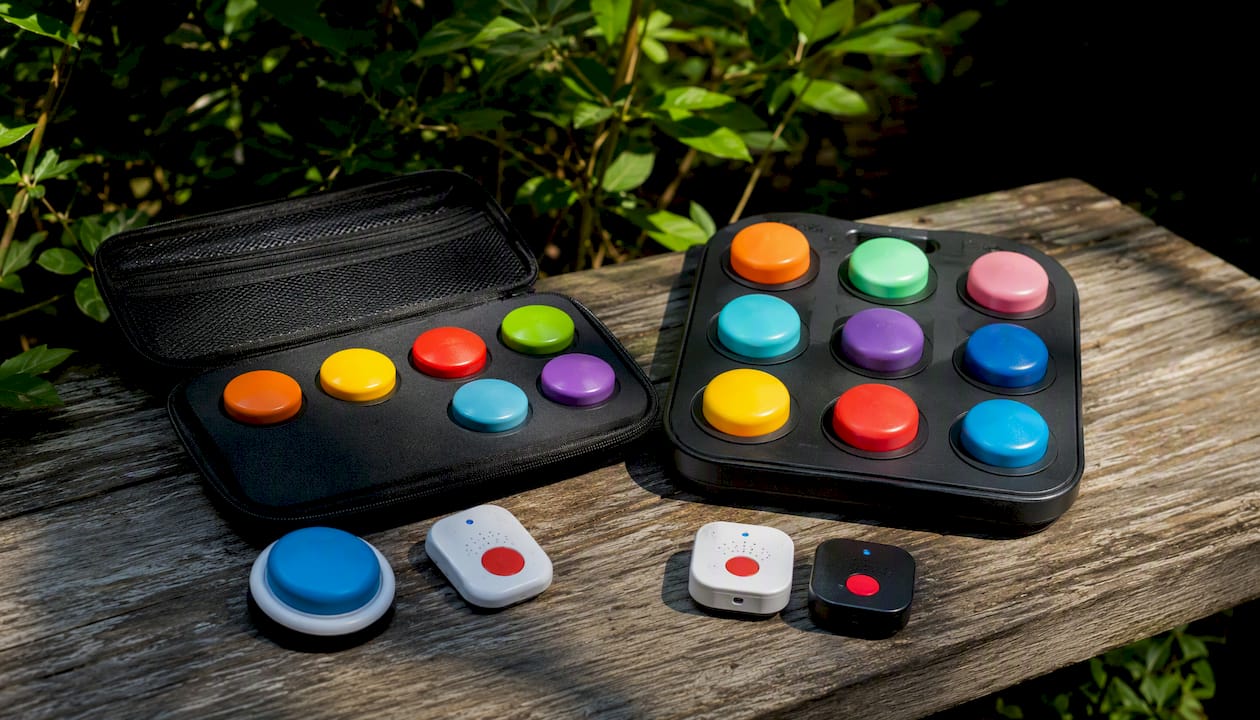
For most pet owners starting out, a consumer button kit hits the right balance. DIY recorders work but can be inconsistent in volume and durability under repeated paw pressure. AAC-style boards are worth considering for service-dog handlers who need a larger vocabulary and more robust hardware.
Placement checklist:
- “Potty” or “outside” button: directly beside the exit door your dog uses
- “Play” button: near the toy storage area or play zone
- “Water” button: close to the water bowl
- Never move a button once your dog has learned it; location is part of the memory
Recording tips: use a calm, clear voice, record in a quiet room, say the word once, and test playback volume before placing the button. Inconsistent recordings across buttons confuse dogs who are still building associations. Pet accessories like non-slip mats and mounts help keep buttons stable and in position, which matters more than it sounds when a dog is pressing with force.
Common problems and how to fix them
PetMD’s guidance on talking dog buttons identifies modeling and placement as the two most common failure points. Here’s a practical breakdown:
- Dog ignores the button entirely. You’re probably not modeling enough. Press it yourself every time you initiate the related activity for another full week before reassessing.
- Dog presses randomly with no context. The button may be too accessible without enough association built. Limit access, rebuild with more modeling, and only reintroduce when you can respond consistently.
- Dog pressed once, then stopped. The outcome wasn’t delivered fast enough or reliably enough. Go back to immediate, consistent follow-through for every press.
- Dog presses constantly. You may be over-treating. Let the activity be the reward. It’s also acceptable to decline a request sometimes; that teaches the button is a real communication tool, not a vending machine.
Troubleshooting flow: Observe what the dog does around the button. Test your modeling frequency. Limit access if presses are random. Rebuild the association before expanding vocabulary.
Welfare safeguards: never place your dog’s paw on the button to force a press. Use shaping so the dog chooses to interact. Watch treat calories, especially if you’re reinforcing multiple presses daily. If you cannot respond to a button for an extended stretch, remove it temporarily rather than ignore it repeatedly. The IAABC Foundation’s evidence-based training principles support this approach: preserving the communication link matters more than keeping the button accessible at all times.
How Ipuppee supports dog-human button communication
Ipuppee’s device and training ecosystem are designed around exactly the workflow this guide describes: one button, one word, one reliable outcome, then gradual expansion.
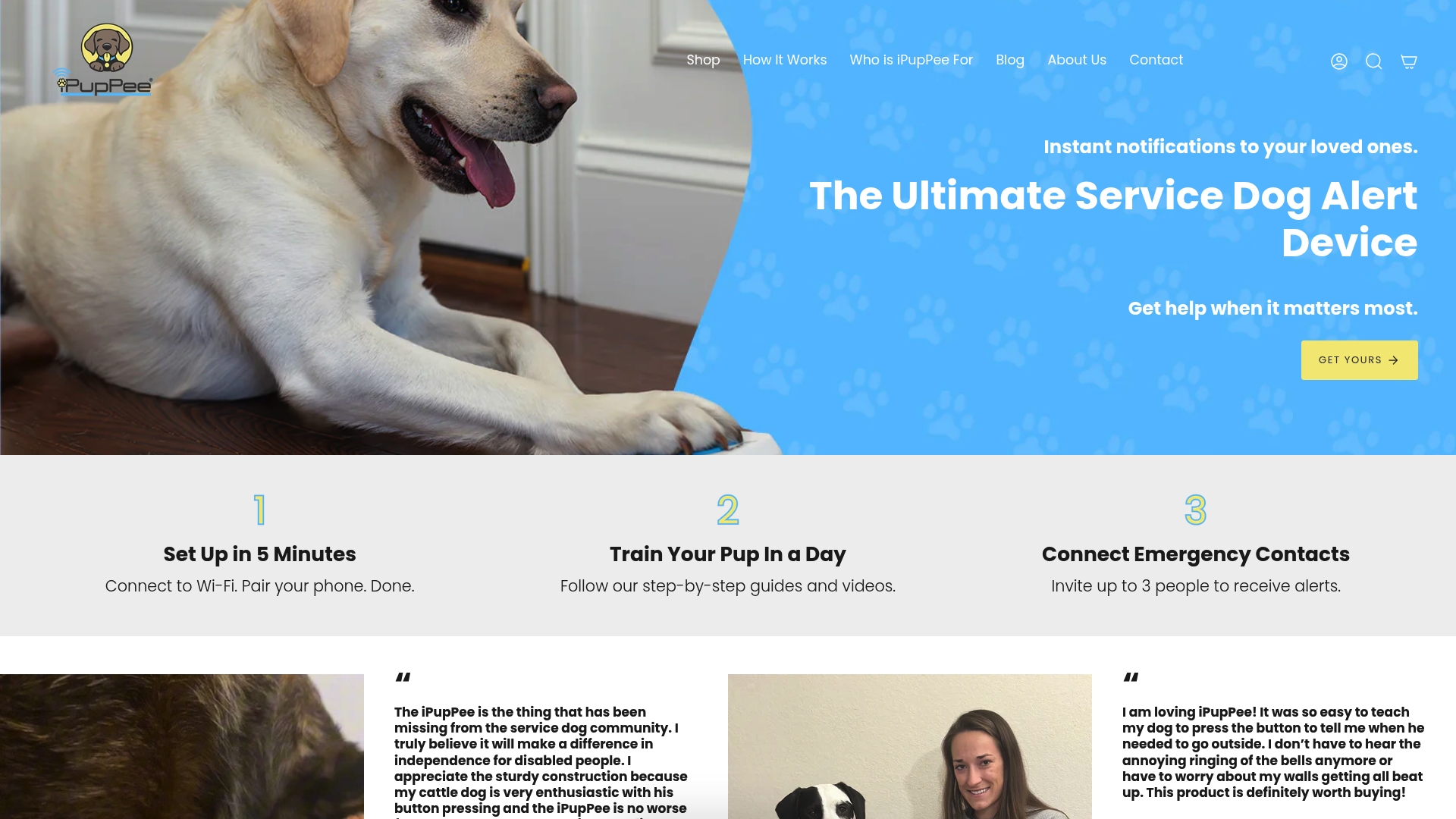
- Device: the iPupPee button is built for repeated paw pressure, with clear audio playback suited to home and service-dog environments
- Training guides: step-by-step written and video resources aligned to the modeling-first approach
- Welfare focus: Ipuppee’s materials emphasize never forcing presses and managing expectations across the full training arc
- Who it suits: new puppy owners, rescue dog caregivers, service-dog handlers, and seniors or people with disabilities who need a reliable alert system
Ipuppee’s dog button communication guide covers vocabulary planning and progressive training in detail. Visit Ipuppee to explore the device and access the full training library.
What a trainer actually sees in the first few weeks
Variability is the norm, not a sign something is wrong. Some dogs press a button on day two; others take three weeks to show any interest. What matters is whether you’re modeling consistently and delivering the outcome every time. Log what you observe: date, context, whether the press was spontaneous or prompted. That record tells you more than any timeline estimate.
Ipuppee’s video resources are worth watching before you start, not after you hit a wall. And if a button stops getting used, don’t assume the dog forgot. Check whether you stopped responding to it first.
Ipuppee: the practical next step for button training
If you’ve read this far, you already know the framework. What Ipuppee gives you is the hardware and the training support to actually execute it, without piecing together a DIY setup or hunting for reliable guidance across a dozen sources.
The iPupPee device is built for daily paw pressure, delivers clear audio, and comes paired with written and video training guides that follow the modeling-first approach this article describes. It suits first-time button trainers, service-dog handlers who need a dependable alert system, and caregivers supporting someone who relies on their dog for safety signals.
Why communication devices help dogs and their owners is a good starting point if you want the full picture before purchasing. When you’re ready to get the device and access the training library, visit Ipuppee.
Sources
- Soundboard use by pet dogs: non-random and deliberate button presses (Scientific Reports)
- Owner-trained dogs respond to button-word recordings in controlled experiments (PLOS ONE)
- Dogs use two-word button combos to communicate, study shows
- Talking Dog Buttons | PetMD
- How to teach your dog to talk (AKC)