

Yes. Many dogs learn to press talking buttons to request real things, like going outside or getting fed, and it works best when you start with one or two words and answer every press with an immediate, predictable result. A 2024 dataset of more than 56,000 multi-button presses backs this up. Patient owners, service-dog handlers, and anyone looking to give a bored dog a job tend to see the biggest payoff.
TL;DR:
- Most dogs can learn functional requests like outside or food within days to weeks with consistent modeling and fast, clear outcomes.
- Only a few dogs reach complex two-word combinations, and success relies heavily on owner modeling, patience, and avoiding early mistakes.
- Buttons should be used to teach cause and effect, not grammar, and are most effective for immediate, tangible outcomes rather than abstract concepts.
- Proper placement and safety measures are crucial to prevent choking, tripping hazards, or reinforcing compulsive pressing, especially in safety-related setups.
- Training is most successful when starting with one or two words, rewarding outcomes, and removing buttons if the dog shows stress or disinterest.
Table of Contents
- Buttons for Dog Commands: A Quick Starter Checklist
- How Do Interactive Dog Buttons Actually Work?
- Step-by-Step: How to Use Dog Buttons for Real Requests
- Common Mistakes When Training Dog Communication Buttons
- What Are the Real Benefits and Limits of Dog Buttons?
- iPupPee Resources for Safer, More Consistent Button Training
- Safety Considerations When Using Buttons With Dogs
- An Editorial Take on Button Training
- Try iPupPee’s Alert Device and Training Bundle
- Sources
Buttons for Dog Commands: A Quick Starter Checklist
You don’t need much to test this with your own dog. Here’s the short version before you commit to anything.
- Grab one recordable button, or a full communication device like the ones used for service and alert training.
- Set it up in a quiet spot near the door, food area, or wherever the behavior actually happens.
- Pick a word you already say out loud, like “outside,” “play,” or “food,” and record that exact word.
- Have a fast, obvious payoff ready. Open the door within seconds. Play for two minutes right then.
- Put the button away when you can’t respond, and never physically guide a paw onto it.
Buttons are a supplement to how dogs already communicate, not a replacement for reading body language, according to PBS NewsHour’s coverage of the trend. Keep that in mind before you buy a 20-button board.
How Do Interactive Dog Buttons Actually Work?
A button doesn’t teach a dog English. It teaches a dog that a specific sound, in a specific place, reliably produces a specific outcome. That’s operant conditioning, the same mechanism behind sit and stay, just routed through a talking button instead of a hand signal. Researchers and trainers often describe this as an AAC-style tool (augmentative and alternative communication), borrowed loosely from devices used with nonverbal children, but the comparison only goes so far. Dogs are learning cause and effect, not grammar.
Statistic Callout: A 2024 analysis of over 56,000 multi-button presses from more than 150 dogs found patterns consistent with intentional use, including two-word combinations that showed up more often than chance would predict, according to UC San Diego’s summary of the research.
Bunny the Sheepadoodle helped make this whole idea go viral, with videos showing what looked like multi-word sentences strung together on a button board, per her Wikipedia entry). Those clips are genuinely impressive. They’re also not a guarantee. Bunny’s owner spent an enormous amount of time on consistent modeling, and most dogs won’t hit that level of output. Expect functional requests, not conversation.
Step-by-Step: How to Use Dog Buttons for Real Requests
Skip the temptation to buy ten buttons on day one. The process works better in order.
- Choose one or two functional words. Outside, potty, and play work well because you can deliver the outcome fast. Record the exact word you already use with your dog, not a synonym.
- Model the button constantly. Press it yourself, say the word out loud, then immediately deliver the outcome. Do this every single time you’d naturally say that word, whether or not the dog is watching.
- Reward the outcome, not the press. If your dog presses “outside,” take them outside. Don’t hand out treats for pressing, since that teaches “press equals snack” instead of “press equals door opens.” Early on, treat every accidental paw contact as if it were intentional, a shaping tactic borrowed straight from IAABC’s documented training cases.
- Wean off any treat lure and add buttons one at a time. Keep positions fixed. A dog that has to relearn where “play” lives every week won’t build a reliable habit.
Pro Tip: Design every consequence to be fast and unambiguous. Opening a door in five seconds teaches a clear lesson. Promising a walk “in a bit” teaches nothing, because the outcome is too delayed for the dog to connect it to the press.
Progress usually shows up in stages: first the dog glances at the button when they want something, then they paw near it, then they press it without any prompting from you. Most dogs manage a reliable first word within days to a few weeks of consistent modeling, based on trainer-reported timelines from Chewy’s dog training guidance. Once one word is solid, add a second, and only start reading combinations (like “outside” followed by “play”) once both individual words are dependable on their own. Our step-by-step training breakdown covers sequencing in more depth if you want to slow the process down further.
Common Mistakes When Training Dog Communication Buttons
A few predictable problems derail most first attempts.
- Ignoring early accidental presses. If your dog bumps a button while walking by and you say nothing, you’ve missed a chance to build the connection. Respond anyway, early on.
- Cuing without realizing it. Standing near one specific button, glancing at it, or reaching toward it before your dog presses teaches the dog to read you, not the button. Good Housekeeping’s reporting flags this as one of the most common owner mistakes.
- Expecting abstract words to land. “Later,” “maybe,” or “tomorrow” have no immediate, observable consequence, so dogs can’t learn them the way they learn “outside.” Stick to words tied to something that happens right away.
- Pushing through stress or disinterest. If your dog avoids the button area or seems anxious near it, scale back to one word or stop and try again in a few weeks. Not every dog takes to this style of enrichment, and that’s fine.
- Removing a button too late. If you genuinely can’t take your dog outside right now, pull the button out of reach instead of ignoring the press. Ignored presses teach the dog the button doesn’t work.
What Are the Real Benefits and Limits of Dog Buttons?
The upside is concrete: clearer requests around potty breaks and walks, mental enrichment for dogs that get bored easily, and a noticeable bump in autonomy that some owners describe as a shift in how their dog engages with them day to day.
- Fewer accidents when a dog has a reliable way to signal “I need to go now.”
- A structured enrichment activity for dogs that need more mental work than fetch provides.
- Potential value for service-dog and alert contexts, where a clear signal matters.
- Not universal. Some dogs never take to it, and pressing style varies a lot by dog and by household consistency.
Statistic Callout: The 56,000-press dataset supports intentional use at a population level, but the researchers themselves treat this as an early, developing field. One large study is evidence, not proof of how every individual dog will respond.
Before you invest in a board, ask yourself: can you model consistently for several weeks, do you have an immediate outcome ready for each word, and can you live with removing a button when you can’t answer it? If yes to all three, it’s worth trying.
iPupPee Resources for Safer, More Consistent Button Training
Ipuppee builds an alert device designed around exactly this problem: giving dogs a reliable way to signal something urgent, with Wi-Fi connectivity, live video, and two-way audio so you can respond even when you’re not in the room. The device ships with onboarding guides and video walkthroughs so you’re not guessing at setup.
Beyond the hardware, Ipuppee’s blog covers the details that make or break training consistency, including our guide to preventing button confusion and a foundational overview of canine communication signals. If you get stuck mid-training, our customer support team can walk through troubleshooting specific to your setup rather than leaving you to figure it out from a manual.

Safety Considerations When Using Buttons With Dogs
A button itself is low-risk, but the way you place and use it isn’t automatically safe. Small recordable buttons can pose a choking hazard for dogs that chew rather than paw, so size and material matter more than most first-time buyers expect. Mount buttons on a stable surface or board so a determined dog can’t knock one loose and swallow a piece.
Placement near stairs, glass doors, or high-traffic hallways can turn an eager dog into a tripping hazard, both for the dog and for anyone walking through. Keep the setup in a low-traffic, flat area where a dog can approach and press without you or another pet colliding with them.
If you’re using buttons tied to a real safety function, like an alert device meant to summon help, test the full chain regularly: does the press trigger a notification, does the video feed connect, does the audio work both ways. A safety feature that fails silently during an actual emergency defeats the purpose of installing one in the first place.
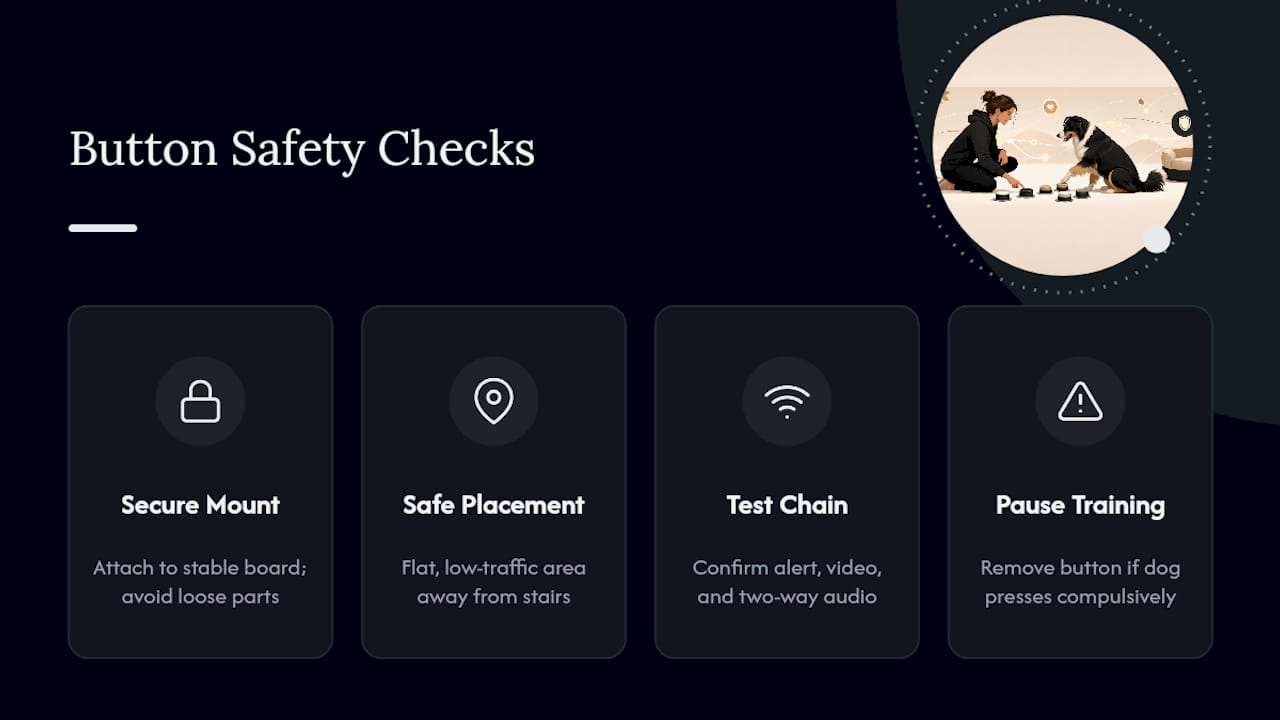
Watch for compulsive pressing, too. A small number of dogs will hammer a button repeatedly out of frustration or anxiety rather than genuine communication. If that happens, pull the button, address the underlying stress, and reintroduce it slowly once the dog is calmer.
An Editorial Take on Button Training
Buttons earn their place when they solve something specific: a safety alert, a clearer potty signal, an enrichment outlet for a dog with too much time and not enough to do. They don’t earn their place as a novelty purchase you hope turns your dog into Bunny.
The ethical line matters more than the training technique. Never force a paw onto a button, and stop the moment a dog shows stress instead of curiosity. Log your presses, watch the pattern over a few weeks, and stay honest with yourself about whether it’s working for your specific dog.
— Andrew
Try iPupPee’s Alert Device and Training Bundle
Ipuppee gives you a faster path to a dog that can actually tell you something’s wrong, not just something it wants. Instead of piecing together a DIY button setup and hoping the training sticks, you get a Wi-Fi enabled alert device with live video and two-way audio built in, plus onboarding guides that walk you through the exact modeling and shaping steps covered above.
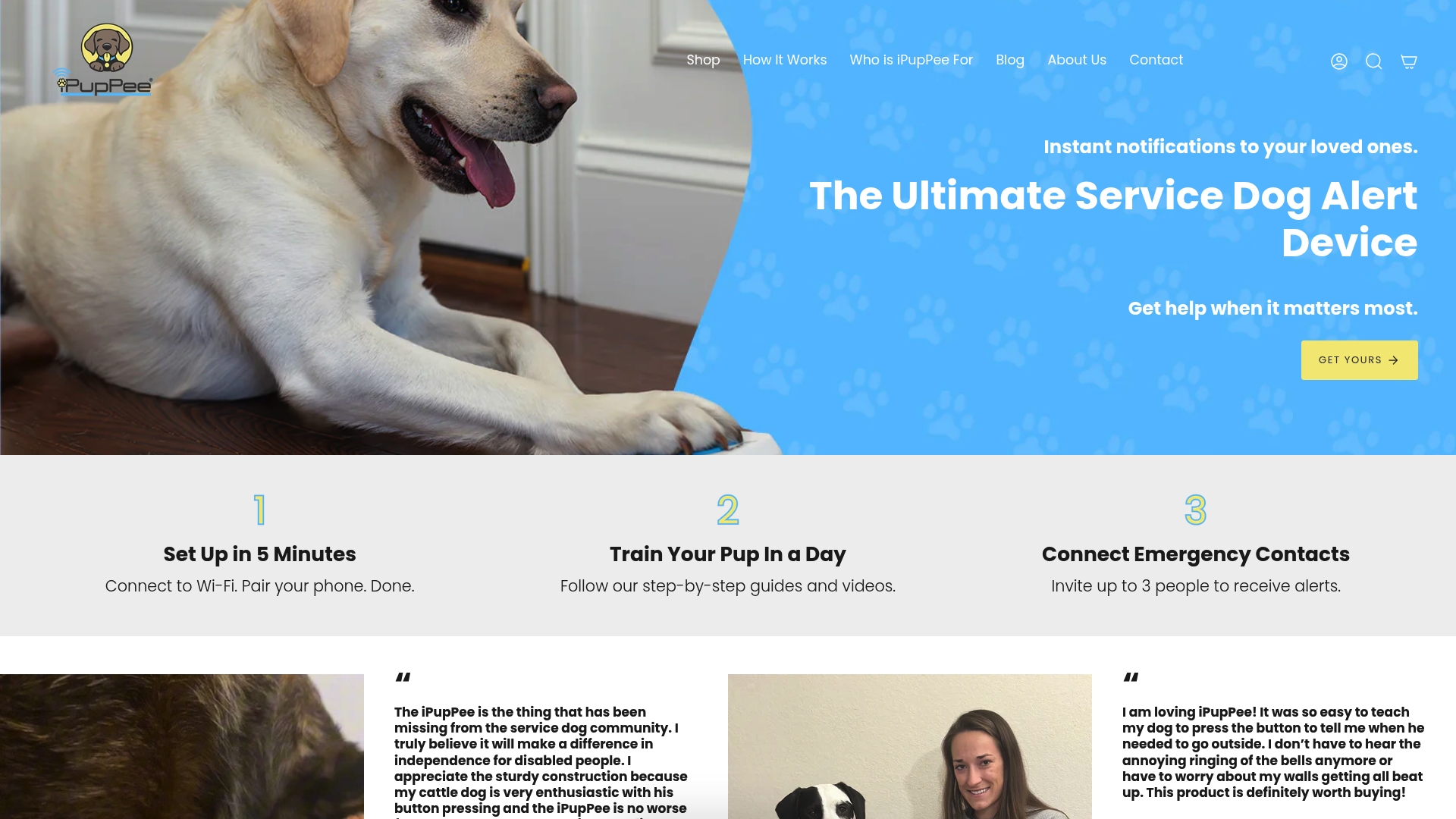
The bundle includes the physical device, step-by-step video training, and access to our on-demand dog psychology course, so you’re not relying on trial and error alone. It’s built specifically for service-dog handlers, seniors living alone, and pet owners who want a real safety net rather than a party trick. Our guide on request buttons for enhanced pet communication walks through device-specific use cases in more detail. Head to Ipuppee to check current device options and get your training bundle started this week.
Sources
The UC San Diego study offers the strongest data on intentional button use. IAABC’s journal and PetMD give trainer-level detail on shaping and association, while PBS NewsHour covers the broader context well.
- Dogs use two-word button combos to communicate, study shows — UC San Diego Today
- Pushing all my buttons: Dogs using communication buttons — IAABC Journal
- How button boards are changing human-canine communication — PBS NewsHour