

TL;DR:
- Dog-harness alerts are real-time notifications from wearable devices that inform handlers about their dog’s status or behavior. Proper setup, customization, and understanding of alert types enhance safety and communication for service dogs and owners. Regular maintenance and training ensure these systems support independence and effective management.
Dog-harness alerts are notification systems built into smart collars and harnesses that signal a handler when their dog’s status, location, or behavior changes. These systems close the communication gap between dogs and their owners in real time. For service dog handlers, seniors living alone, and owners of escape-prone dogs, understanding harness alerts is not optional. It is the foundation of responsible device use. This guide covers what dog-harness alerts are, how they work, why they matter for safety, and how to configure them so they actually help.

What are dog-harness alerts and how do they work?
Dog-harness alerts are real-time notifications sent from a wearable device on your dog to your smartphone or another receiver. The device monitors location, movement, and sometimes sound, then sends a signal when a preset condition is met. Think of it as a two-way radio where your dog is always transmitting and you decide which broadcasts matter.
The most widely used alert systems today combine GPS tracking with cellular or Bluetooth connectivity. Devices like the Fi smart collar send notifications directly to a paired app. Smart harness notifications fall into two broad categories: device-generated alerts triggered by sensor data, and behavior-recognition alerts triggered by the dog’s own actions, such as pressing a button or barking.
Service dog handlers rely on a third type: intentional communication alerts. These occur when a trained dog activates a button or device to signal a need, such as the iPupPee device, which lets a dog press a button to notify its handler. That single press can mean the difference between a dog getting outside in time and an accident indoors. Understanding all three alert types is the starting point for any handler.
What types of alerts do dog harnesses provide?
Device alerts generally include escape notifications, safe-zone exits, charging reminders, and activity monitoring. Each alert type serves a different purpose, and knowing which one fired tells you exactly what action to take.
| Alert type | Trigger | Primary use case |
|---|---|---|
| Escape alert | Dog leaves a defined boundary | Prevent loss for free-roaming or yard dogs |
| Safe-zone exit | GPS leaves a geofenced area | Service dog handlers tracking working dogs |
| Charging reminder | Battery drops below threshold | Prevent device downtime |
| Activity alert | Step count or movement threshold | Health monitoring and exercise tracking |
| Behavior alert | Bark, paw press, or specific motion | Communication for service dogs |
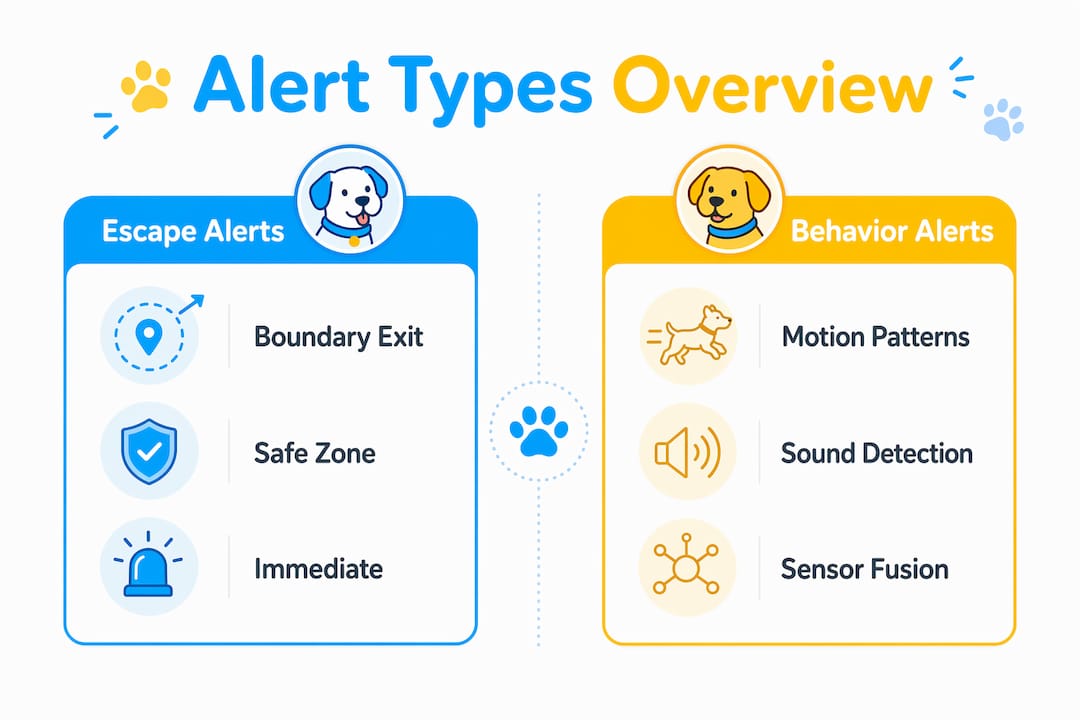
Behavior-recognition alerts are the most technically complex. IMU sensors on collars detect specific motion patterns, such as the head jerk a dog makes during a bark, to confirm whether the dog is actually alerting. This matters because a collar microphone alone picks up ambient noise, traffic, or a TV in the next room. The IMU data confirms that the sound came from your dog’s body, not the environment.
Audio classifiers combined with IMU reduce false positives by cross-referencing sound with motion. This is called sensor fusion. The system suppresses a notification if the audio trigger has no matching body movement, and confirms it when both signals align. For service dog handlers who depend on alerts for medical or safety reasons, that accuracy is critical.
Pro Tip: If your device supports sensor fusion, enable both audio and motion detection in the app settings. Using only one sensor type doubles your false-positive rate.
How do dog-harness alerts improve safety?
Dog-harness safety notifications prevent two major risks: physical escape and device-related hazards. On the escape side, a geofence alert fires the moment your dog crosses a boundary, giving you a head start before the dog is out of sight. For handlers who manage dogs using communication devices, that early warning is the entire point of wearing a device.
The device-related hazard side is less discussed but equally serious. A 2026 EU Safety Gate recall, identified as recall SR/00838/26, involved a USB-rechargeable dog collar that posed a burn risk due to overheating. The root cause was a battery management system without cell temperature monitoring. That recall is a reminder that not every device on the market meets basic safety standards.
| Safety risk | Cause | Recommended action |
|---|---|---|
| Overheating battery | No cell temperature monitoring | Check recall databases before purchase |
| Escape without alert | Geofence not configured | Set safe zones in app before first use |
| Alert fatigue | Too many low-priority notifications | Disable non-critical alerts in settings |
| Device failure | Outdated firmware | Enable automatic app and firmware updates |
Battery management without proper monitoring can overheat and cause burns, which means owners must follow recall instructions immediately if a device is flagged. Check the U.S. Consumer Product Safety Commission database and the EU Safety Gate portal before buying any rechargeable collar or harness device. A recalled device does not just fail. It can injure your dog.
Pro Tip: Inspect the charging port and battery casing monthly. Any swelling, discoloration, or unusual heat during charging is a reason to stop using the device immediately and contact the manufacturer.
How can handlers manage and customize harness alerts?
Alert customization is where most handlers leave value on the table. The default settings on most devices are designed for general dog owners, not service dog handlers or owners with specific needs. Adjusting those defaults takes five minutes and dramatically improves the signal-to-noise ratio of your notifications.
Handlers can personalize alert notifications in smart harness apps by selecting which alert categories to receive. In the Fi app, the path is: pet avatar, then Menu, then Account, then Device alerts under Notifications. From there, you can enable or disable escape alerts, walk alerts, and safe-zone alerts independently. That granular control means you only get the alerts that match your dog’s actual risk profile.
Here are the practical steps every handler should take after setting up a new device:
- Set geofences first. Define your home boundary and any regular locations before enabling location alerts.
- Disable low-priority alerts. Charging reminders and step-count alerts create noise. Turn them off unless you actively use activity tracking.
- Test each alert type. Walk your dog outside the geofence yourself to confirm the alert fires correctly before relying on it.
- Adjust sensitivity thresholds. If you receive frequent false positives, lower the motion sensitivity in the app settings.
- Review alert logs weekly. Patterns in alert data reveal behavioral changes worth discussing with your vet or trainer.
Training your dog to respond to alerts is a separate skill from configuring the device. For service dogs using button-press systems like iPupPee, consistent reinforcement of the button-press behavior is what makes the alert meaningful. The device sends the signal. The training gives it context.
What are best practices for choosing a dog-harness alert system?
The right alert system depends on three factors: your dog’s size and activity level, the alert types you actually need, and the reliability of the app behind the hardware. A device with excellent hardware but a poorly maintained app will fail you at the worst moment.
Owners should routinely update alert settings and test alert sensitivity to maintain accuracy. That means treating your device like a smoke detector: test it regularly, replace batteries on schedule, and never assume it is working just because it was working last week.
When comparing systems, prioritize these criteria:
- Alert variety. Does the device support geofence, behavior, and charging alerts, or only one type?
- App reliability. Check app store reviews specifically for notification delivery failures, not just overall ratings.
- Battery life. A device that needs daily charging will be offline exactly when you forget to charge it.
- Comfort and fit. A harness that causes chafing will be removed. An alert system your dog is not wearing is useless.
- Recall history. Search the manufacturer name in the CPSC database before purchasing.
The most common mistake handlers make is over-relying on alerts as a substitute for observation. Alerts are a backup system, not a replacement for watching your dog. A service dog handler who follows an emergency response plan alongside their alert system is far better prepared than one who depends on the device alone.
Pro Tip: Combine physical signals with digital alerts. Train your dog to make eye contact or paw you before pressing a button. That physical signal gives you a second confirmation before you even check your phone.
Key Takeaways
Dog-harness alerts work best when handlers understand the alert types, configure them for their specific situation, and combine device notifications with direct observation and training.
| Point | Details |
|---|---|
| Alert types vary by function | Escape, safe-zone, behavior, and charging alerts each serve a different purpose. |
| Sensor fusion improves accuracy | IMU plus audio detection reduces false positives by confirming body motion matches sound. |
| Safety recalls are real risks | Check CPSC and EU Safety Gate databases before buying any rechargeable collar or harness device. |
| Customization is non-negotiable | Default app settings are generic. Adjust alert categories to match your dog’s actual risk profile. |
| Alerts supplement, not replace, observation | Combine device notifications with trained physical signals for the most reliable communication. |
What I have learned from using harness alerts with service dogs
The first thing that surprised me about harness alert systems was how much the training mattered more than the technology. I watched handlers spend hours comparing GPS accuracy and app interfaces, then skip the ten minutes of conditioning work that would make their dog actually use the alert button reliably. The device is inert without the behavior behind it.
The second lesson was about alert fatigue. When I first set up a Fi collar, I left every notification enabled. Within three days, I was ignoring the alerts entirely because they fired too often. Turning off the low-priority notifications and keeping only escape and safe-zone alerts restored my trust in the system. Now when my phone buzzes with a device alert, I take it seriously.
The third observation is specific to service dog handlers. The iPupPee button-press system changed how I think about dog communication entirely. A dog pressing a button to signal a need is not a trick. It is a structured communication channel. When that press triggers a notification to a handler’s phone, you have a closed loop: dog signals, device transmits, handler responds. That loop supports genuine independence for dogs working with handlers who have limited mobility or hearing.
The uncomfortable truth about harness alerts is that most owners configure them once and never revisit the settings. Your dog’s behavior changes. Your living situation changes. Your alert settings should change with them. Treat your device configuration as a living document, not a one-time setup.
— Andrew
How Ipuppee supports your dog-harness alert setup
Ipuppee builds communication devices specifically for dog owners who need reliable, simple alert systems. The iPupPee device gives your dog a direct way to signal you with a single button press, and the platform supports handlers at every stage from first setup to advanced training.
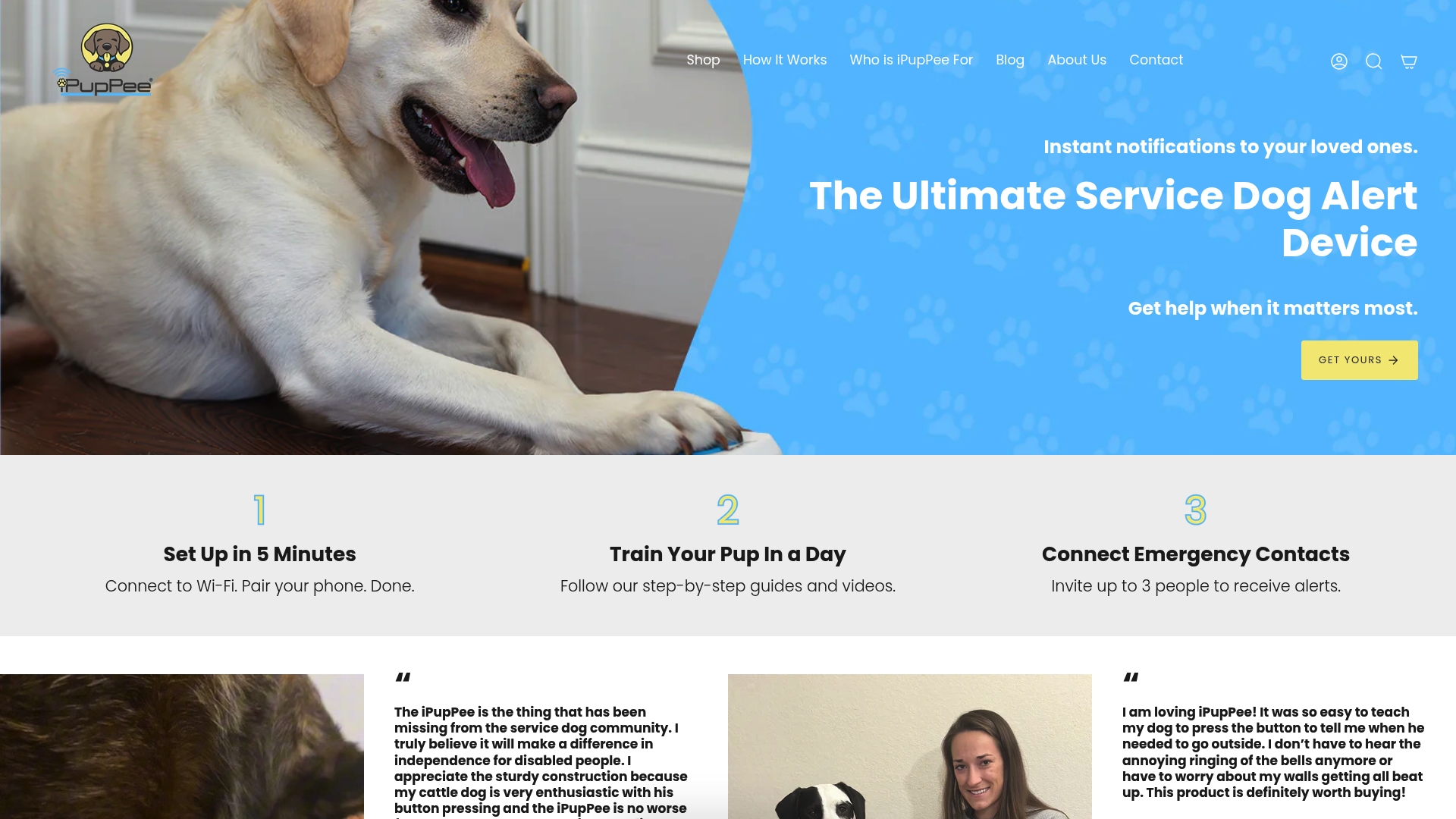
Whether you are a service dog handler, a senior living alone, or an owner of a dog with specific communication needs, Ipuppee offers products and training resources matched to real-world use. Visit Ipuppee to see the full product range and find the alert solution that fits your dog’s daily routine.
FAQ
What are dog-harness alerts?
Dog-harness alerts are real-time notifications sent from a wearable device on your dog to your phone or receiver when a preset condition is met, such as a location boundary exit or a behavior trigger.
How do IMU sensors reduce false alerts?
IMU sensors verify alerts by confirming that a sound-based trigger matches a corresponding body movement, suppressing notifications caused by ambient noise rather than the dog.
Are rechargeable dog collars safe?
Most are, but a 2026 EU recall flagged a USB-rechargeable collar for overheating due to missing battery temperature monitoring. Always check the CPSC database and EU Safety Gate before purchasing a rechargeable device.
How do I customize alerts on a smart collar app?
In the Fi app, navigate to your pet avatar, then Menu, then Account, then Device alerts under Notifications to enable or disable specific alert categories.
Can harness alerts support service dog independence?
Yes. Button-press alert systems like iPupPee let a trained service dog signal its handler directly, creating a reliable communication loop that supports independence for handlers with mobility or hearing limitations.